
Organizations Overview
Organizations in DailyPlay allow teams to collaborate on game creation and management. Whether you’re a brand, agency, or studio, organizations provide the structure you need.
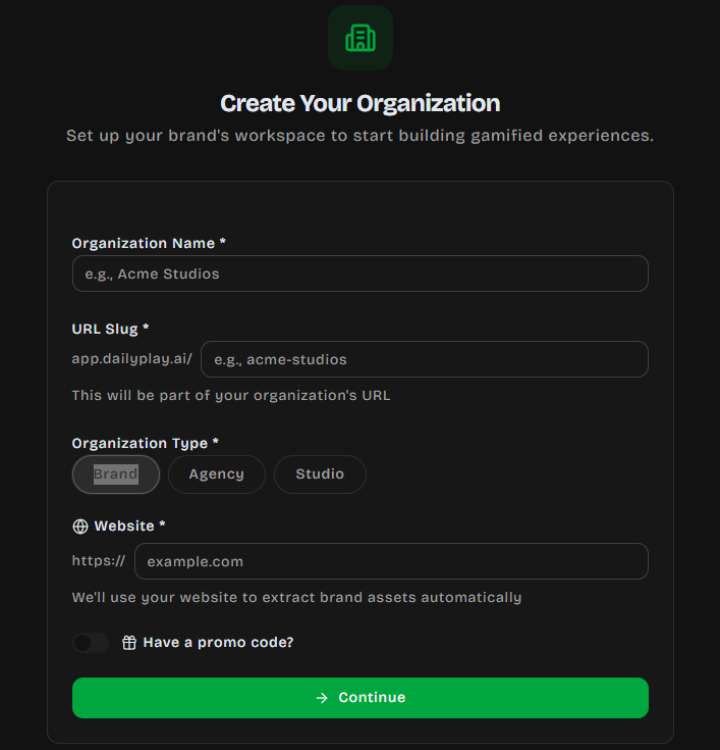
What is an Organization?
Section titled “What is an Organization?”An organization is a shared workspace where team members can:
- Create and manage games together
- Share voucher pools and prize configurations
- View collective analytics
- Collaborate with defined roles and permissions
Organization Types
Section titled “Organization Types”When creating an organization, choose the type that best describes your team:
| Type | Description |
|---|---|
| Brand | A company creating games for their own customers |
| Agency | A marketing agency managing games for clients |
| Studio | A game studio or creative team |
Key Features
Section titled “Key Features”Team Collaboration
Section titled “Team Collaboration”Invite team members and assign roles based on their responsibilities:
- Owner — Full control over the organization
- Admin — Can manage members and settings
- Editor — Can create and edit games
- Analyst — View-only access to analytics
- Viewer — Can view games but not edit
Invitations
Section titled “Invitations”Add members via email invitations:
- Invitations expire after 30 days
- Assign a role when inviting (Admin, Editor, Analyst, or Viewer)
- Re-invite if an invitation expires or is revoked
Branding
Section titled “Branding”Each organization can store brand assets for consistent game styling:
- Brand Colors — Primary and accent colors applied to games
- Brand Fonts — Custom typography preferences
- Brand Tone — Voice and messaging style guidelines
Centralized Management
Section titled “Centralized Management”All organization resources in one place:
- Games — All games created by team members
- Vouchers — Shared voucher sets for promotions
- Prizes — Prize configurations across games
- Analytics — Aggregated performance data
- API Keys — Organization-scoped keys for third-party integrations
Analytics Dashboard
Section titled “Analytics Dashboard”Track performance across all your games:
- Total plays over time
- Top performing games
- Activity trends
- Peak engagement periods
Subscription Tiers
Section titled “Subscription Tiers”Organizations operate on subscription plans that determine available features such as game limits, advanced analytics, and priority support. Visit your organization settings to manage your plan.
Personal vs. Organization Games
Section titled “Personal vs. Organization Games”Personal Games
Section titled “Personal Games”Games created without an organization:
- Owned by your personal account
- Only you can edit them
- Limited to personal analytics
Organization Games
Section titled “Organization Games”Games created within an organization:
- Shared ownership with the team
- Multiple members can edit (based on roles)
- Collective analytics
- Access to organization vouchers and prizes
Getting Started
Section titled “Getting Started”- Create an Organization — Set up your team’s workspace
- Invite Members — Add your team with appropriate roles
- Create Games — Start building branded games together