
Voucher System
The voucher system lets you manage collections of promotional codes that are automatically distributed to players when they win prizes. Each code is tracked individually — from creation through to claim.
What is a Voucher Set?
Section titled “What is a Voucher Set?”A voucher set is a named collection of unique codes organized for a campaign or promotion:
- Holiday discount codes
- Gift card codes
- Product trial keys
- Event-specific offers
Each set includes:
| Property | Description | Required |
|---|---|---|
| Name | Descriptive label (e.g., “Summer Sale 20% Off”) | Yes |
| Description | Internal notes about the set’s purpose | No |
| Expiry Date | When all codes in the set expire | No |
A single voucher set can be linked to multiple games simultaneously — the dashboard shows which games are currently using each set.
Creating a Voucher Set
Section titled “Creating a Voucher Set”- Go to your Organization dashboard
- Click Vouchers in the sidebar
- Click Create Set
- Enter a name, optional description, and optional expiry date
- Click Create
The set is now ready for codes to be added.
Adding Codes
Section titled “Adding Codes”You have two options for populating a voucher set:
Upload CSV
Section titled “Upload CSV”Upload a .csv or .txt file with one code per line:
- Click Upload CSV on the set
- Select your file or paste codes into the text area
- Click Upload
Accepted format (plain text, one code per line):
SUMMER2024-001SUMMER2024-002SUMMER2024-003Multi-column CSVs are accepted — only the first column is used. All codes are automatically converted to uppercase, and duplicates are silently ignored.
You can also paste codes directly into the upload text area (one per line) without needing a file.
Generate Codes
Section titled “Generate Codes”Auto-generate unique, human-readable codes:
- Click Generate on the set
- Configure the settings:
| Setting | Range | Description |
|---|---|---|
| Count | 1–1,000 | Number of codes to create |
| Prefix | 0–10 chars | Optional prefix (e.g., PROMO) |
| Random Length | 4–16 chars | Length of the random portion |
- Preview a sample code
- Click Generate
Example output (prefix PROMO, length 8):
PROMO-A8K2M9X1PROMO-B3N5P7Q2PROMO-C1R4S6T8Voucher Statuses
Section titled “Voucher Statuses”Each code has one of four statuses:
| Status | Color | Description |
|---|---|---|
| Available | Green | Ready to be won and distributed |
| Claimed | Amber | Won by a player — includes player ID and timestamp |
| Expired | Gray | Past the expiry date, no longer distributable |
| Disabled | Red | Manually deactivated |
Status transitions:
available→claimed— When a player wins a linked prizeavailable→expired— Automatically when the expiry date passes- Only
availablevouchers can be deleted individually
Managing Vouchers
Section titled “Managing Vouchers”Dashboard View
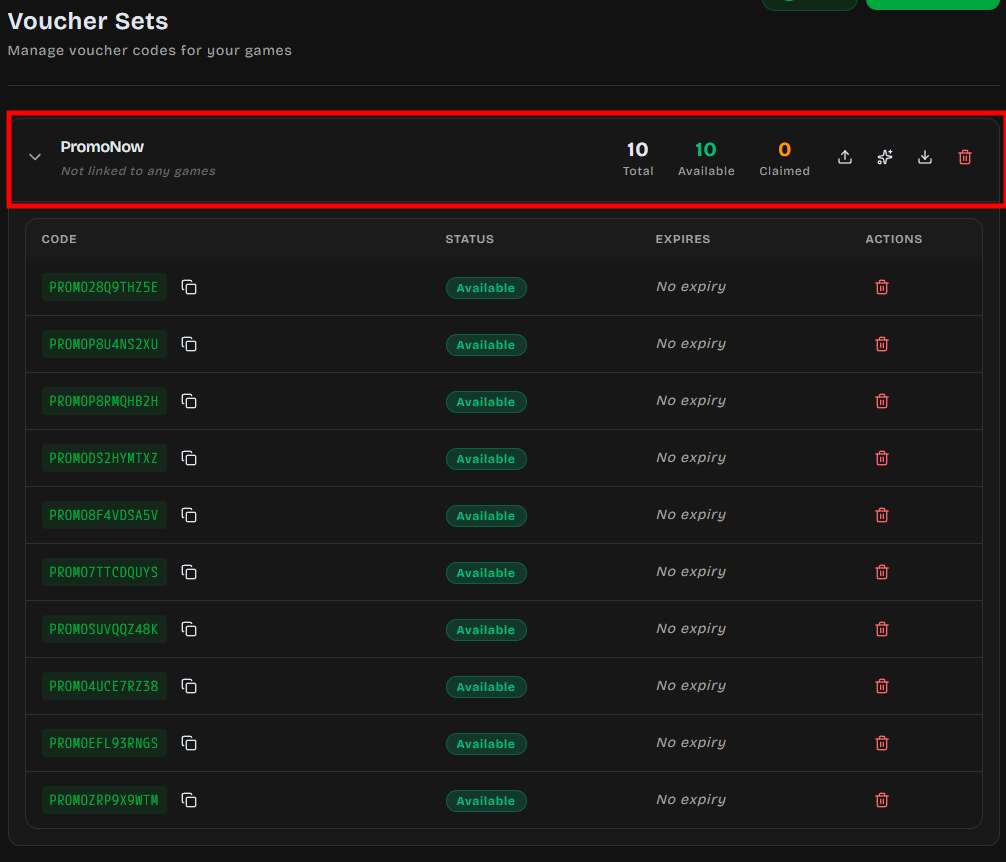
Section titled “Dashboard View”Each voucher set displays:
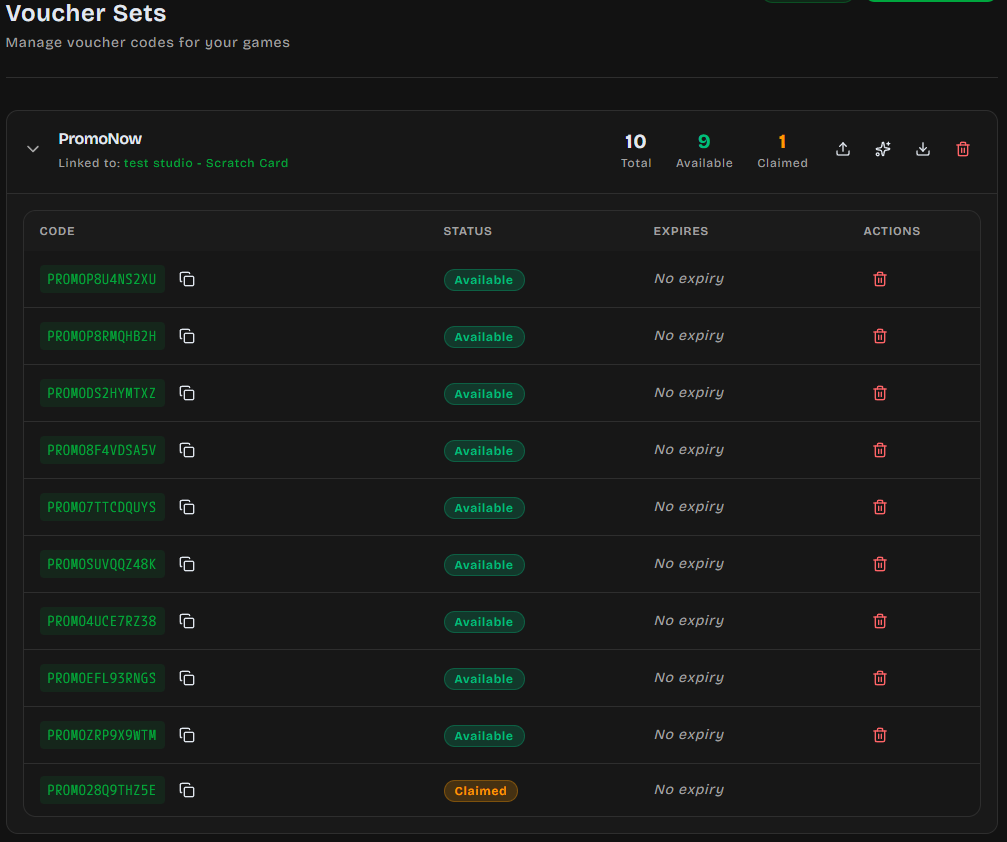
- Total / Available / Claimed counts at a glance
- Linked games — which games currently use this set as a prize
- Expandable list of all individual codes with status badges
Copy Codes
Section titled “Copy Codes”Click the copy icon next to any code to copy it to your clipboard.
Export
Section titled “Export”Download all codes from a set as CSV:
- Click Export on the set
- A file downloads named
{set-name}-vouchers.csv
Export format:
code,statusPROMO-A8K2M9X1,availablePROMO-B3N5P7Q2,claimedPROMO-C1R4S6T8,expired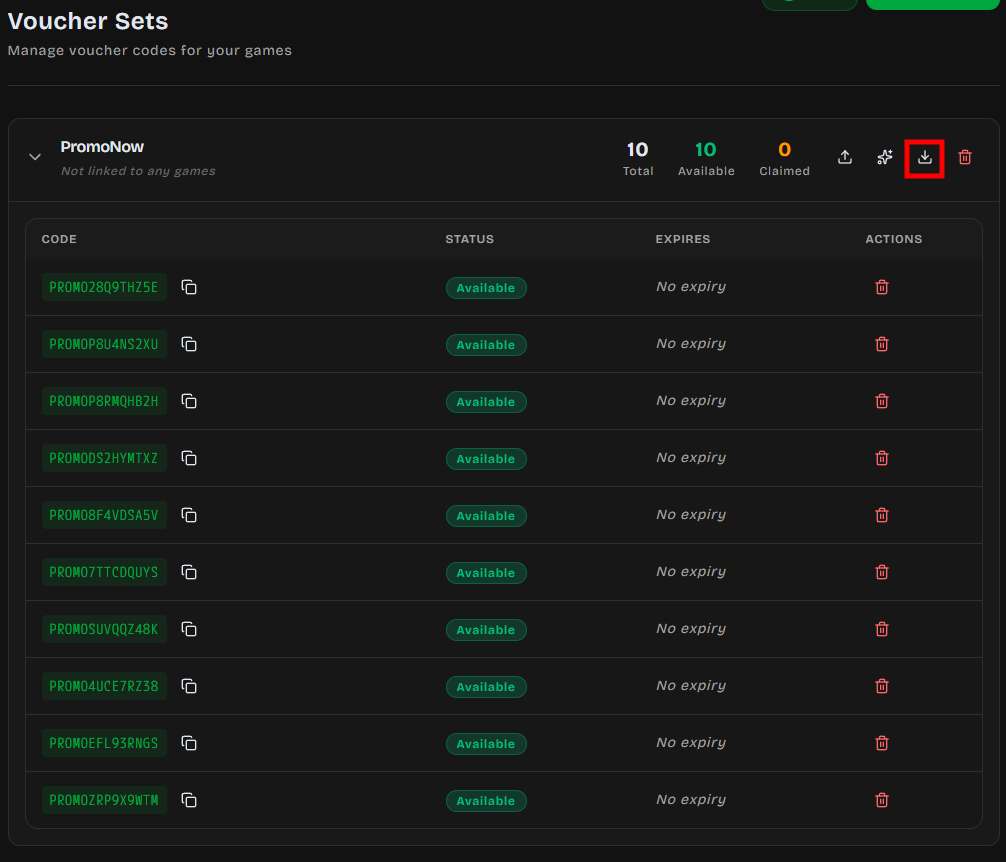
Deleting
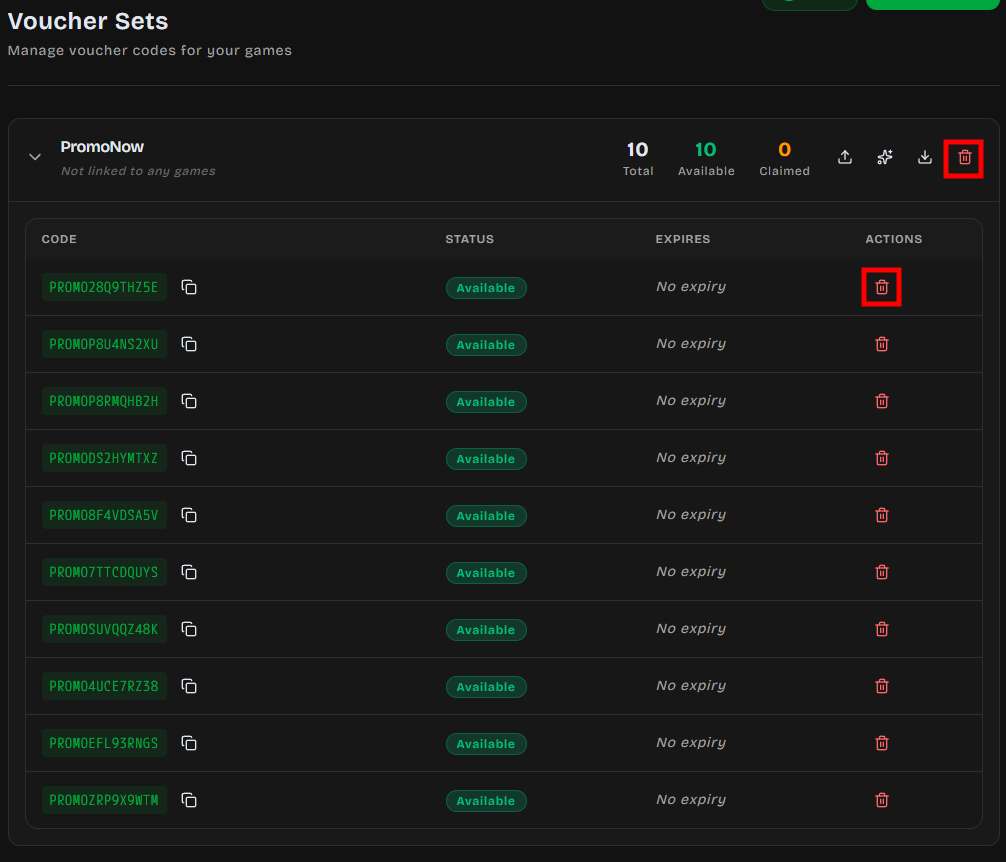
Section titled “Deleting”- Single code — Click the delete icon (only available for
availablecodes; claimed codes cannot be deleted) - Entire set — Click delete on the set header
Expiration
Section titled “Expiration”DailyPlay supports two levels of expiration:
| Level | Scope | Effect |
|---|---|---|
| Set-level | All codes in the set | Set once when creating the set |
| Per-code | Individual voucher codes | Overrides the set-level expiry for specific codes |
When a set or code expires:
- Status changes to
expired— codes are no longer distributable - If a player tries to claim a prize from an expired set, the system blocks the claim
- Expired dates are shown in red in the dashboard
Linking to Games
Section titled “Linking to Games”Voucher sets connect to games through prize configuration:
- In the game editor, open the Prizes section
- Add a prize slot with type Voucher Set
- Select your voucher set from the dropdown
- Set the win probability (0–100%)
- Publish the game
Setting up a voucher set with a game:
Result in the voucher page:
Automatic Distribution Flow
Section titled “Automatic Distribution Flow”When a player wins a voucher-set prize:
- Server picks the next available code from the set (FIFO order)
- Code status →
claimedwith the player’s UUID and timestamp - Player sees their unique code on the result screen
- Connection integrations fire (Zapier, webhooks, etc.)
A single voucher set can serve multiple games — codes are drawn from the shared pool regardless of which game triggered the win.
Claim Tracking
Section titled “Claim Tracking”Every claimed voucher records:
| Field | Description |
|---|---|
| Player UUID | Anonymous browser-fingerprint player ID |
| Claimed At | Exact timestamp of the win |
| Play ID | Which game session triggered the claim |
This data is available via the API and export — useful for reconciliation, fraud checks, and analytics.
Best Practices
Section titled “Best Practices”Naming Conventions
Section titled “Naming Conventions”Use clear, campaign-specific names:
Summer-Sale-2024-20%OffLaunch-Event-Free-Trial-7dVIP-Early-Access
Avoid generic names like Codes1 or Test — you’ll have multiple sets over time.
Code Prefixes
Section titled “Code Prefixes”Prefixes make codes identifiable at a glance and help with external tracking:
| Prefix | Campaign |
|---|---|
SUMMER24- |
Summer promotion |
LAUNCH- |
Product launch |
VIP- |
Exclusive/loyalty codes |
GIFT- |
Gift card codes |
Inventory Planning
Section titled “Inventory Planning”| Campaign Size | Suggested Codes | Reasoning |
|---|---|---|
| Small (< 500 plays) | 150–250 | ~30% win rate + 20% buffer |
| Medium (500–5,000 plays) | 500–1,500 | Scale with expected traffic |
| Large (5,000+ plays) | 2,000+ | Monitor daily and top up if needed |
Expiration Strategy
Section titled “Expiration Strategy”- Set expiry dates after your campaign end date (give players time to redeem)
- For ongoing promotions, leave expiry empty and manage manually
- Export codes before deleting sets so you have a record
Troubleshooting
Section titled “Troubleshooting”“No vouchers available”
Section titled ““No vouchers available””The set is empty or all codes are claimed/expired.
Fix: Upload or generate more codes into the set.
Codes not appearing in game
Section titled “Codes not appearing in game”- Confirm the voucher set is linked to a prize slot (check “Linked games” in the set)
- Verify the set hasn’t expired
- Ensure at least one code has
availablestatus
Player didn’t receive a code
Section titled “Player didn’t receive a code”- Expand the voucher set and search for recently claimed codes
- Check that the prize draw and claim both completed (network issues can interrupt)
- If the code was claimed, it will show the player UUID and timestamp
Duplicate codes ignored
Section titled “Duplicate codes ignored”The system silently skips duplicate codes during upload. If your import count is lower than expected, some codes already existed in the set.
Next Steps
Section titled “Next Steps”- Configure Prize Slots →
- Create a Game with voucher prizes