
Share Your Game
After publishing your game, share it with your audience through multiple channels.
Sharing Options
Section titled “Sharing Options”Direct Link
Section titled “Direct Link”Every game has a unique URL:
https://app.dailyplay.ai/play/[game-id]Share this link:
- In emails
- On social media
- In messaging apps
- Anywhere links work
QR Code
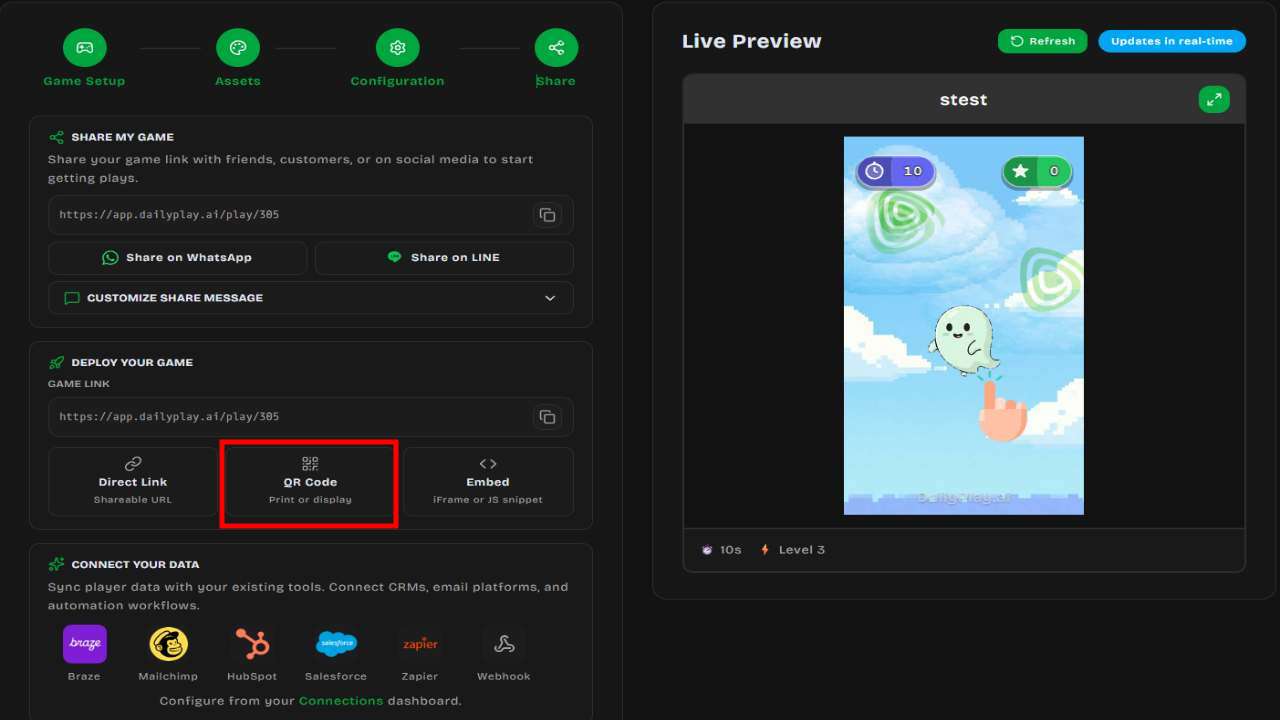
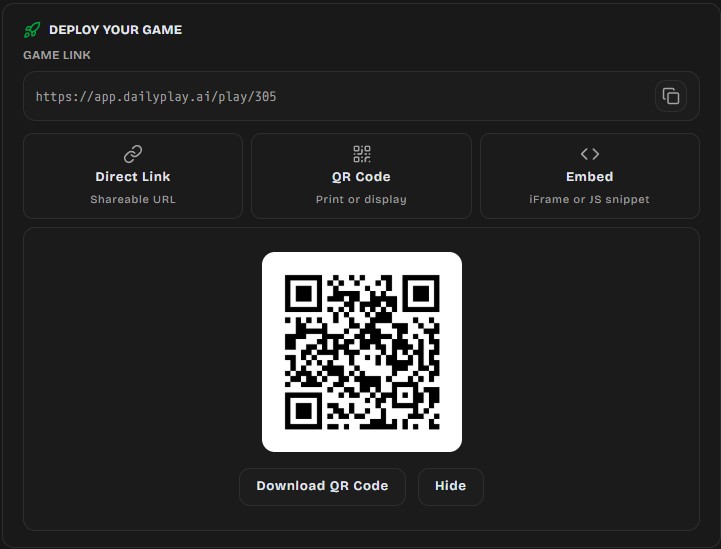
Section titled “QR Code”Generate a QR code for physical marketing:
- Open your game’s Share/Embed options
- Click Download QR Code
- Use in:
- Print materials
- Posters and signage
- Product packaging
- Event displays
WhatsApp Sharing
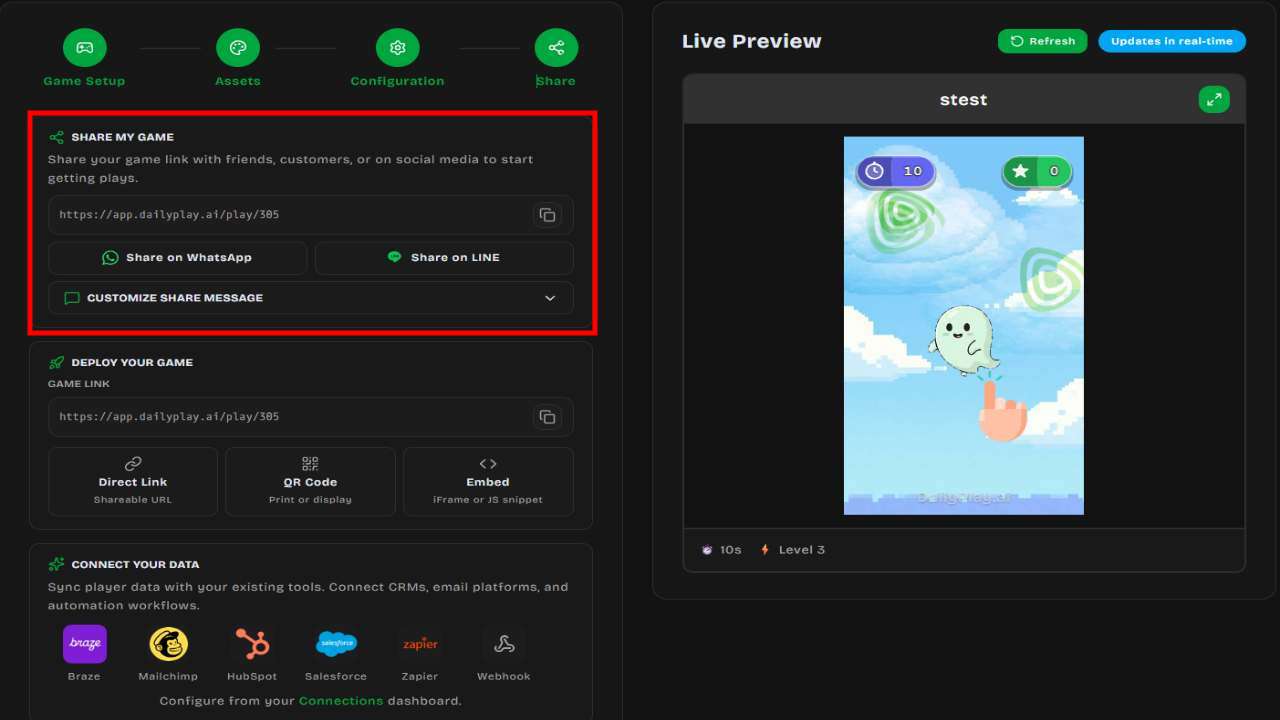
Section titled “WhatsApp Sharing”Share directly via WhatsApp with a pre-filled message containing your game link. Available in the share options after creating or editing a game.
LINE Sharing
Section titled “LINE Sharing”Share via Share on LINE from a game or stream share panel. On mobile, LINE’s share sheet opens with a pre-filled message; on desktop, the message is copied for you to paste.
To open streams inside LINE with a permanent LIFF / MINI App link (for Official Account rich menus), set up a LINE connection.
When shared on social platforms, your game link displays:
- Game thumbnail
- Game title
- Short description
Getting the Share Link
Section titled “Getting the Share Link”From Games
Section titled “From Games”- Go to Games
- Find your game
- Click the Share icon
- Copy the share link
From Create/Edit Game
Section titled “From Create/Edit Game”After creating or editing a game, the final step shows sharing options where you can copy the link, download a QR code, or share via WhatsApp.
Customizing Shared Content
Section titled “Customizing Shared Content”Game Thumbnail
Section titled “Game Thumbnail”The image shown in link previews:
- Upload a custom thumbnail in the game editor
- Recommended size: 1200x630 pixels
- Use eye-catching visuals
Game Title
Section titled “Game Title”Displayed in link previews and the game header. Keep it:
- Short and memorable
- Descriptive of the experience
- On-brand
Description
Section titled “Description”Shown in some social previews. Write a compelling one-liner that encourages clicks.
QR Code Details
Section titled “QR Code Details”Generating QR Codes
Section titled “Generating QR Codes”- Access share options for your game
- Click Download QR Code
- Save the image file
QR Code Formats
Section titled “QR Code Formats”- PNG format for digital use
- High resolution for print
- Standard QR code (works with any scanner)
Using QR Codes
Section titled “Using QR Codes”| Placement | Tips |
|---|---|
| Posters | Make QR code at least 2cm x 2cm |
| Product packaging | Ensure good contrast with background |
| Business cards | Test scanning at small sizes |
| Digital displays | Display for at least 5 seconds |
| Event badges | Include call-to-action text nearby |
Link Shortening
Section titled “Link Shortening”For cleaner links, use a URL shortener:
- Bitly
- TinyURL
- Your brand’s custom short domain
Example:
- Original:
https://app.dailyplay.ai/play/123 - Shortened:
https://bit.ly/PlayOurGame
Tracking Campaigns
Section titled “Tracking Campaigns”UTM Parameters
Section titled “UTM Parameters”Add UTM parameters to track traffic sources:
https://app.dailyplay.ai/play/123?utm_source=email&utm_campaign=summerCommon parameters:
utm_source— Traffic source (email, social, qr)utm_medium— Marketing medium (newsletter, banner)utm_campaign— Campaign name
Analytics Integration
Section titled “Analytics Integration”Track game performance:
- View play counts in Games
- Access detailed analytics in Organization dashboard
- See traffic patterns over time
Best Practices
Section titled “Best Practices”Make It Easy
Section titled “Make It Easy”- Keep URLs short when possible
- Test links before sending
- Include clear instructions
Multi-Channel Approach
Section titled “Multi-Channel Approach”Share across multiple channels:
- Email newsletter
- Social media posts
- Website/blog
- Physical materials (QR codes)
- Paid advertising
Timing
Section titled “Timing”- Share during peak audience times
- Remind people before campaign ends
- Post multiple times (not just once)
Mobile First
Section titled “Mobile First”- Most players are on mobile
- Test your shared links on phones
- Ensure landing page is mobile-optimized
Troubleshooting
Section titled “Troubleshooting”Link not working
Section titled “Link not working”- Verify the game is published (not draft)
- Check the URL is correct
- Try in an incognito/private window
Wrong preview image
Section titled “Wrong preview image”Social platforms cache link previews. To update:
- Use Facebook’s Sharing Debugger
- Use Twitter Card Validator
- Wait 24-48 hours for cache to refresh
QR code not scanning
Section titled “QR code not scanning”- Ensure sufficient contrast
- Make QR code larger
- Check for damage/distortion
Next Steps
Section titled “Next Steps”- Learn about Embedding games on your website
- Add a Floating Play button for Shopify, Shopline, or any site
- Set up Analytics tracking