# Voucher System
The voucher system lets you manage collections of promotional codes that are automatically
distributed to players when they win prizes. Each code is tracked individually — from creation
through to claim.
## What is a Voucher Set?
A voucher set is a named collection of unique codes organized for a campaign or promotion:
- Holiday discount codes
- Gift card codes
- Product trial keys
- Event-specific offers
Each set includes:
| Property | Description | Required |
| ----------- | ----------------------------------------------- | -------- |
| Name | Descriptive label (e.g., "Summer Sale 20% Off") | Yes |
| Description | Internal notes about the set's purpose | No |
| Expiry Date | When all codes in the set expire | No |
A single voucher set can be linked to **multiple games** simultaneously — the dashboard shows which games are currently using each set.
---
## Creating a Voucher Set
1. Go to your **Organization** dashboard
2. Click **Vouchers** in the sidebar
3. Click **Create Set**
4. Enter a name, optional description, and optional expiry date
5. Click **Create**
The set is now ready for codes to be added.
---
## Adding Codes
You have two options for populating a voucher set:
### Upload CSV
Upload a `.csv` or `.txt` file with one code per line:
1. Click **Upload CSV** on the set
2. Select your file or paste codes into the text area
3. Click **Upload**
**Accepted format** (plain text, one code per line):
```
SUMMER2024-001
SUMMER2024-002
SUMMER2024-003
```
Multi-column CSVs are accepted — only the first column is used. All codes are automatically converted to **uppercase**, and duplicates are silently ignored.
You can also paste codes directly into the upload text area (one per line) without needing a file.
### Generate Codes
Auto-generate unique, human-readable codes:
1. Click **Generate** on the set
2. Configure the settings:
| Setting | Range | Description |
| ----------------- | ----------- | -------------------------------------- |
| Count | 1–1,000 | Number of codes to create |
| Prefix | 0–10 chars | Optional prefix (e.g., `PROMO`) |
| Random Length | 4–16 chars | Length of the random portion |
3. Preview a sample code
4. Click **Generate**
**Example output** (prefix `PROMO`, length 8):
```
PROMO-A8K2M9X1
PROMO-B3N5P7Q2
PROMO-C1R4S6T8
```
:::tip[Readability]
Generated codes exclude easily confused characters (I, O, 1, 0) — only using `ABCDEFGHJKLMNPQRSTUVWXYZ23456789` for the random portion.
:::
---
## Voucher Statuses
Each code has one of four statuses:
| Status | Color | Description |
| ------------- | ------ | -------------------------------------------------- |
| **Available** | Green | Ready to be won and distributed |
| **Claimed** | Amber | Won by a player — includes player ID and timestamp |
| **Expired** | Gray | Past the expiry date, no longer distributable |
| **Disabled** | Red | Manually deactivated |
**Status transitions:**
- `available` → `claimed` — When a player wins a linked prize
- `available` → `expired` — Automatically when the expiry date passes
- Only `available` vouchers can be deleted individually
---
## Managing Vouchers
### Dashboard View
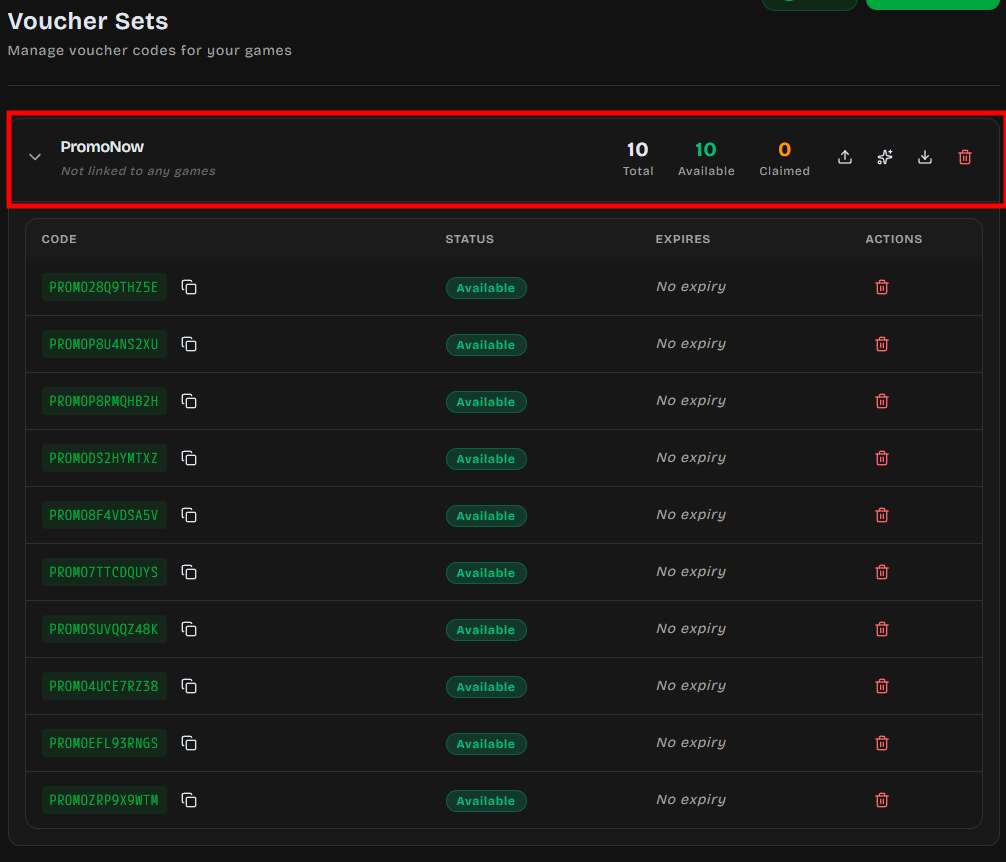
Each voucher set displays:
- **Total / Available / Claimed** counts at a glance
- **Linked games** — which games currently use this set as a prize
- Expandable list of all individual codes with status badges
### Copy Codes
Click the copy icon next to any code to copy it to your clipboard.
### Export
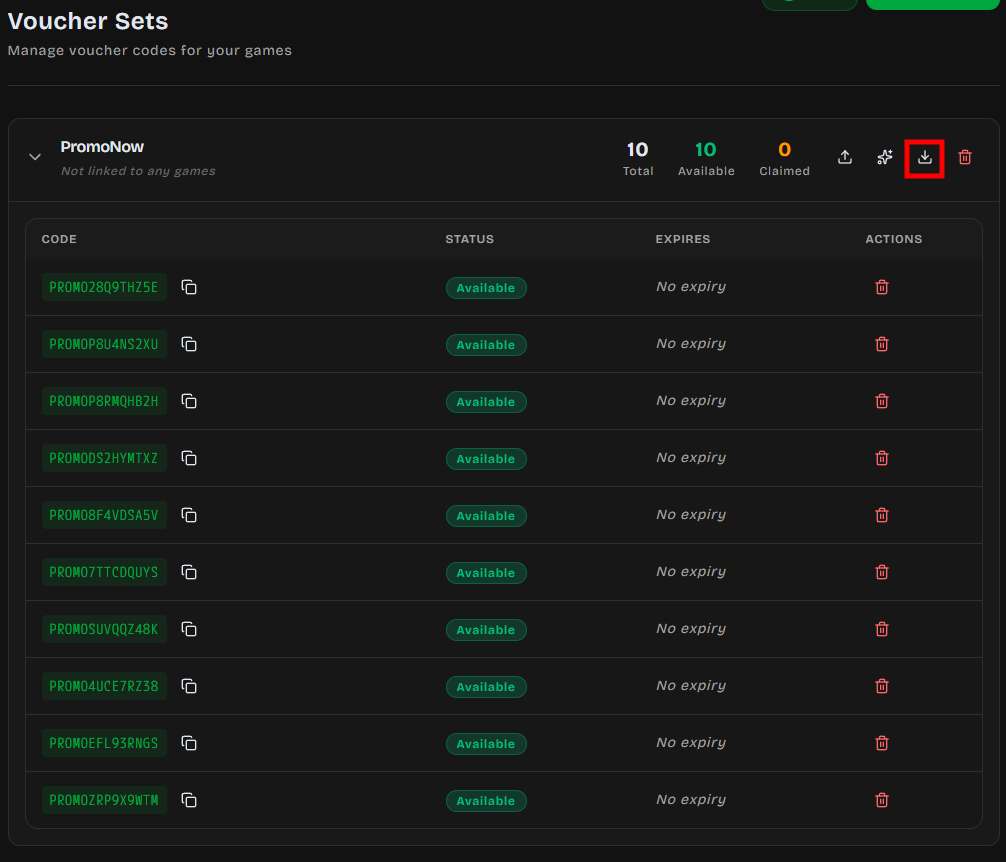
Download all codes from a set as CSV:
1. Click **Export** on the set
2. A file downloads named `{set-name}-vouchers.csv`
**Export format:**
```csv
code,status
PROMO-A8K2M9X1,available
PROMO-B3N5P7Q2,claimed
PROMO-C1R4S6T8,expired
```
### Deleting
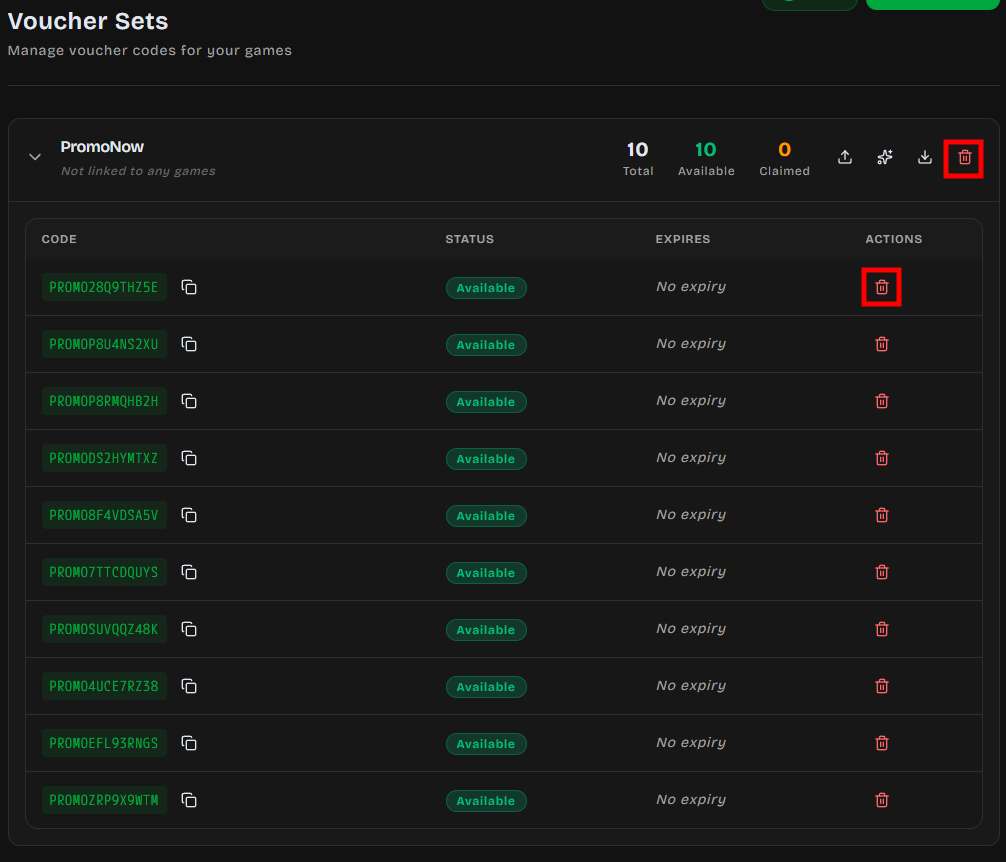
- **Single code** — Click the delete icon (only available for `available` codes; claimed codes cannot be deleted)
- **Entire set** — Click delete on the set header
:::caution[Permanent Action]
Deleting a voucher set removes all codes permanently — including claimed codes and their history. This cannot be undone.
:::
---
## Expiration
DailyPlay supports **two levels** of expiration:
| Level | Scope | Effect |
| ------------- | ------------------------ | ------------------------------------------------ |
| **Set-level** | All codes in the set | Set once when creating the set |
| **Per-code** | Individual voucher codes | Overrides the set-level expiry for specific codes |
When a set or code expires:
- Status changes to `expired` — codes are no longer distributable
- If a player tries to claim a prize from an expired set, the system blocks the claim
- Expired dates are shown in red in the dashboard
---
## Linking to Games
Voucher sets connect to games through prize configuration:
1. In the game editor, open the **Prizes** section
2. Add a prize slot with type **Voucher Set**
3. Select your voucher set from the dropdown
4. Set the win probability (0–100%)
5. Publish the game
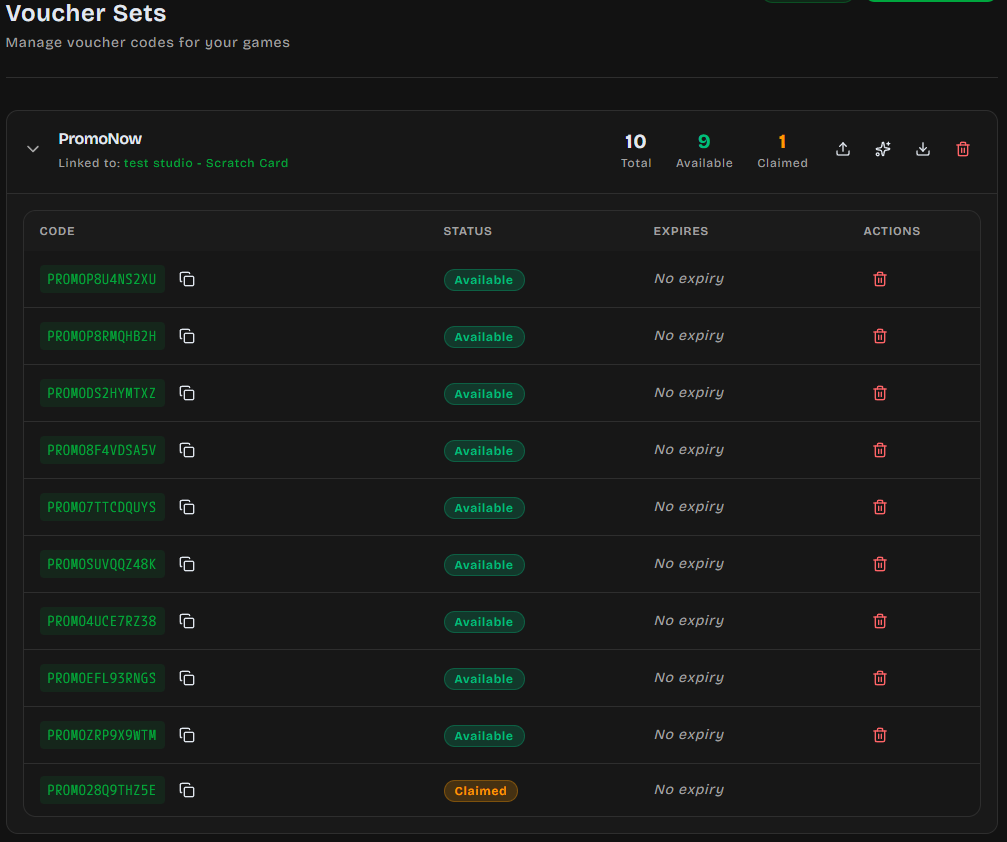
**Setting up a voucher set with a game:**
**Result in the voucher page:**
### Automatic Distribution Flow
When a player wins a voucher-set prize:
1. Server picks the next available code from the set (FIFO order)
2. Code status → `claimed` with the player's UUID and timestamp
3. Player sees their unique code on the result screen
4. Connection integrations fire (Zapier, webhooks, etc.)
A single voucher set can serve multiple games — codes are drawn from the shared pool regardless of which game triggered the win.
---
## Claim Tracking
Every claimed voucher records:
| Field | Description |
| -------------------- | --------------------------------------- |
| Player UUID | Anonymous browser-fingerprint player ID |
| Claimed At | Exact timestamp of the win |
| Play ID | Which game session triggered the claim |
This data is available via the API and export — useful for reconciliation, fraud checks, and analytics.
---
## Best Practices
### Naming Conventions
Use clear, campaign-specific names:
- `Summer-Sale-2024-20%Off`
- `Launch-Event-Free-Trial-7d`
- `VIP-Early-Access`
Avoid generic names like `Codes1` or `Test` — you'll have multiple sets over time.
### Code Prefixes
Prefixes make codes identifiable at a glance and help with external tracking:
| Prefix | Campaign |
| ----------- | ----------------------- |
| `SUMMER24-` | Summer promotion |
| `LAUNCH-` | Product launch |
| `VIP-` | Exclusive/loyalty codes |
| `GIFT-` | Gift card codes |
### Inventory Planning
| Campaign Size | Suggested Codes | Reasoning |
| ------------------------ | --------------- | ------------------------------------- |
| Small (< 500 plays) | 150–250 | ~30% win rate + 20% buffer |
| Medium (500–5,000 plays) | 500–1,500 | Scale with expected traffic |
| Large (5,000+ plays) | 2,000+ | Monitor daily and top up if needed |
:::tip[Avoid Stockouts]
When a voucher set runs out of available codes, the linked prize slot becomes inactive. Players may land on it and get nothing. Always maintain a buffer — monitor the Available count and add more codes before campaigns peak.
:::
### Expiration Strategy
- Set expiry dates **after** your campaign end date (give players time to redeem)
- For ongoing promotions, leave expiry empty and manage manually
- Export codes before deleting sets so you have a record
---
## Troubleshooting
### "No vouchers available"
The set is empty or all codes are claimed/expired.
**Fix:** Upload or generate more codes into the set.
### Codes not appearing in game
1. Confirm the voucher set is linked to a prize slot (check "Linked games" in the set)
2. Verify the set hasn't expired
3. Ensure at least one code has `available` status
### Player didn't receive a code
1. Expand the voucher set and search for recently claimed codes
2. Check that the prize draw and claim both completed (network issues can interrupt)
3. If the code was claimed, it will show the player UUID and timestamp
### Duplicate codes ignored
The system silently skips duplicate codes during upload. If your import count is lower than expected, some codes already existed in the set.
---
## Next Steps
- [Configure Prize Slots →](/rewards/prizes)
- [Create a Game](/creating-games/overview) with voucher prizes