# DailyPlay — Complete Documentation
> This file contains the full DailyPlay documentation concatenated into a single Markdown file for LLM and AI agent consumption.
---
## DailyPlay Documentation
## Quick Links
Follow our [Quick Start guide](/getting-started/quick-start/) to create a game in minutes.
Browse [60+ game templates](/creating-games/templates/) from arcade to lucky-draw.
Create an [organization](/organizations/overview/) to collaborate with your team.
Add [prizes and vouchers](/rewards/overview/) to incentivize players.
Connect your apps via the [API](/api/overview/) to create one-time game sessions.
## What is DailyPlay?
DailyPlay is a **mobile-first mini-games platform** that enables brands to create engaging games for
their customers. Choose from professionally designed templates, customize with your brand assets,
and publish — all without writing code.
### Key Features
- **60+ Game Templates** — Arcade, puzzle, action, casual, and lucky-draw games
- **Easy Customization** — Upload assets or generate images with AI
- **Prize System** — Vouchers, prizes, and automatic distribution
- **Team Collaboration** — Organizations with role-based permissions
- **Multi-Language** — 9 languages supported out of the box
- **Analytics** — Track plays, engagement, and prize claims
---
## Introduction to DailyPlay
DailyPlay is a **mobile-first mini-games platform** that enables brands to create engaging games for
their customers — no coding required.
## What is DailyPlay?
DailyPlay provides a library of polished game templates that brands can customize with their own
branding, assets, and prizes. Whether you're running a marketing campaign, building customer
loyalty, or just adding some fun to your brand experience, DailyPlay makes it easy.
## Key Features
### Easy Game Creation
Choose from 60+ professionally designed game templates spanning multiple genres:
- **Arcade** — Basketball, Soccer Penalty, Fruit Slice
- **Puzzle** — Match-3, Memory Cards, Grid Box
- **Action** — Space Shooter, Racing, Platformer
- **Lucky Draw** — Spin the Wheel, Gachapon, Grid Box
### Organization Management
Collaborate with your team using organizations:
- Create organizations for your brand, agency, or studio
- Invite team members with role-based permissions
- Track analytics across all your games
### Rewards & Prizes
Incentivize players with built-in reward systems:
- Configure prizes for lucky-draw games
- Manage voucher codes for promotions
- Track prize distribution and claims
### Mobile-First Design
All games are optimized for mobile devices with responsive layouts that work seamlessly on desktop
too.
### Multi-Language Support
DailyPlay supports 9 languages out of the box:
- English, Spanish, French, German, Portuguese
- Japanese, Korean, Chinese, Thai
## Who is DailyPlay For?
- **Brands** looking to engage customers through gamification
- **Marketing agencies** creating campaigns for clients
- **Game studios** needing a quick way to deploy branded games
- **Event organizers** wanting interactive experiences
## Next Steps
Ready to get started? Head to the [Quick Start guide](/getting-started/quick-start) to create your
first game in minutes.
---
## Quick Start
This guide walks you through creating your first game on DailyPlay.
## Prerequisites
- A DailyPlay account (sign up at [app.dailyplay.ai](https://app.dailyplay.ai))
- Your brand assets (logo, images) — optional but recommended
## Step 1: Sign In
1. Go to [app.dailyplay.ai](https://app.dailyplay.ai)
2. Click **Sign In** in the navigation
3. Create an account or sign in with your existing credentials
## Step 2: Choose a Template
1. Click **Create** in the navigation menu
2. Browse the available game templates
3. Click on a template to select it
:::tip[Choosing the Right Template]
Consider your campaign goals:
- **Spin the Wheel** — Great for giveaways and promotions
- **Match-3** — High engagement, longer play sessions
- **Basketball Hoop** — Simple, quick, and addictive
:::
## Step 3: Customize Your Game
After selecting a template, you'll enter the game editor with multiple customization options:
### Basic Settings
- **Game Title** — Give your game a unique name
- **Description** — Describe your game for players
### Visual Customization
- Upload your own images and branding
- Generate AI images using text prompts
- Customize colors and themes
### Game Settings
- Adjust difficulty level
- Set game duration
- Configure scoring options
## Step 4: Preview Your Game
Click the **Preview** button to test your game before publishing. Make sure to:
- Play through the entire game
- Check that all assets display correctly
- Test on mobile if possible
## Step 5: Publish
Once you're happy with your game:
1. Click **Create Game** (or **Save as Draft** to continue later)
2. Your game will be created and you'll receive a shareable link
3. Share the link or embed the game on your website
## What's Next?
- Learn more about [Game Templates](/creating-games/templates)
- Set up an [Organization](/organizations/overview) to collaborate with your team
- Configure [Prizes and Vouchers](/rewards/overview) for your games
---
## Creating Games Overview
DailyPlay makes game creation simple with a template-based approach. You don't need any coding
knowledge — just select a template, customize it with your brand assets, and publish.
## The Creation Process
### 1. Select a Template
Browse our library of 60+ game templates. Each template is a fully functional game that you can
customize with your own branding and assets.
### 2. Customize
Use the game editor to:
- Edit the game title and the game description
- Upload or generate game assets
- Configure game settings (difficulty, duration, etc.)
- Set up prizes for lucky-draw games
- Configure post-game actions (email capture, CTAs)
#### Creating a Casual Game
Pick a template, set your title and description, upload your assets — and you're ready to go.
#### Creating a Prize Game
For lucky-draw games, you'll also configure prizes, win probabilities, and claim settings.
### 3. Preview & Test
Test your game in the preview mode before publishing. Play through the entire experience to ensure
everything works as expected.
### 4. Publish
Publish your game to get a shareable link. You can also embed games directly on your website.
## Game Types
DailyPlay games fall into several categories:
### Skill Games
Games where the player's score depends on their actions:
- **Basketball Hoop** — Shoot hoops with drag-and-release controls
- **Fruit Slice** — Swipe to slice flying fruits
- **Match-3** — Connect matching tiles to clear the board
- **Space Shooter** — Destroy enemies and collect power-ups
### Lucky Draw Games
Games of chance where prizes are randomly awarded:
- **Spin the Wheel** — Classic prize wheel
- **Gachapon** — Capsule machine experience
- **Grid Box** — Tap to reveal prizes
### Casual Games
Simple, engaging games for all audiences:
- **Memory Cards** — Match pairs of cards
- **Catcher** — Catch falling items
- **Tap Flyer** — Tap to keep flying
## Creation Methods
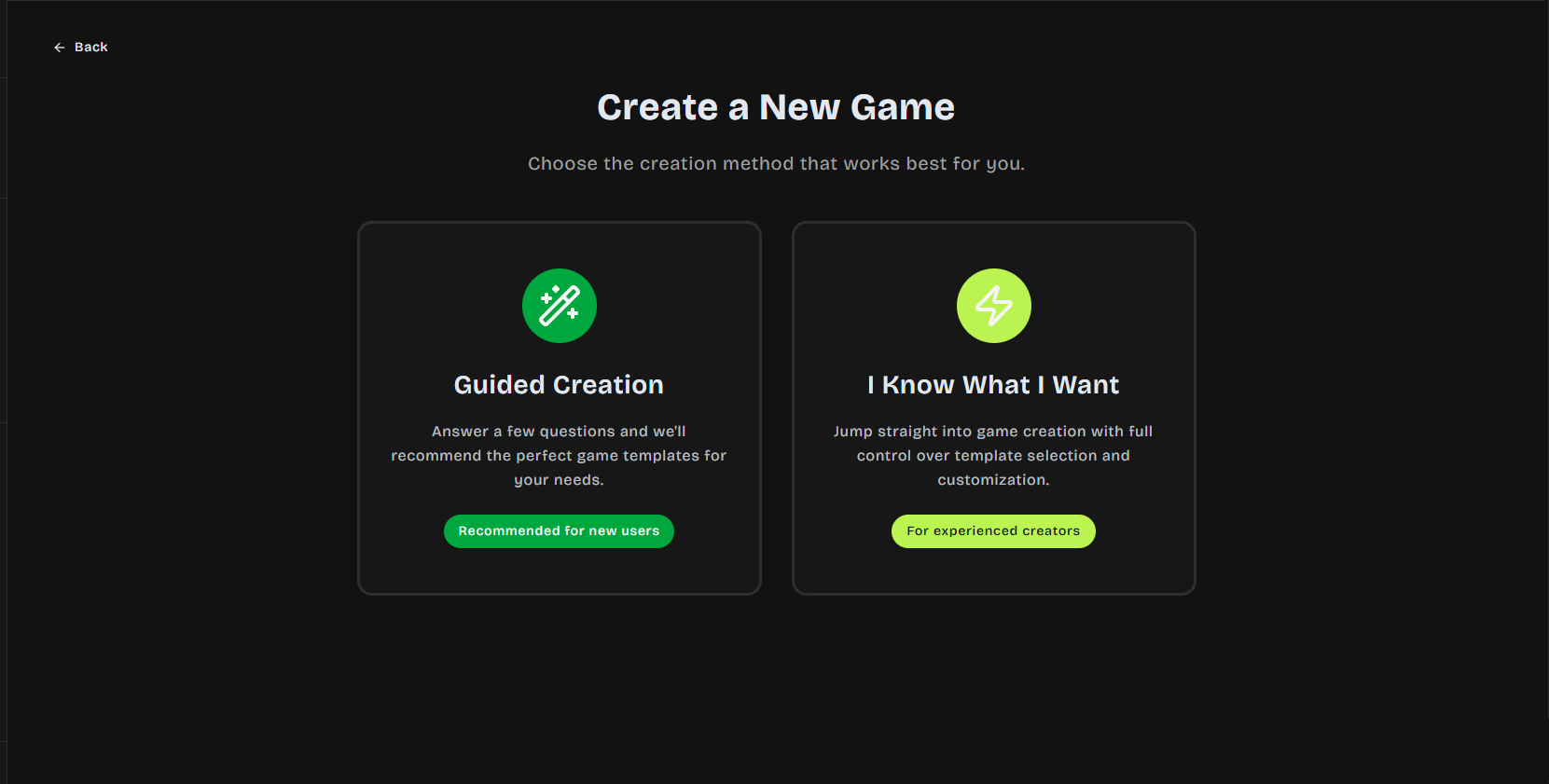
### Guided Creation
The default creation flow walks you through each step:
1. Choose template
2. Set basic info
3. Customize assets
4. Configure settings
5. Preview and publish
### Quick Create
For experienced users, jump directly to the full editor with all options available at once.
## Tips for Success
:::tip[Brand Consistency]
Use consistent colors, fonts, and imagery that match your brand guidelines.
:::
:::tip[Mobile Testing]
Always test your games on mobile devices — most players will be on phones.
:::
:::tip[Clear Instructions]
Make sure game instructions are clear. Players should understand how to play within seconds.
:::
## Next Steps
- Explore available [Game Templates](/creating-games/templates)
- Learn about [Customization Options](/creating-games/customization)
- Understand the [Publishing Process](/creating-games/publishing)
---
## Game Templates
DailyPlay offers a growing library of professionally designed game templates across multiple
categories. Each template is fully customizable with your brand assets.
## Template Categories
### Arcade Games
Sports and skill-based games with intuitive controls.
**Popular templates:** Basketball Hoop, Soccer Penalty, Golf 3D, Hockey 3D
### Action Games
Fast-paced games for exciting campaigns.
**Popular templates:** Space Shooter, Racing 3D, Lane Shooter 3D
### Puzzle Games
Engaging brain teasers for longer play sessions.
**Popular templates:** Match-3, Memory Card, Assembly Puzzle
### Casual Games
Easy-to-play games for broad audience appeal.
**Popular templates:** Fruit Slice, Catcher, Balloon Pop, Block Stacker
### Lucky Draw Games
Prize-based games perfect for giveaways and promotions.
**Popular templates:** Spin the Wheel, Gachapon, Grid Box
### Special Games
Unique experiences with innovative mechanics.
**Popular templates:** Expression Hero (facial recognition), Snow Globe (seasonal)
---
## Choosing the Right Template
| Factor | Recommendation |
| ----------------- | -------------------------------------------------- |
| **Campaign Goal** | Lucky draw for giveaways, skill games for contests |
| **Audience** | Casual games for broad appeal |
| **Duration** | Quick games for high volume participation |
| **Brand Fit** | Match game theme to your brand identity |
:::tip
Browse all available templates directly in the [DailyPlay app](https://app.dailyplay.ai) when
creating a new game. New templates are added regularly!
:::
## Next Steps
- Learn how to [Customize Your Game](/creating-games/customization)
- Configure [Prizes](/rewards/prizes) for lucky-draw games
---
## Customizing Your Game
DailyPlay's game editor gives you full control over your game's appearance and behavior. This guide
covers all customization options.
## The Game Editor
The editor is organized into sections:
1. **Basic Info** — Title, description, thumbnail
2. **Visual Assets** — Images, backgrounds, game elements
3. **Prizes** — If you enable the **Enable Prize System** toggle, a prize configuration step will appear where you can set up prizes, win probabilities, and claim settings
4. **Game Configuration** — Difficulty, duration, primary color (used for buttons and key UI elements), secondary color (used for accents and highlights), make your game discoverable, and optionally enable **Call to Action Configuration** via the toggle to capture emails
#### Customizing a Casual Game
Pick a template, set your title and description, upload your assets — and you're ready to go.
#### Customizing a Prize Game
For lucky-draw games, you'll also configure prizes, win probabilities, and claim settings.
## Basic Information
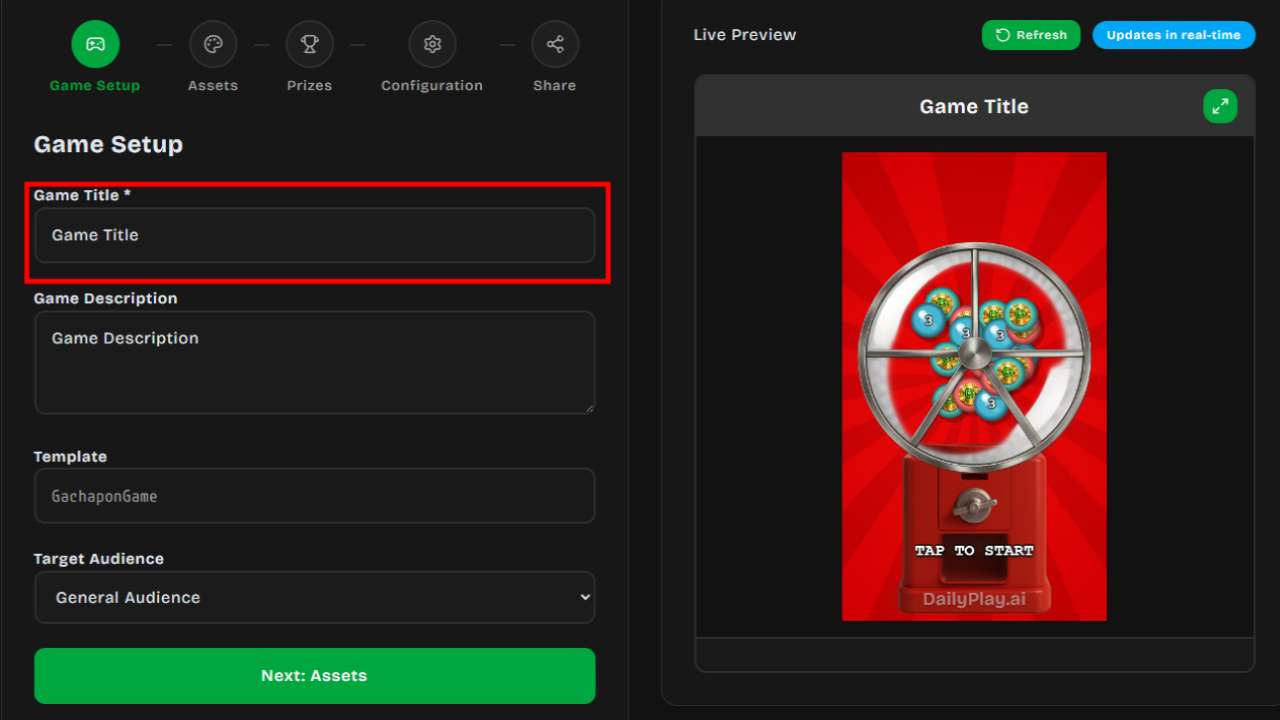
### Game Title
Give your game a clear, descriptive name. This appears:
- In the game's header
- On shared links
- In your game management dashboard
### Game Description
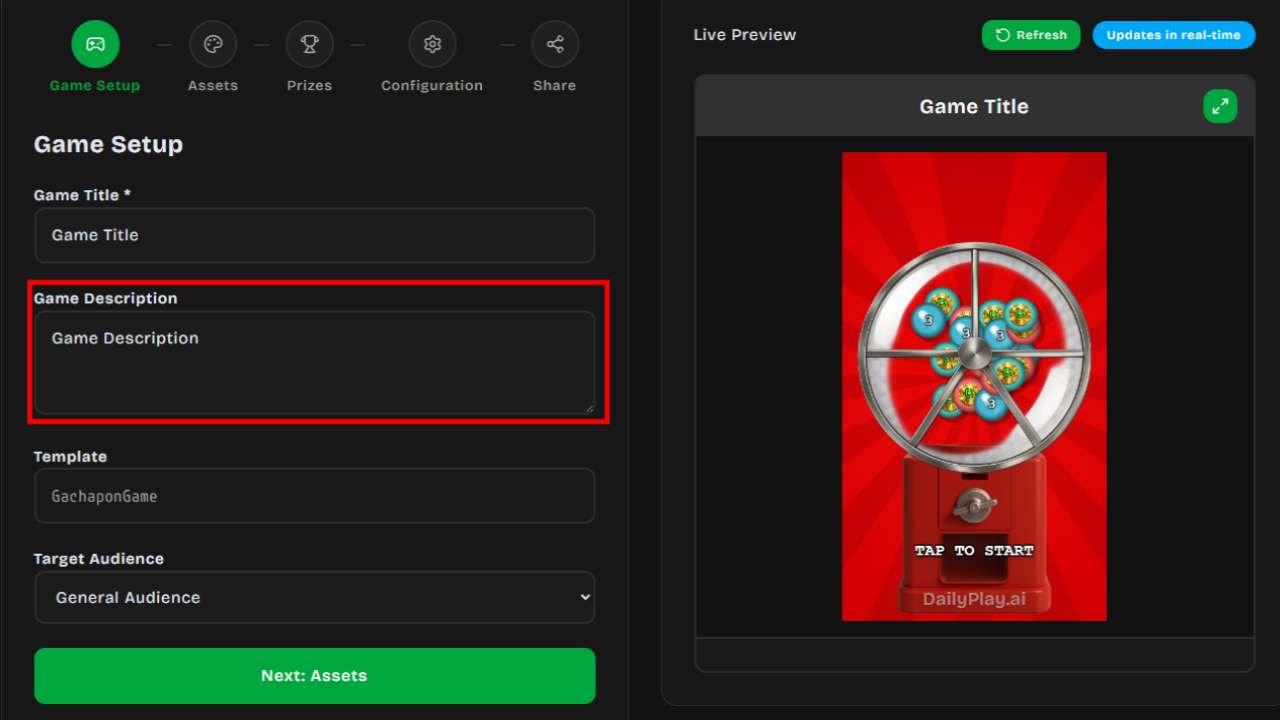
A brief description of your game. Keep it concise — 1-2 sentences that explain what the game is
about.
---
## Visual Assets
Each game template has customizable visual elements. Common assets include:
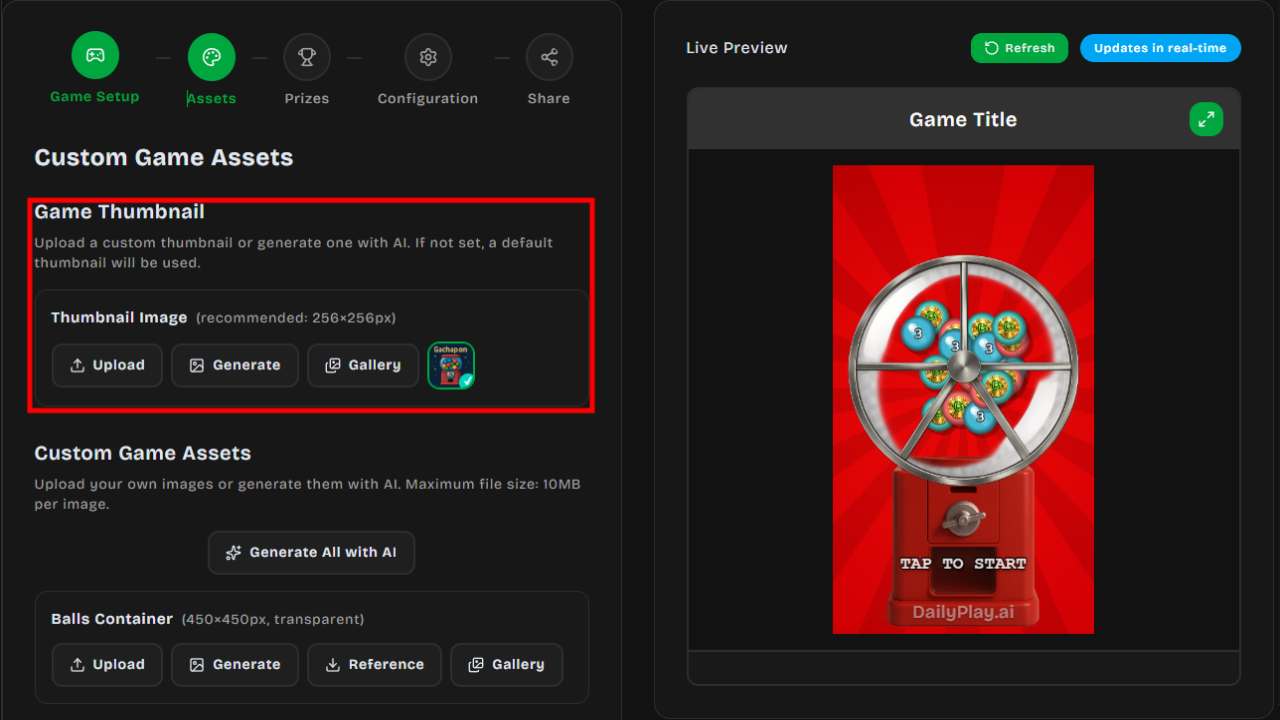
### Thumbnail
The preview image shown when your game is shared. Upload a custom image or use the auto-generated
one.
### Background
The main game background. Options:
- **Upload Image** — Use your own image
- **AI Generate** — Describe what you want and generate an image
:::note
Not all game templates support a background image. The background option will only appear in the editor for templates that include it.
:::
:::tip[Background Tips]
Use images that don't distract from gameplay. Subtle patterns or gradients
work well.
:::
### Game Elements
Depending on the template, you can customize:
- **Characters/Avatars** — The player's character
- **Objects** — Items to collect, obstacles to avoid
- **UI Elements** — Score displays, buttons
- **3D Textures** — For 3D game templates, customize textures on planes, walls, and spheres. Upload your own texture or use AI Generate
### Uploading Images
Supported formats: PNG, JPG, WEBP, GIF
For best results:
- Use high-resolution images (at least 512x512)
- PNG with transparency for overlays
- Keep file sizes under 5MB
### AI Image Generation
DailyPlay includes AI image generation:
1. Enter a text prompt describing your desired image
2. Click **Generate**
3. Wait 30-60 seconds for generation
4. Preview the result
5. Regenerate if needed, or accept and continue
:::note[Generation Tips]
Be specific in your prompts. Include:
- Style (cartoon, realistic, flat design)
- Colors (brand colors)
- Subject (what should be in the image)
- Mood (playful, professional, exciting)
:::
:::tip[Refresh Live Preview]
After uploading an image or generating one with AI, click the **Refresh** button on the Live Preview overlay to see your new image applied in the game.
:::
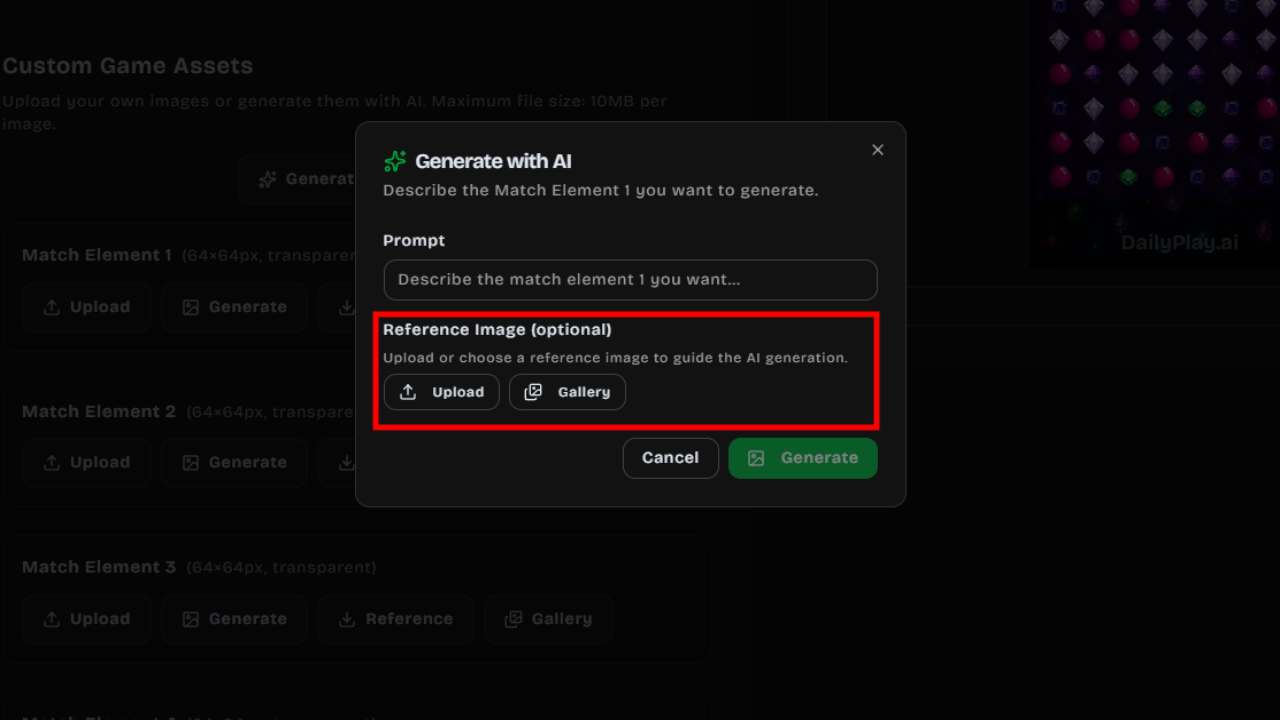
### Reference Image
When using AI generation, you can provide a **Reference Image** to guide the style and content of generated assets. This is optional but helps produce more consistent results.
- **Upload** — Select an image from your device (PNG, JPG, or WEBP, max 5MB) to use as a reference
- **Gallery** — Browse and pick from your organization's previously uploaded images
The reference image influences the AI output so generated assets match your brand's look and feel.
---
## Game Configuration
### Difficulty
Control how challenging the game is:
| Level | Description |
| ----------- | ------------------------------- |
| 1 (Easiest) | Very forgiving, great for demos |
| 2-3 | Casual difficulty |
| 4-5 | Moderate challenge |
| 6-7 | Challenging |
| 8+ (Hard) | Expert level |
### Duration
Set how long the game lasts (in seconds). Common settings:
- **30 seconds** — Quick engagement
- **60 seconds** — Standard gameplay
- **90-120 seconds** — Extended sessions
### Primary & Secondary Color
Customize your game's color scheme to match your brand:
- **Primary Color** — Used for buttons, headers, and key interactive elements
- **Secondary Color** — Used for accents, highlights, and supporting UI elements
These colors apply across the game interface, ensuring a consistent branded experience.
### Discoverable
Choose whether your game appears in public searches:
- **On** — Anyone can find and play your game
- **Off** — Only accessible via direct link
---
## Post-Game Configuration
### Call-to-Action (CTA)
After the game ends, show players a CTA screen:
#### Email Capture
Collect player emails with a customizable form:
- **Title** — e.g., "Thanks for playing!"
- **Message** — Explain what they'll receive
- **Consent Checkbox** — For marketing opt-in
#### Custom CTA
Display a message with optional action button:
- Link to your website
- Show a promotional offer
- Direct to social media
---
## Prize Configuration
Some game templates **require** prizes (Spin the Wheel, Gachapon, Grid Box, Claw Machine, Scratch Card), while others make it **optional**. For optional games, enable the **Enable Prize System** toggle to add prizes.
### Prize Slots
Each game has a minimum and maximum number of prize slots depending on the template:
| Game | Slots |
| ---- | ----- |
| Spin the Wheel | 3–10 segments |
| Gachapon | 3–10 capsules |
| Grid Box | Exactly 9 boxes |
| Claw Machine | 3–10 items |
| Scratch Card | 1–10 cards |
### Prize Slot Fields
For each prize slot, configure:
- **Prize Name** — What the player sees (max 50 characters)
- **Description** — Optional details about the prize (max 200 characters)
- **Prize Image** — Upload an image for the prize (256×256 recommended)
- **Probability** — Chance of winning as a percentage (all slots must total 100%)
- **Min Score** — Minimum score required to win (only available on supported game templates)
### Prize Types
Each slot must have one of the following types:
| Type | Description |
| ---- | ----------- |
| **Item** | A physical or digital item (e.g., "32\" TV", "Free Coffee") |
| **Voucher** | A single static voucher code shown to the winner |
| **Voucher Set** | Pulls from a managed pool of voucher codes — codes are auto-distributed to winners |
| **External Link** | A URL for off-platform redemption |
| **No Prize** | A "Try again" slot (hidden in single-prize mode) |
### Voucher Set Integration
To use the **Voucher Set** type:
1. Go to the **Vouchers** page and create a voucher set
2. Upload or generate voucher codes in that set
3. Back in the prize editor, select **Voucher Set** as the type
4. Choose your voucher set from the dropdown — it shows the available code count
5. Codes are automatically distributed to winners one at a time
:::note
If you don't have any voucher sets yet, the editor will show a link to create one.
:::
See [Voucher System](/rewards/vouchers) for more details.
### Reordering and Managing Slots
- Use the **up/down arrows** to reorder prize slots
- Click **Add** to add more slots (up to the template maximum)
- Click **Remove** to delete slots (down to the template minimum)
:::caution
Total probability across all prize slots must equal 100%. A warning will appear if the total is off.
:::
---
## Preview Mode
Always preview your game before publishing:
1. Click **Preview** in the editor
2. Play through the entire game
3. Check:
- All images load correctly
- Game difficulty feels right
- Post-game CTA displays properly
- Mobile layout works
:::caution[Test on Mobile]
Most players will be on mobile devices. Always test on a phone before
publishing.
:::
## Next Steps
- Learn about [Publishing Your Game](/creating-games/publishing)
- Set up [Prizes and Vouchers](/rewards/overview)
---
## Publishing Your Game
Once you've customized your game, it's time to publish and share it with the world.
## Publishing Options

### Save as Draft
Not ready to publish yet? Save your work as a draft:
- Click **Save as Draft**
- Access drafts from **Manage Games**
- Continue editing anytime
### Create Game (Publish)
Ready to go live:
1. Click **Create Game**
2. Your game is created and becomes playable
3. You'll be shown sharing options with your game link
---
## Game States
Games can be in one of these states:
| Status | Description |
| ------------- | ----------------------------------------- |
| **Draft** | Work in progress, not publicly playable |
| **Published** | Live and playable via link |
| **Archived** | Hidden from public, preserved for records |
You can change a game's status from the **Edit Game** page:
| Current Status | Available Actions |
| -------------- | ----------------- |
| Draft | **Publish Game** or **Archive** |
| Published | **Unpublish** (back to Draft) or **Archive** |
| Archived | **Restore to Draft** |
---
## Managing Your Games
Access your games from the **Manage Games** page (via the sidebar menu):
### View All Games
See all games you've created with:
- Thumbnail
- Status badge (Draft / Published / Archived)
- Play count
- Title and description
- Search, sort by title, creation date, or play count
### Game Actions
Each game card has four action buttons:
| Action | Description |
| ------ | ----------- |
| **View** | Opens the game in a new tab |
| **Edit** | Opens the game editor to update assets, settings, and prizes |
| **Share** | Opens the share modal with link, QR code, and embed options |
| **Delete** | Permanently deletes the game (cannot be undone) |
### Edit a Game
Click **Edit** to:
- Update visual assets
- Change game configuration
- Modify prize configurations
- Update post-game CTAs
- Change game status (publish, unpublish, archive)
:::note[Live Changes]
Changes to published games take effect immediately. Players will see the
updated version.
:::
### Delete a Game
To permanently delete a game:
1. Click the **Delete** button
2. Confirm the deletion in the dialog
:::caution[Warning]
Deletion is permanent and cannot be undone. All play data and analytics will be
lost.
:::
---
## Sharing Your Game
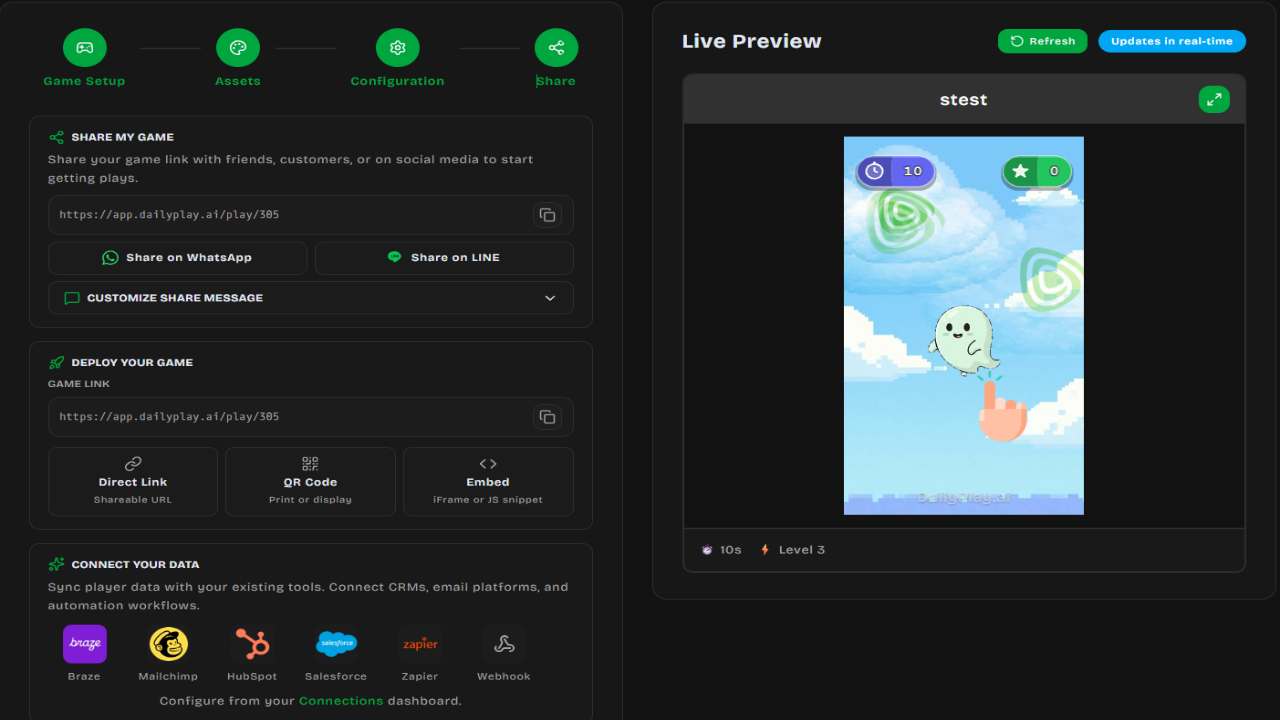
After publishing, a sharing screen appears with multiple ways to distribute your game:
### Direct Link
Every game gets a unique URL that you can copy and share anywhere.
### QR Code
Generate and download a QR code for physical marketing:
- Click **Generate QR Code**
- Download as PNG
- Use in print materials, posters, or displays
### Embed on Your Website
Two embedding options:
- **Iframe Embed** — Copy the `
## Embed Methods
### iframe Embed
The simplest way to embed your game:
```html
```
### Responsive Embed
For responsive layouts that adapt to screen size:
```html
```
---
## Getting the Embed Code
### From the Game Page
1. Open your published game
2. Click **Share/Embed**
3. Select the **Embed** tab
4. Copy the embed code
### From Manage Games
1. Go to **Manage Games**
2. Find your game
3. Click **Share/Embed**
4. Copy the embed code
---
## Embed URL Format
### Standard Embed
```
https://app.dailyplay.ai/embed/[game-id]
```
### With Parameters
Add query parameters for customization:
```
https://app.dailyplay.ai/embed/[game-id]?hideHeader=true&theme=light
```
Available parameters:
| Parameter | Values | Description |
| ------------ | -------------- | ------------------------ |
| `hideHeader` | `true`/`false` | Hide the game header |
| `hideFooter` | `true`/`false` | Hide the footer |
| `autoplay` | `true`/`false` | Start game automatically |
---
## Sizing Guidelines
### Mobile-First (Recommended)
For mobile-optimized games:
| Dimension | Value |
| --------- | ------- |
| Width | 400px |
| Height | 700px |
| Ratio | ~1:1.75 |
### Desktop Display
For wider layouts:
| Dimension | Value |
| --------- | ----- |
| Width | 500px |
| Height | 800px |
### Full-Width Responsive
```html
```
---
## Platform-Specific Instructions
### WordPress
**Using HTML Block:**
1. Add a new block
2. Select **Custom HTML**
3. Paste the embed code
4. Preview and publish
**Using Shortcode (if available):**
Some themes support shortcodes for iframes.
### Shopify
1. Go to your page/product in Shopify admin
2. Click **Show HTML** in the editor
3. Paste the embed code
4. Save
### Squarespace
1. Add a **Code Block**
2. Paste the embed code
3. Apply changes
### Wix
1. Add an **HTML iframe** element
2. Paste the iframe code
3. Adjust size as needed
### Webflow
1. Add an **Embed** element
2. Paste the embed code
3. Style the container as needed
---
## Styling the Embed
### Container Styling
Wrap the iframe in a styled container:
```html
```
### Centered Layout
```html
```
---
## Permissions
### Required Permissions
Include these in the `allow` attribute for full functionality:
```html
allow="camera; microphone"
```
| Permission | Needed For |
| ------------ | --------------------------------------- |
| `camera` | Expression-based games, video recording |
| `microphone` | Voice-controlled games |
### If Features Aren't Used
If your game doesn't use camera/mic, you can omit the `allow` attribute:
```html
```
---
## Security Considerations
### HTTPS Requirement
Your website must use HTTPS to embed DailyPlay games. The embed won't work on HTTP-only sites.
### Content Security Policy
If your site has a CSP, add DailyPlay to your allowed sources:
```
frame-src https://app.dailyplay.ai;
```
### Cross-Origin
DailyPlay games work within iframes across different origins. No special configuration needed.
---
## Testing Your Embed
1. **Local Testing** — Use a local server (http://localhost)
2. **Check Sizing** — Verify the game displays correctly
3. **Mobile Test** — View on mobile devices
4. **Feature Test** — Confirm game plays properly
---
## Troubleshooting
### Game not loading
- Verify the game ID is correct
- Check the game is published
- Ensure HTTPS is used
### Wrong size
- Check width/height attributes
- Use responsive wrapper
- Test on target devices
### Camera not working
- Add `allow="camera"` attribute
- Ensure HTTPS (required for camera)
- User must grant permission
### Blocked by CSP
- Add `frame-src https://app.dailyplay.ai` to your CSP
- Check browser console for specific errors
## Next Steps
- [Track Analytics](/sharing/analytics) for embedded games
- [Share via Link](/sharing/share) for other channels
---
## Analytics
DailyPlay provides analytics to help you understand how your games are performing.
## Analytics Overview
Track key metrics for your games:
- **Play counts** — How many times your game was played
- **Unique players** — Individual users who played
- **Likes** — Player engagement through likes
- **CTA clicks** — Call-to-action button clicks
- **Prize distribution** — Rewards claimed
---
## Accessing Analytics
### Per-Game Stats
View quick stats for individual games:
1. Go to **Manage Games**
2. Find your game
3. View quick stats displayed on the game card (plays, likes)
### Organization Analytics
Aggregate data across all games:
1. Go to **Organization**
2. View the **Analytics Overview** section
3. See trends across your entire portfolio
---
## Key Metrics
### Play Metrics
| Metric | Description |
| -------------- | ------------------------------------ |
| Total Plays | Total game sessions started |
| Unique Players | Individual users (by session/device) |
### Engagement Metrics
| Metric | Description |
| ---------- | ---------------------------------------- |
| Likes | Players who liked the game |
| CTA Clicks | Players who clicked the call-to-action |
### Prize Metrics
| Metric | Description |
| ---------------- | ----------------------------- |
| Prizes Won | Total prizes awarded |
| Vouchers Claimed | Voucher codes distributed |
| Claim Rate | % of plays that won something |
---
## Organization Dashboard
### Date Range Selection
Filter analytics by time period:
- **Last 7 days** — Recent performance (default)
- **Last 30 days** — Monthly overview
- **Last 90 days** — Quarterly trends
- **Custom range** — Select specific dates (max 90 days)
### Summary Cards
Quick overview showing:
- **Total Plays** — Aggregate plays across all games (with % change)
- **Top Game** — Your best-performing game
- **Avg per Day** — Daily average plays (with % change)
- **Peak Day** — Highest activity day (with % change)
- **Trend** — Growth percentage comparing first/second half of period
### Activity Chart
Visual timeline showing:
- Plays over time (line/area graph)
- Trend direction (growing/declining/stable)
- Peak activity periods
### Quick Stats
Additional insights:
- **Most Active Day** — Day of week with most plays
- **Activity Rate** — Percentage of days that had activity
- **Active Days** — Raw count of days with plays
- **Trend** — Overall direction of engagement
---
## Using Analytics
### Campaign Performance
Track how campaigns perform:
1. Note play counts before launching
2. Share your game
3. Monitor daily plays
4. Compare to baseline
### A/B Testing
Compare different games:
1. Create variations of your game
2. Share each to different audiences
3. Compare play counts and likes
4. Optimize based on results
### Timing Optimization
Find the best times to promote:
1. Review activity by day of week
2. Identify peak engagement periods
3. Schedule promotions accordingly
---
## Leaderboards
Public leaderboards show top players:
### Accessing Leaderboards
```
https://app.dailyplay.ai/game/[game-id]/highscore
```
### Leaderboard Features
- **Today** — Top 10 scores from current day
- **All Time** — Best scores ever
- **Fullscreen mode** — Auto-refreshes every 10 seconds (ideal for display screens)
### Embedding Leaderboards
Display leaderboards on your site:
```html
```
### Stream Leaderboards
Streams have their own real-time team leaderboards:
```
https://app.dailyplay.ai/stream/[org-slug]/[stream-slug]/leaderboard
```
Features include animated score updates and responsive layouts for display on screens at events.
---
## Analytics Forwarding
Forward game events to your external tools via [Connections](/connections/overview/). Supported integrations:
| Platform | What's sent |
| ---------------- | ---------------------------------------- |
| **Braze** | User profiles + game events with scores |
| **HubSpot** | Contacts + custom event properties |
| **Zapier** | Webhook with flat JSON payload |
| **Segment** | Identify + track calls |
| **Custom Webhook** | Generic webhooks with template support |
Each connection logs payloads and tracks success/failure counts.
---
## Best Practices
### Regular Monitoring
- Check analytics weekly
- Look for unusual patterns
- Act on declining trends
### Goal Setting
Set measurable goals:
- 1,000 plays in first week
- 50% completion rate
- 10% prize claim rate
### Iteration
Use data to improve:
- Low completion? Reduce difficulty
- Low replays? Add incentives
- Low engagement? Improve sharing
---
## Privacy & Data
### What We Track
- Play sessions (anonymous)
- Game interactions
- Prize claims
- Aggregate patterns
### What We Don't Track
- Personal information (without consent)
- Location data
- Device fingerprinting
### GDPR Compliance
DailyPlay is designed with privacy in mind:
- Anonymous analytics by default
- Email collection requires explicit consent
- Data deletion available upon request
---
## Troubleshooting
### Analytics not updating
- Data may take up to an hour to refresh
- Check date range selection
- Verify the game is being played
### Plays seem low
- Confirm game is published
- Check sharing links work
- Verify embedding is correct
### Can't access organization analytics
- Ensure you have Analyst role or higher
- Check you're viewing the correct organization
## Next Steps
- Optimize based on [Creating Games](/creating-games/overview) best practices
- Set up [Prizes](/rewards/prizes) to boost engagement
---
## Connections
Connections let you push real-time event data from your games to external services. When a player
starts a game, finishes a play, or claims a prize, DailyPlay can automatically fire a webhook to the
endpoint you configure.
## Supported Providers
| Provider | Description |
| :------------- | :----------------------------------- |
| **Webhook** | Any HTTP endpoint with optional auth |
| **Custom** | Custom API URL with optional API key |
| **Zapier** | Zapier webhook (HTTPS required) |
| **Braze** | Braze messaging platform |
| **HubSpot** | HubSpot CRM |
| **Mailchimp** | Mailchimp email marketing |
| **Salesforce** | Salesforce CRM |
| **Segment** | Segment analytics |
---
## How It Works
1. **Create a connection** at the organization level with your provider credentials
2. **Link the connection** to one or more streams (campaigns)
3. **Choose trigger events** that determine when the webhook fires
4. When a trigger event occurs, DailyPlay sends a POST request to your endpoint with event data
---
## Trigger Events
Each stream connection can be configured to fire on one or more of these events:
| Event | Fires when… |
| :----------------- | :--------------------------------- |
| `stream_access` | A player opens the stream page |
| `play_start` | A player starts a game |
| `play_complete` | A player finishes a game |
| `prize_redemption` | A player claims a prize or voucher |
---
## Setting Up a Webhook Connection
### 1. Create the Connection
1. Go to **Connections** from the main navigation
2. Click **Add Connection**
3. Choose your provider (e.g. **Webhook**)
4. Enter the required credentials:
- **Webhook / Custom** — Endpoint URL and optional authorization header or API key
- **Zapier** — Webhook URL (must be HTTPS)
- **Other providers** — API key and any provider-specific fields
5. Save the connection
### 2. Link to a Stream
1. Open the stream you want to connect
2. Go to the **Connections** tab
3. Select an available connection from your organization
4. Choose which **trigger events** should fire the webhook
5. Save
---
## Payload Format
When a trigger event occurs, DailyPlay sends an HTTP POST request to your configured endpoint. The
payload is JSON and includes context about the event, the game, and the player.
### Example: `play_complete` Event
```json
{
"event_type": "play_complete",
"game_id": "163",
"stream_id": 453,
"stream_slug": "my-campaign-slug",
"stream_name": "My Campaign Stream",
"player_uuid": "a1b2c3d4-e5f6-7890-abcd-ef1234567890",
"session_id": "s9k8j7h6-g5f4-d3c2-b1a0-123456789abc",
"score": 85,
"play_duration_seconds": 32,
"url_params": {
"user_id": "usr_123",
"email": "player@example.com",
"source": "email_campaign"
},
"timestamp": "2026-04-09T14:30:00.000Z"
}
```
### Payload Fields
| Field | Type | Description |
| :---------------------- | :----- | :------------------------------------------------------------------ |
| `event_type` | string | The trigger event name (e.g. `play_complete`) |
| `game_id` | string | The ID of the game that was played |
| `stream_id` | number | The ID of the stream (campaign) the game belongs to |
| `stream_name` | string | The display name of the stream |
| `player_uuid` | string | Unique identifier for the player |
| `session_id` | string | Unique identifier for the play session |
| `score` | number | The player's score (for `play_complete`) |
| `play_duration_seconds` | number | How long the player took to complete the game, in seconds |
| `url_params` | object | Any URL query parameters passed when the player accessed the stream |
| `timestamp` | string | ISO 8601 timestamp of when the event occurred |
:::tip
The `url_params` field captures any query parameters from the stream URL. This is useful for
passing through tracking IDs, user identifiers, or campaign tags from your existing systems — for
example
`https://app.dailyplay.ai/stream//my-stream?user_id=usr_123&source=email_campaign`.
:::
---
## Managing Connections
- **Edit** — Update credentials or rename a connection from the Connections page
- **Enable / Disable** — Toggle a connection on or off without deleting it
- **Remove from stream** — Unlink a connection from a specific stream while keeping the connection
available for other streams
- **Delete** — Permanently remove a connection from your organization
:::note
Only organization **owners** and **admins** can create, edit, or delete connections.
:::
---
## API Overview
DailyPlay provides an API that allows **third-party applications** to programmatically create
one-time game sessions for their users. This is ideal for CRMs, marketing platforms, e-commerce
systems, and any application that wants to offer DailyPlay games to its end users in a controlled
way.
:::note[Business Tier Required]
The API feature is only available for organizations on the
**Business tier** or higher.
:::
:::caution[Enable "Require API Session Token"]
For session tokens to take effect, you must enable
the **"Require API Session Token"** setting on each game or stream in the **Configuration** tab.
Without this setting enabled, games will be playable without any token restrictions.
:::
## How It Works
The integration flow follows a simple pattern:
1. **Your server** creates a one-time session token using your API key
2. **Your app** redirects the end user to the game URL with the token
3. **DailyPlay** validates and consumes the token — the user plays once
4. The token is single-use and cannot be replayed
```
Your App DailyPlay
──────── ─────────
│
│ 1. Create session (x-api-key)
├─────────────────────────────────► POST /api/org-api-keys/sessions
│ │
│ 2. Receive one-time token │
◄────────────────────────────────────────┘
│
│ 3. Redirect user with token
├─────────────────────────────────► Player opens game URL
│ with ?session_token=
│
│ 4. Token validated & consumed
│ 5. User plays the game
│ 6. Token cannot be reused
```
## Key Concepts
### API Keys
API keys authenticate your server when calling the DailyPlay API. Each key:
- Belongs to an organization
- Can be scoped to specific games or streams
- Has configurable rate limits
- Can be revoked instantly
See [API Keys](/api/api-keys/) for setup and management details.
### Session Tokens
Session tokens are one-time-use tokens that grant a single play. They:
- Are created via your API key
- Expire after a configurable duration (default: 24 hours)
- Can only be consumed once
- Carry optional metadata for tracking
See [Session Tokens](/api/session-tokens/) for the full lifecycle and API reference.
## Use Cases
- **E-commerce**: Reward customers with a game play after purchase
- **CRM campaigns**: Send personalized game links to segmented audiences
- **Loyalty programs**: Grant a daily game play to loyalty members
- **Event marketing**: Distribute one-time game access at events or via QR codes
## Quick Example
```bash
# 1. Create a session token from your server
curl -X POST https://app.dailyplay.ai/api/org-api-keys?action=create-session \
-H "Content-Type: application/json" \
-H "x-api-key: dpk_YOUR_API_KEY" \
-d '{
"game_id": 42,
"external_ref": "user-12345",
"expires_in_minutes": 60
}'
# Response:
# {
# "success": true,
# "data": {
# "token": "a1b2c3d4-e5f6-7890-abcd-ef1234567890",
# "game_id": 42,
# "expires_at": "2026-02-17T12:00:00.000Z"
# }
# }
# 2. Redirect the user to:
# Game Page in DailyPlay
# https://app.dailyplay.ai/game/42?session_token=a1b2c3d4-e5f6-7890-abcd-ef1234567890
#
# Iframe friendly game page with no DailyPlay UI
# https://app.dailyplay.ai/embed/42?session_token=a1b2c3d4-e5f6-7890-abcd-ef1234567890
#
# Stream Page
# https://app.dailyplay.ai/stream//?session_token=a1b2c3d4-e5f6-7890-abcd-ef1234567890
```
## Next Steps
- [Create an API Key](/api/api-keys/) from the DailyPlay dashboard
- [Learn the session token lifecycle](/api/session-tokens/)
- [Browse the API reference](/api/reference/)
---
## API Keys
API keys allow your server to authenticate with the DailyPlay API. Keys are created from the
dashboard and used in the `x-api-key` header when making API calls.
:::note[Business Tier Required]
API keys are only available for organizations on the **Business
tier** or higher.
:::
## Creating an API Key
1. Log in to the DailyPlay dashboard
2. Navigate to **Connect → API Keys** in the sidebar
3. Click **Create API Key**
4. Enter a name (e.g., "Production CRM") and an optional description
5. Optionally set an expiration date
6. Click **Create**
:::caution
Copy the generated key immediately — it is only shown once and cannot be retrieved later.
:::
The key format is `dpk_<40 hex characters>`, for example:
```
dpk_a1b2c3d4e5f6a7b8c9d0e1f2a3b4c5d6e7f8a9b0
```
## Key Scoping
API keys can be scoped to restrict which resources they can access:
| Scope | Description |
| ----------------------- | ----------------------------------------------------------------- |
| **All games & streams** | Default — the key can create sessions for any resource in the org |
| **Specific games** | Restrict to a list of game IDs |
| **Specific streams** | Restrict to a list of stream IDs |
Attempting to create a session for a resource outside the key's scope returns a `403 Forbidden`
error.
## Rate Limits
Each API key has configurable rate limits:
| Limit | Default | Description |
| ---------- | ------- | --------------------------- |
| Per minute | 60 | Maximum requests per minute |
| Per day | 10,000 | Maximum requests per day |
When a rate limit is exceeded, the API returns a `429 Too Many Requests` response.
## Revoking a Key
You can revoke an API key at any time from the dashboard:
1. Go to **Connect → API Keys**
2. Find the key in the list (identified by its `dpk_****` prefix and name)
3. Click the revoke action
Revoking a key:
- Immediately blocks all future API calls using that key
- Does **not** invalidate session tokens already created with the key
- Preserves the audit trail — the key record is retained but marked inactive
- Can be reactivated if needed
## Security
- Keys are **hashed with SHA-256** before storage — raw keys cannot be recovered from the database
- Only the first 8 characters (`dpk_xxxx`) are stored in plaintext for identification
- Keys can be set to **expire automatically** on a specific date
- All key usage is logged for auditing purposes
## Managing Keys via API
You can also manage API keys programmatically using authenticated requests (Clerk bearer token):
| Method | Endpoint | Description |
| -------- | --------------------------------------- | ----------------------------- |
| `GET` | `/api/org-api-keys?org_id=` | List all API keys for an org |
| `POST` | `/api/org-api-keys` | Create a new API key |
| `PATCH` | `/api/org-api-keys` | Update or revoke an API key |
| `DELETE` | `/api/org-api-keys?id=&org_id=` | Permanently delete an API key |
### Create a Key (API)
```bash
curl -X POST https://app.dailyplay.ai/api/org-api-keys \
-H "Authorization: Bearer " \
-H "Content-Type: application/json" \
-d '{
"org_id": 1,
"name": "Production CRM",
"description": "Used by the CRM to issue game links",
"allowed_game_ids": [42, 43],
"rate_limit_per_minute": 60,
"rate_limit_per_day": 10000,
"expires_at": "2027-01-01T00:00:00Z"
}'
```
The response includes the raw key (shown only once):
```json
{
"success": true,
"data": {
"id": 1,
"name": "Production CRM",
"key_prefix": "dpk_a1b2",
"key": "dpk_a1b2c3d4e5f6a7b8c9d0e1f2a3b4c5d6e7f8a9b0"
}
}
```
---
## Session Tokens
Session tokens are **one-time-use tokens** that grant a single play of a game or stream. They
prevent abuse by ensuring each token can only be consumed once.
:::caution[Enable "Require API Session Token"]
For session tokens to take effect, you must enable
the **"Require API Session Token"** setting on each game or stream in the **Configuration** tab.
Without this setting enabled, games will be playable without any token restrictions.
:::
## Token Lifecycle
A session token goes through the following states:
```
active → consumed (user played the game)
→ expired (token passed its expiration time)
→ revoked (manually invalidated)
```
## Step 1: Create a Session
Call the session creation endpoint from your server with your API key:
```bash
curl -X POST https://app.dailyplay.ai/api/org-api-keys?action=create-session \
-H "Content-Type: application/json" \
-H "x-api-key: dpk_YOUR_API_KEY" \
-d '{
"game_id": 42,
"external_ref": "user-12345",
"metadata": { "campaign": "summer-promo" },
"expires_in_minutes": 60
}'
```
### Request Parameters
| Parameter | Type | Required | Description |
| -------------------- | ------ | ------------------------------- | -------------------------------------------------------- |
| `game_id` | number | One of `game_id` or `stream_id` | The game to grant access to |
| `stream_id` | number | One of `game_id` or `stream_id` | The stream to grant access to |
| `external_ref` | string | No | Your reference ID for tracking (e.g., user ID, order ID) |
| `metadata` | object | No | Arbitrary JSON data for your own tracking |
| `expires_in_minutes` | number | No | Token expiry in minutes (default: 1440 = 24 hours) |
### Response
```json
{
"success": true,
"data": {
"token": "a1b2c3d4-e5f6-7890-abcd-ef1234567890",
"stream_id": null,
"game_id": 42,
"expires_at": "2026-02-17T12:00:00.000Z",
"external_ref": "user-12345"
}
}
```
## Step 2: Redirect the User
Build a URL with the session token and redirect the end user to it:
```
https://app.dailyplay.ai/embed/42?session_token=a1b2c3d4-e5f6-7890-abcd-ef1234567890
```
For streams:
```
https://app.dailyplay.ai/stream//?session_token=a1b2c3d4-e5f6-7890-abcd-ef1234567890
```
## Step 3: Validate the Token
Before allowing play, the token is validated to ensure it is still active and not expired:
```bash
curl https://app.dailyplay.ai/api/org-api-keys?action=validate-session&token=a1b2c3d4-e5f6-7890-abcd-ef1234567890
```
### Response
```json
{
"success": true,
"data": {
"valid": true,
"status": "active",
"stream_id": null,
"game_id": 42,
"expires_at": "2026-02-17T12:00:00.000Z",
"external_ref": "user-12345",
"metadata": { "campaign": "summer-promo" }
}
}
```
## Step 4: Consume the Token
When the user starts playing, the token is consumed so it cannot be reused:
```bash
curl -X POST https://app.dailyplay.ai/api/org-api-keys?action=consume-session \
-H "Content-Type: application/json" \
-d '{
"token": "a1b2c3d4-e5f6-7890-abcd-ef1234567890",
"player_uuid": "player-uuid-here"
}'
```
### Success Response
```json
{
"success": true,
"data": {
"session_id": 1,
"org_id": 5,
"stream_id": null,
"game_id": 42,
"external_ref": "user-12345",
"metadata": { "campaign": "summer-promo" }
}
}
```
### Already Consumed or Expired
If the token has already been used or has expired, the API returns a `410 Gone` status:
```json
{
"success": false,
"error": "Session is invalid, already consumed, or expired"
}
```
## Token Properties
| Property | Description |
| ----------------------- | ------------------------------------------------------------ |
| `token` | UUID v4 identifier — passed in the game URL |
| `stream_id` / `game_id` | The target resource (at least one is required) |
| `external_ref` | Your reference ID for correlating with your system |
| `metadata` | Arbitrary JSON payload you attached at creation |
| `status` | Current state: `active`, `consumed`, `expired`, or `revoked` |
| `expires_at` | When the token will automatically expire |
## Expiration
- Tokens default to a **24-hour expiry** if `expires_in_minutes` is not specified
- Expired tokens are automatically cleaned up by a background process
- You can set expiry as short as 1 minute for time-sensitive use cases
## Error Handling
| Status Code | Meaning |
| ----------- | ------------------------------------------------------ |
| `200` | Token is valid / operation succeeded |
| `400` | Missing or invalid parameters |
| `401` | Invalid or revoked API key |
| `403` | API key does not have access to the requested resource |
| `410` | Token is already consumed or expired |
| `429` | Rate limit exceeded |
---
## API Reference
This page lists all available API endpoints for third-party integrations.
:::note[Business Tier Required]
The API is only available for organizations on the **Business tier**
or higher.
:::
## Authentication
Third-party integrations authenticate using an **API key** passed in the `x-api-key` header:
```bash
curl -H "x-api-key: dpk_YOUR_API_KEY" https://app.dailyplay.ai/api/...
```
Dashboard management endpoints use a **Clerk bearer token** instead:
```bash
curl -H "Authorization: Bearer " https://app.dailyplay.ai/api/...
```
---
## Session Endpoints
These endpoints are used by third-party integrations to create and manage one-time session tokens.
### Create Session
Creates a one-time session token for a game or stream.
```
POST /api/org-api-keys?action=create-session
```
**Headers:**
| Header | Value |
| -------------- | ------------------------ |
| `Content-Type` | `application/json` |
| `x-api-key` | Your API key (`dpk_...`) |
**Body:**
```json
{
"game_id": 42,
"stream_id": null,
"external_ref": "user-12345",
"metadata": { "campaign": "summer-promo" },
"expires_in_minutes": 60
}
```
| Field | Type | Required | Description |
| -------------------- | ------ | -------- | --------------------------- |
| `game_id` | number | \* | Target game ID |
| `stream_id` | number | \* | Target stream ID |
| `external_ref` | string | No | Your tracking reference |
| `metadata` | object | No | Arbitrary JSON data |
| `expires_in_minutes` | number | No | Expiry time (default: 1440) |
\* At least one of `game_id` or `stream_id` is required.
**Response `200`:**
```json
{
"success": true,
"data": {
"token": "a1b2c3d4-e5f6-7890-abcd-ef1234567890",
"stream_id": null,
"game_id": 42,
"expires_at": "2026-02-17T12:00:00.000Z",
"external_ref": "user-12345"
}
}
```
---
### Validate Session
Checks whether a session token is still valid without consuming it.
```
GET /api/org-api-keys?action=validate-session&token=
```
**Query Parameters:**
| Parameter | Type | Required | Description |
| --------- | ------------- | -------- | ----------------------------- |
| `token` | string (UUID) | Yes | The session token to validate |
**Response `200`:**
```json
{
"success": true,
"data": {
"valid": true,
"status": "active",
"stream_id": null,
"game_id": 42,
"expires_at": "2026-02-17T12:00:00.000Z",
"external_ref": "user-12345",
"metadata": { "campaign": "summer-promo" }
}
}
```
---
### Consume Session
Atomically consumes a session token so it cannot be reused.
```
POST /api/org-api-keys?action=consume-session
```
**Headers:**
| Header | Value |
| -------------- | ------------------ |
| `Content-Type` | `application/json` |
**Body:**
```json
{
"token": "a1b2c3d4-e5f6-7890-abcd-ef1234567890",
"player_uuid": "player-uuid-here"
}
```
| Field | Type | Required | Description |
| ------------- | ------------- | -------- | ---------------------------- |
| `token` | string (UUID) | Yes | The session token to consume |
| `player_uuid` | string | No | UUID identifying the player |
**Response `200`:**
```json
{
"success": true,
"data": {
"session_id": 1,
"org_id": 5,
"stream_id": null,
"game_id": 42,
"external_ref": "user-12345",
"metadata": { "campaign": "summer-promo" }
}
}
```
**Response `410` (already consumed/expired):**
```json
{
"success": false,
"error": "Session is invalid, already consumed, or expired"
}
```
---
## API Key Management Endpoints
These endpoints require a **Clerk bearer token** and are used by the DailyPlay dashboard to manage
API keys.
### List API Keys
```
GET /api/org-api-keys?org_id=
```
Returns all API keys for the specified organization.
---
### Create API Key
```
POST /api/org-api-keys
```
**Body:**
```json
{
"org_id": 1,
"name": "Production CRM",
"description": "Used by the CRM to issue game links",
"allowed_game_ids": [42, 43],
"allowed_stream_ids": null,
"rate_limit_per_minute": 60,
"rate_limit_per_day": 10000,
"expires_at": "2027-01-01T00:00:00Z"
}
```
**Response `200`:**
```json
{
"success": true,
"data": {
"id": 1,
"name": "Production CRM",
"key_prefix": "dpk_a1b2",
"key": "dpk_a1b2c3d4e5f6a7b8c9d0e1f2a3b4c5d6e7f8a9b0"
}
}
```
:::caution
The `key` field is only included in the creation response. It cannot be retrieved again.
:::
---
### Update / Revoke API Key
```
PATCH /api/org-api-keys
```
**Body:**
```json
{
"id": 1,
"org_id": 1,
"is_active": false
}
```
Set `is_active` to `false` to revoke a key, or `true` to reactivate it.
---
### Delete API Key
```
DELETE /api/org-api-keys?id=&org_id=
```
Permanently removes the API key record.
---
## Error Responses
All error responses follow this format:
```json
{
"success": false,
"error": "Description of what went wrong"
}
```
### Status Codes
| Code | Meaning |
| ----- | -------------------------------------------------------------- |
| `200` | Success |
| `400` | Bad request — missing or invalid parameters |
| `401` | Unauthorized — invalid or revoked API key / missing auth |
| `403` | Forbidden — key does not have access to the requested resource |
| `410` | Gone — session token already consumed or expired |
| `429` | Too Many Requests — rate limit exceeded |
| `500` | Internal server error |
---
## Frequently Asked Questions
Common questions and answers about using DailyPlay.
## General
### What is DailyPlay?
DailyPlay is a mobile-first mini-games platform that helps brands create engaging games for their
customers without coding.
### Do I need coding skills?
No! DailyPlay is designed for non-technical users. You select templates, customize with your brand
assets, and publish — no code required.
### Is DailyPlay free?
DailyPlay offers a free tier with basic features. Premium plans with additional capabilities are
available.
### What languages does DailyPlay support?
DailyPlay supports 9 languages: English, Spanish, French, German, Portuguese, Japanese, Korean,
Chinese, and Thai.
---
## Games
### How many game templates are available?
DailyPlay offers 60+ game templates across arcade, puzzle, action, casual, and lucky-draw
categories.
### Can I use my own images?
Yes! You can upload custom images for backgrounds, characters, and game elements. DailyPlay also
offers AI image generation.
### How long does it take to create a game?
Most games can be created in 5-15 minutes, depending on how much customization you want.
### Can I edit a game after publishing?
Yes, you can edit published games at any time. Changes take effect immediately.
---
## Organizations
### What is an organization?
An organization is a shared workspace where teams can collaborate on game creation, share vouchers,
and view collective analytics.
### How many team members can I add?
Free plans support up to 5 members. Pro plans support unlimited members.
### Can I belong to multiple organizations?
Yes, you can be a member of multiple organizations with different roles in each.
---
## Rewards & Prizes
### How do voucher codes work?
You create voucher sets with codes, link them to game prizes, and DailyPlay automatically
distributes unique codes to winners.
### Can I limit how many prizes are available?
Yes, each prize can have a quantity limit. Once depleted, that prize is no longer winnable.
### What happens if a player wins but I'm out of codes?
The system will skip to the next available prize or show a "try again" message if no prizes remain.
---
## Sharing & Embedding
### Can I embed games on my website?
Yes! DailyPlay provides iframe embed codes that work on any website.
### Do embedded games work on mobile?
Yes, all DailyPlay games are mobile-first and work great on phones, tablets, and desktops.
### Can I track where plays come from?
Yes, use UTM parameters in your links to track traffic sources in your analytics.
---
## Technical
### What browsers are supported?
DailyPlay works on all modern browsers: Chrome, Firefox, Safari, Edge. We recommend the latest
versions.
### Why isn't the camera working?
Camera access requires HTTPS and user permission. Ensure your site uses HTTPS and the player grants
camera access.
### Why is my game loading slowly?
Large custom images can slow loading. Optimize images to under 1MB and use recommended dimensions.
---
## Account & Billing
### How do I delete my account?
Contact support to request account deletion. All your games and data will be permanently removed.
### Can I transfer games between accounts?
Currently, games cannot be transferred between accounts. Use organizations for shared ownership.
### How do I cancel my subscription?
Manage your subscription from your account settings. Cancellations take effect at the end of the
billing period.
---
## Pricing & Billing
### What is DailyPlay.ai pricing based on?
Pricing is typically based on usage (the number of plays) plus the monthly subscription plan level
you choose. Your final setup can also depend on channels, integrations, analytics needs, and support
requirements.
### What does "per play" mean in DailyPlay.ai pricing?
"Per play" means cost is tied to the number of times users start and interact with a DailyPlay.ai
micro-game experience during a monthly billing period. Your agreement defines the exact
play-counting rules used for billing.
### What is the difference between pricing "Per Play" and pricing by "MAU"?
A "Play" is counted every time a user starts a micro-game. If one user plays three times, that
counts as three plays. "MAU" (Monthly Active Users) counts the unique individuals who interact with
your experiences during a month, regardless of how many times they play.
### What happens if our usage spikes and we exceed our contracted play volume?
We want your daily engagement to scale without interruption. We designed DailyPlay.ai to grow with
your platform usage, meaning not only does the price per play decrease with volume, but you can also
control limits, dates, and costs directly via your dashboard. If you exceed your monthly limits, you
can opt to continue on a pay-per-play basis or upgrade your subscription for the next billing cycle.
### Do you offer volume pricing for higher play counts?
Yes — pricing can be structured to reflect higher volumes and multi-channel rollouts. Contact sales
with your estimated monthly play volume to receive a tailored, predictable pricing tier.
---
## Contract & Onboarding
### Does DailyPlay.ai offer a free trial or pilot?
DailyPlay.ai offers a pilot path to evaluate platform fit. We also offer a dedicated, free Developer
Sandbox tier that includes 1,000 free plays for testing, vibe coding, and prototyping without a
credit card.
### Is there a minimum contract term?
Minimum terms can vary by plan. Your subscription agreement will specify your term length, monthly
billing details, and any minimum commitments.
### Are there implementation or onboarding costs?
Implementation and onboarding costs depend on your setup. Standard configurations are often covered
within your plan, while complex API integrations or custom launch services may require a one-time
onboarding fee separate from your ongoing monthly usage.
### Can I cancel DailyPlay.ai or change plans?
Cancellation and plan changes depend on your subscription term and renewal settings. If you need to
scale volume, add channels, or adjust packaging, contact your account manager to update your monthly
subscription.
### How long does it take to set up and launch our first micro-game?
Thanks to our drop-in components and AI-assisted workflows, many teams can configure and publish
their first playable experience in a matter of days. For Enterprise rollouts requiring complex,
custom API integrations, onboarding typically takes a few weeks.
---
## Product & Tech
### What types of micro-games can we build with DailyPlay.ai?
The platform supports a wide variety of engagement mechanics, including trivia, spin-to-win,
matching games, quizzes, and more. Our platform helps you quickly tailor these game types to fit
your consistent daily engagement goals.
### Can we completely customize the micro-games to match our brand guidelines?
Yes. All plans allow for visual customization, but our Growth and Enterprise plans offer deeper
personalization options, allowing you to fully white-label the experiences so they feel like a
native, always-on extension of your brand's app or website.
### Can DailyPlay.ai integrate with our CRM, loyalty platform, or CDP?
DailyPlay.ai can be deployed across web, mobile, CRM, and loyalty channels. Share your current tools
during discovery so we can recommend the best setup (configuration-based connectors versus API-based
integrations).
### Can we launch micro-games in multiple languages?
Absolutely. DailyPlay.ai supports multi-region rollouts. You can create and manage localized
versions of your playable experiences to engage different global audiences.
### What support is included with DailyPlay.ai?
All plans include access to DailyPlay.ai support for product questions and troubleshooting. Support
coverage and response-time options scale with your plan tier (for example, standard support versus
priority SLA options).
---
## AI & Data
### Can AI agents and code assistants use DailyPlay.ai?
Absolutely. Our platform is built to be the authoritative full-stack library for play. Instead of
hallucinating custom game logic, AI agents can drop in our secure, pre-built UI components (which
handle backend anti-cheat, state, and CRM routing automatically) in under 3 prompts.
### Who owns the data captured through DailyPlay.ai experiences?
You do. In commercial setups, brands use DailyPlay.ai to capture and route first-party data for
continuous engagement and measurement, with access and retention terms specified contractually.
### Is DailyPlay.ai compliant with data privacy regulations like GDPR and CCPA?
Yes. DailyPlay.ai supports customizable consent flows to ensure that the continuous first-party data
you capture complies with regional data privacy laws, including GDPR and CCPA.
---
## Glossary
A glossary of terms and concepts used throughout DailyPlay.
## A
### Active
A status indicating a game, prize, or voucher is currently live and available.
### Admin
An organization role with full management capabilities except organization-level controls like
deletion.
### Analyst
An organization role with view-only access focused on data and analytics.
### Archived
A game status indicating it's hidden from public but preserved for records.
---
## B
### Brand
An organization type for companies creating games for their own customers.
---
## C
### Campaign
A coordinated promotional effort using one or more games to achieve marketing goals.
### Claimed
The status of a voucher code that has been assigned to a player.
### CTA (Call-to-Action)
A prompt displayed after a game, such as email signup or a link to a website.
---
## D
### Draft
A game status indicating work in progress, not publicly playable.
### Difficulty
A setting that controls how challenging a game is, typically on a scale of 1-10.
---
## E
### Editor
An organization role with content creation and management access.
### Embed
The process of displaying a DailyPlay game within another website using an iframe.
### Expiry Date
The date after which voucher codes are no longer valid.
---
## G
### Gachapon
A lucky-draw game template styled like Japanese capsule machines.
### Game Template
A pre-built game that can be customized with brand assets and settings.
### Grid Box
A lucky-draw game template where players tap boxes to reveal prizes.
---
## I
### iframe
An HTML element used to embed content from one website into another.
---
## L
### Leaderboard
A ranking of players by score, available for each game.
### Lucky-Draw Game
A game type where outcomes are determined by chance, such as Spin the Wheel.
---
## M
### Member
A user who belongs to an organization with an assigned role.
---
## O
### Organization
A shared workspace in DailyPlay for team collaboration.
### Owner
The highest organization role with complete control over all settings and members.
---
## P
### Play
A single game session from start to finish.
### Prize
A reward that can be won in a lucky-draw game.
### Prize Slot
A configurable position in a lucky-draw game that defines a possible prize outcome.
### Probability
The percentage chance of winning a specific prize in a lucky-draw game.
### Published
A game status indicating it's live and publicly playable.
---
## Q
### QR Code
A scannable barcode that links to a game URL.
### Quantity
The number of a specific prize available to be won.
---
## R
### Replay
When a player plays the same game multiple times.
### Role
A set of permissions assigned to organization members (Owner, Admin, Editor, Analyst, Viewer).
---
## S
### Skill Game
A game type where the player's score depends on their actions and abilities.
### Slug
A URL-friendly identifier, such as `acme-studios` in organization URLs.
### Spin the Wheel
A lucky-draw game template featuring a classic prize wheel.
### Studio
An organization type for game studios or creative teams.
---
## T
### Template
See Game Template.
### Thumbnail
The preview image shown when a game is shared or listed.
---
## U
### UTM Parameters
URL parameters used to track marketing campaigns (utm_source, utm_medium, utm_campaign).
---
## V
### Viewer
An organization role with basic view-only access.
### Voucher
A unique code that can be distributed as a prize and redeemed for rewards.
### Voucher Set
A collection of voucher codes organized for a specific campaign or purpose.
---
## Braze Connection
The Braze connection lets you push player data directly into Braze using the
[/users/track](https://www.braze.com/docs/api/endpoints/user_data/post_user_track/) API. Every
trigger event sends both **user attributes** and a **custom event** to Braze, so you can build
segments, trigger campaigns, and orchestrate Canvas flows based on game activity.
---
## Prerequisites
| Requirement | Where to find it |
| :--------------------- | :----------------------------------------------------------------------------------- |
| **Braze REST API Key** | Braze Dashboard → **Settings** → **API Keys** (needs `users.track` permission) |
| **REST Endpoint** | Braze Dashboard → **Settings** → **API Keys** (e.g. `https://rest.iad-01.braze.com`) |
---
## Setting Up
1. Go to **Connections** from the main navigation
2. Click **Add Connection** and choose **Braze**
3. Enter your **API Key** and **REST Endpoint**
4. Save the connection
5. Link it to a stream and choose your trigger events
---
## User Identification
DailyPlay identifies users in Braze through URL parameters passed when a player accesses the stream.
Braze supports two identifier types:
| URL Parameter | Braze API Field | Description |
| :------------ | :-------------- | :---------------------------------------- |
| `braze_id` | `braze_id` | Braze's internal user identifier |
| `external_id` | `external_id` | Your system's user ID mapped into Braze |
| `user_id` | `external_id` | Alias — treated the same as `external_id` |
DailyPlay checks for identifiers in priority order: `braze_id` → `external_id` → `user_id`. If none
are present in the URL parameters, the player's DailyPlay `player_uuid` is used as the
`external_id`.
### Example Stream URL
```
https://app.dailyplay.ai/stream/my-org/my-stream?external_id=usr_123
```
---
## Attributes Sent to Braze
Each trigger event updates the user profile in Braze with the following custom attributes:
### Top-Level Attributes
| Attribute | Type | Description |
| :------------ | :----- | :-------------------------------------------------------- |
| `country` | string | Player's country code (detected automatically) |
| `device_type` | string | Device type used by the player (e.g. `mobile`, `desktop`) |
### Nested `dailyplay` Object
All DailyPlay-specific attributes are grouped under a `dailyplay` object on the user profile:
| Attribute | Type | Description |
| :------------------------------- | :----- | :-------------------------------------------------------------------------------------- |
| `dailyplay.last_game_id` | string | ID of the most recently played game |
| `dailyplay.last_stream_name` | string | Name of the stream the game belongs to |
| `dailyplay.last_stream_slug` | string | URL slug of the stream |
| `dailyplay.last_play_date` | string | ISO 8601 timestamp of the last interaction |
| `dailyplay.stream_` | string | Event type recorded for this stream (e.g. `play_complete`) — useful for funnel tracking |
| `dailyplay.last_game_score` | number | Player's score (only on `play_complete` events) |
| `dailyplay.last_play_duration` | number | Play duration in seconds (only on `play_complete` events) |
:::tip The `dailyplay.stream_` attribute stores the latest event type per stream. Use
it in Braze to build journey-based segments — for example, target users where
`dailyplay.stream_welcome_stream` equals `play_complete`. :::
---
## Custom Events Sent to Braze
Each trigger fires a custom event in Braze with the naming pattern `dailyplay_`:
| Event Name | Fires when… |
| :--------------------------- | :--------------------------------- |
| `dailyplay_stream_access` | A player opens the stream page |
| `dailyplay_play_start` | A player starts a game |
| `dailyplay_play_complete` | A player finishes a game |
| `dailyplay_prize_redemption` | A player claims a prize or voucher |
### Event Properties
Every custom event includes the following properties:
| Property | Type | Description |
| :---------------------- | :----- | :---------------------------------------------------- |
| `game_id` | string | ID of the game |
| `stream_id` | number | ID of the stream (campaign) |
| `stream_name` | string | Display name of the stream |
| `player_uuid` | string | DailyPlay player identifier |
| `score` | number | Player's score (only on `play_complete`) |
| `play_duration_seconds` | number | Time to complete in seconds (only on `play_complete`) |
| `url_` | string | Any additional URL parameters prefixed with `url_` |
:::note Identity parameters (`braze_id`, `external_id`, `user_id`) are excluded from event
properties since they are already used for user identification. :::
---
## Example Payload
Below is the full `/users/track` payload DailyPlay sends to Braze for a `play_complete` event:
```json
{
"attributes": [
{
"external_id": "usr_123",
"country": "US",
"device_type": "mobile",
"dailyplay": {
"last_game_id": "163",
"last_stream_name": "Summer Campaign",
"last_stream_slug": "summer-campaign",
"last_play_date": "2026-04-09T14:30:00.000Z",
"stream_summer-campaign": "play_complete",
"last_game_score": 85,
"last_play_duration": 32
}
}
],
"events": [
{
"external_id": "usr_123",
"name": "dailyplay_play_complete",
"time": "2026-04-09T14:30:00.000Z",
"properties": {
"game_id": "163",
"stream_id": 453,
"stream_name": "Summer Campaign",
"player_uuid": "a1b2c3d4-e5f6-7890-abcd-ef1234567890",
"score": 85,
"play_duration_seconds": 32,
"url_source": "email_campaign"
}
}
]
}
```
---
## Use Cases in Braze
- **Triggered campaigns** — Send a follow-up message when `dailyplay_play_complete` fires
- **Segmentation** — Build segments based on `dailyplay.last_game_score` or
`dailyplay.stream_` attributes
- **Canvas flows** — Use game events as entry triggers or decision splits in multi-step journeys
- **Re-engagement** — Target users who triggered `dailyplay_play_start` but not
`dailyplay_play_complete`
---
## Gallery
The **Gallery** is your organization's central image library. It stores all images that have been
uploaded manually or generated with AI, making them easy to find and reuse across your games,
prizes, and branding.
## Accessing the Gallery
Click **Gallery** in the left sidebar under your organization's management section. You need
**Editor** role or higher to access the gallery.
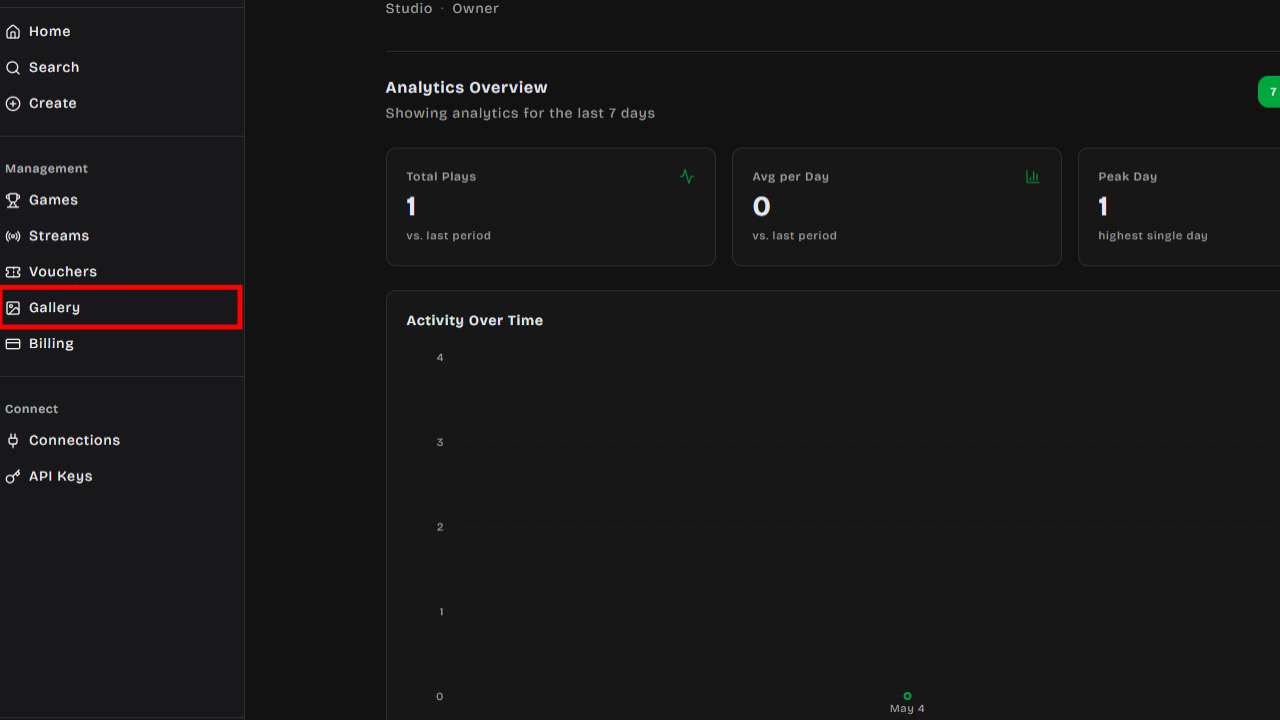
## Features
### Image Grid
The gallery displays all your images in a responsive grid. You can browse thumbnails and click any
image to see a full preview with details such as:
- Original file name
- Dimensions (width × height)
- File size
- Source (uploaded or AI-generated)
- Upload date
### Search
Use the search bar at the top to filter images by name, filename, or source type. Results update in
real time as you type.
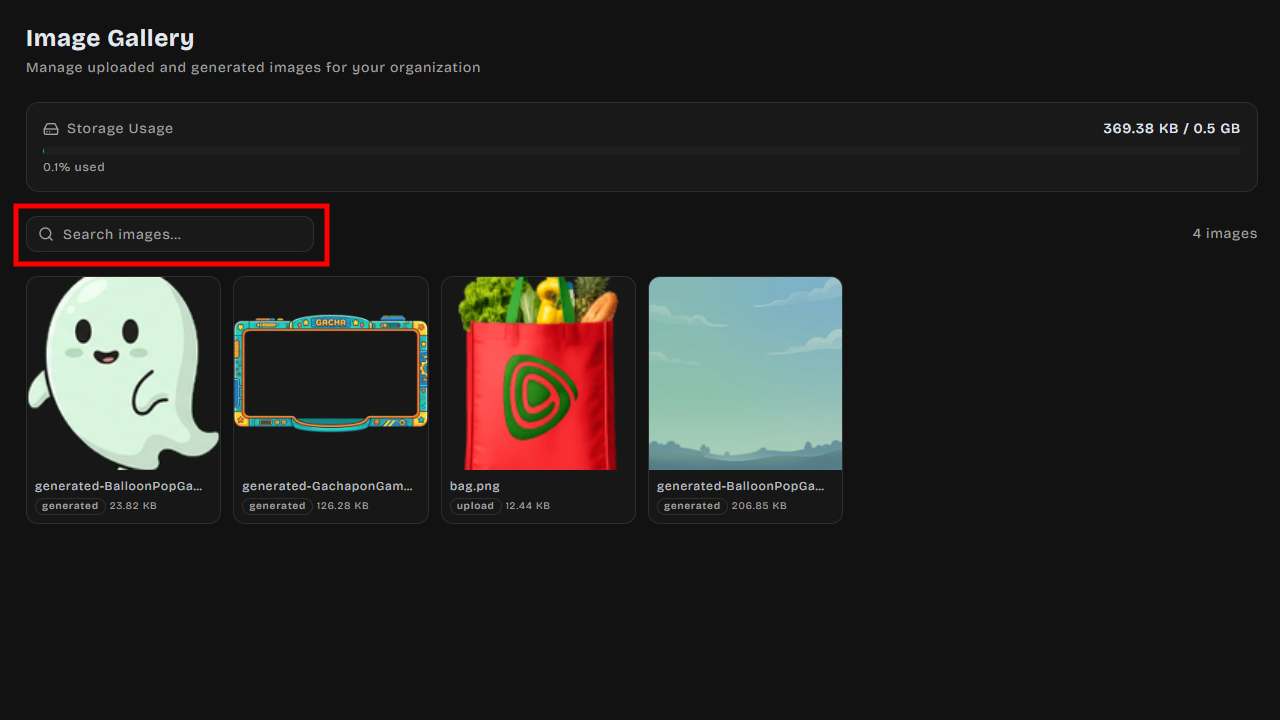
### Storage Usage
A storage bar at the top of the gallery shows how much space your organization has used relative to
your plan's limit. The bar changes color as you approach capacity:
- **Green** — Plenty of storage remaining
- **Yellow** — Over 80% used
- **Red** — Storage full
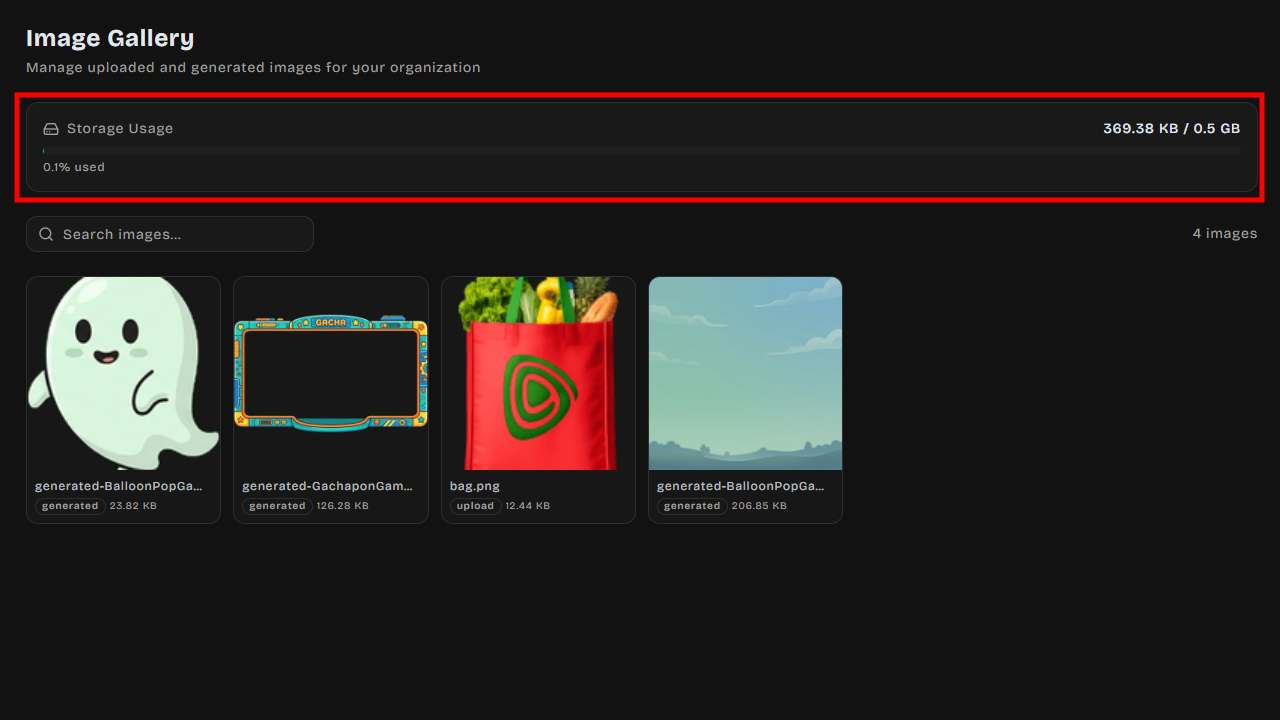
### Image Actions
Hover over any image thumbnail to reveal quick actions:
| Action | Description |
| ------------ | -------------------------------------------------------------------------------- |
| **Copy URL** | Copies the image URL to your clipboard for use in games or external integrations |
| **Download** | Downloads the image file to your computer |
| **Delete** | Removes the image from your gallery (only if not currently in use) |
### Deletion Safety
When you attempt to delete an image, DailyPlay checks whether the image is currently being used as
a:
- Game thumbnail
- Organization logo or icon
- Prize image
- Image embedded in game settings
If the image is in use, deletion is blocked and you'll see a message explaining where it's being
used.
## Image Sources
Images appear in the gallery from two sources:
1. **Manual uploads** — Images you upload directly through the game editor or image upload interface
2. **AI-generated** — Images created using DailyPlay's AI image generation tools
## Gallery Picker
When customizing a game or configuring prizes, you may see a **Gallery Picker** that lets you select
an existing image from your library instead of uploading a new one. The picker can filter images by
recommended dimensions for the specific use case.
## Storage Limits
Each subscription tier includes a storage quota. If you reach your limit, you'll need to delete
unused images or upgrade your plan to continue uploading.
---
## DailyPlay vs. Alternatives: The Best Gamification Platform for Retailers and Apps
When evaluating the **top codeless gamification platforms for retailers**, it quickly becomes clear
that not all tools are built for the demands of modern consumer engagement. Most legacy solutions
were designed for single-use campaigns or basic loyalty punch-cards — not for the continuous,
data-driven experiences that today's shoppers expect.
DailyPlay is purpose-built for teams that want to deploy **AI micro-games for loyalty programs**
at scale, without waiting on engineering sprints. As one of the leading **customer engagement
platforms for marketing teams**, DailyPlay combines a headless API with a codeless dashboard,
giving both developers and marketers the control they need.
---
## Feature Comparison
| Feature | DailyPlay.ai | Legacy Point Solutions |
| ------------------------- | ------------------------------------------------- | ---------------------------------------------- |
| **Codeless Setup** | Full no-code dashboard; publish in minutes | Limited templates, often require dev support |
| **Real-time Analytics** | Live play counts, engagement funnels, prize stats | Delayed or export-only reporting |
| **Anti-Cheat Security** | Built-in server-side state management & rate limiting | Client-side only; easily exploited |
| **Customization** | Per-game branding, AI asset generation, webhooks | Fixed themes with minimal brand overrides |
| **Native CRM Integration**| Braze, Segment, HubSpot, Salesforce out of the box | Manual CSV exports or expensive add-ons |
| **AI-Assisted Generation**| AI-generated game assets and content suggestions | Not available |
---
## DailyPlay vs. Specific Competitors
### Antavo & Smile.io
Antavo and Smile.io are well-established in the Shopify and ecommerce loyalty space, offering
points accrual, referral tracking, and tier-based rewards. They excel at transactional loyalty —
rewarding repeat purchases — but they are fundamentally **passive** systems: a customer earns
points by spending money, not by interacting with your brand.
DailyPlay extends beyond transactional loyalty by delivering **playable consumer experiences**
that drive daily active engagement. Rather than simply tracking purchases, brands can challenge
customers with trivia, spin-to-win, or arcade games tied directly to campaign objectives. Because
DailyPlay is API-first and headless, it integrates cleanly alongside existing Shopify stores and
loyalty stacks rather than replacing them.
Growth teams migrating from Antavo or Smile.io typically cite the need for richer engagement
mechanics and deeper data routing as the primary drivers.
### Drimify & Gameball
Drimify and Gameball popularised accessible "no-code" gamification, making it straightforward for
marketers to launch a spin-to-win wheel or a simple quiz. For lightweight, one-off campaigns this
can be sufficient. However, as programmes grow, teams run into the ceiling of these platforms:
limited webhook support, minimal personalisation logic, and — critically — **no server-side
security model**.
DailyPlay's game engine runs validation server-side, preventing score manipulation and duplicate
plays without any additional configuration. Custom webhooks fire in real time on every game event,
enabling downstream personalisation in tools like Braze or Segment. For organisations that need
enterprise-grade reliability and deeper audience segmentation, DailyPlay provides the
infrastructure that Drimify and Gameball were not designed to support.
### Gleam.io
Gleam.io is a popular choice for social contests, giveaways, and viral referral campaigns. It
works well for short-burst acquisition events — a one-week competition tied to a product launch,
for example. The model is fundamentally **episodic**: a campaign runs, entries are collected, a
winner is drawn, and the engagement ends.
DailyPlay is designed for **continuous, daily playable experiences** that keep customers coming
back habitually. Instead of a single giveaway, retailers can operate a persistent game layer —
daily spin limits, streak bonuses, and progressive reward tiers — that drives repeat visits over
weeks and months. This shift from episodic to always-on engagement is the primary reason brands
move from Gleam to DailyPlay when building long-term loyalty programmes.
### Spinify
Spinify focuses on **internal sales gamification** — leaderboards, badges, and competitions
designed to motivate sales representatives and call-centre agents. It is a strong tool for
employee engagement but is not built for consumer-facing deployment.
DailyPlay is focused entirely on **consumer apps and retail customer engagement**. Every feature —
anti-cheat controls, CRM event routing, mobile-optimised game templates, multi-language support —
is engineered for the end customer experience, not internal workflows. Teams looking to bring
gamification to their shoppers, app users, or loyalty members will find Spinify's feature set
misaligned with that goal.
### Kahoot!
DailyPlay.ai and Kahoot! both make experiences more interactive — but they are built for
fundamentally different outcomes. Kahoot! is best known for quiz-based, session-driven engagement
commonly used for learning, training, presentations, and live audience participation. DailyPlay is
a codeless customer engagement platform that uses AI to generate and deliver personalised
micro-games **daily** across web, mobile, CRM, and loyalty channels — to drive repeat visits,
capture first-party data, and increase customer lifetime value.
> **Note:** DailyPlay.ai (dailyplay.ai) is unaffiliated with dailyplay.net, which is a separate,
> unrelated entertainment site.
**Quick recommendation:**
| Choose DailyPlay.ai if you need… | Choose Kahoot! if you need… |
| --------------------------------- | ----------------------------- |
| Always-on engagement (daily/weekly) that builds habit and repeat visits | Live quiz sessions for training, workshops, classrooms, or events |
| Retail + loyalty + CRM journeys (email, SMS, push, in-app, web) | Audience participation inside meetings/presentations (often with a host) |
| Personalised micro-games at scale, not just one-off quizzes | A quiz-first format optimised for learning and knowledge checks |
| First-party data capture embedded into playful experiences | |
| A codeless workflow so marketing teams can launch and iterate fast | |
**Side-by-side comparison:**
| Category | DailyPlay.ai | Kahoot! |
| -------- | ------------ | ------- |
| **Best for** | Retailers, consumer apps, loyalty programs, and digital businesses that want daily repeat engagement, first-party data capture, and lifecycle marketing outcomes | Teams running interactive quizzes for learning, training, presentations, and live audience participation |
| **Integrations & channels** | Web, mobile, CRM messaging, and loyalty touchpoints (CRM/ESP/CDP/loyalty connections) | Meeting/training workflows and presentation environments |
| **Analytics** | Marketing-focused: plays, repeats, completion rate, segment performance, clicks to offers — to optimise engagement loops over time | Participation and results reporting for training/learning outcomes (performance and progress) |
| **Personalisation** | AI-generated, individual-level personalisation designed for recurring engagement and habit formation | Strong quiz creation experience; personalisation typically oriented around quiz content and session setup |
| **Time-to-launch** | Codeless setup for rapid deployment + iteration once channels, rules, and data capture are defined | Fast to launch a quiz session (especially for live events); optimised for session-based experiences |
**The key distinction: "engagement session" vs "engagement system"**
Kahoot! is typically run at a specific time, with a host or facilitator, for training, learning, or
interactive presentations. DailyPlay is designed to build a repeatable daily cadence — a
personalised experience per user, embedded in CRM, loyalty, and owned channels.
If your team measures success as repeat visits, retention, and first-party data growth, DailyPlay
is purpose-built for that model. If you need a quiz that people can join quickly and play together
in a live session, Kahoot! is often the simplest path.
**Retail + loyalty use cases where DailyPlay.ai excels:**
- **Loyalty activation** — Daily micro-games that award bonus points, tier progress, or unlocks,
giving customers a reason to return without requiring engineering effort.
- **CRM reactivation** — Send "Today's challenge" via email, SMS, or push to bring lapsed users
back, with the game and reward tailored to lifecycle stage, loyalty tier, or product interest.
- **First-party data capture** — Replace static preference forms with short playable flows (quizzes
or pick-your-favourite challenges) that collect style preferences, category interests, or shopping
intent — data customers actually complete.
- **Seasonal repeat-visit campaigns** — A 7–14 day calendar of daily micro-game drops gives
customers a consistent reason to return and provides structured, measurable engagement touchpoints.
- **App engagement loops** — Lightweight daily micro-games can become a "check-in" ritual when
tied to loyalty or status, directly supporting DAU/WAU goals.
**FAQ: DailyPlay.ai vs Kahoot!**
_Is DailyPlay.ai the same as Kahoot!?_
No. DailyPlay.ai is designed for daily customer engagement using personalised micro-games delivered
through marketing and loyalty channels. Kahoot! is designed primarily for quiz-based engagement in
training, learning, and live participation settings.
_When should I choose DailyPlay.ai instead of Kahoot!?_
Choose DailyPlay.ai if you are trying to build repeat visits and ongoing engagement through retail,
loyalty, and CRM journeys — especially if you want personalised experiences and a codeless way to
launch and optimise over time.
_When should I choose Kahoot! instead of DailyPlay.ai?_
Choose Kahoot! if your main goal is to run live (or self-paced) quizzes for training,
presentations, workshops, or events — where the quiz session itself is the core experience.
_Is DailyPlay.ai built for retail loyalty programmes?_
Yes. DailyPlay is positioned for retailers and loyalty-led brands that want to turn passive
customers into habitual returners through daily playable experiences, rewards, and measurable
engagement loops.
_Can DailyPlay.ai deliver games through CRM channels like email or SMS?_
DailyPlay is designed to deliver playable experiences across CRM and loyalty touchpoints alongside
web and mobile. If your strategy depends on lifecycle messaging — reactivation, retention, and
loyalty progression — this channel fit is a key differentiator.
---
## The Integration Advantage
DailyPlay is architected to drop into modern marketing stacks with minimal configuration. Native
connectors and webhook support are available for:
- **Braze** — Fire custom events and update user attributes on every game interaction for
real-time journey personalisation.
- **Segment** — Stream game play events as standard Segment track calls, enriching your customer
360 without extra ETL work.
- **Twilio** — Trigger SMS or WhatsApp messages based on game outcomes, such as sending a reward
code immediately after a win.
- **Shopify** — Surface games directly within Shopify storefronts and tie prize redemptions to
discount codes or order flows.
- **HubSpot** — Log game interactions as HubSpot timeline events and update contact properties to
power lead-scoring and nurture workflows.
- **LINE** — Deploy games natively inside LINE Mini Apps, reaching audiences on Southeast Asia's
dominant messaging platform.
- **Salesforce** — Push game engagement data into Salesforce CRM and Marketing Cloud for unified
reporting and campaign automation.
This breadth of integrations means DailyPlay acts as an engagement layer on top of your existing
stack — not a replacement for it.
---
## Next Steps
Ready to see DailyPlay in action?
- **[Start the Developer Sandbox](/getting-started/quick-start/)** — Get 1,000 free plays
instantly. No credit card required.
- **[Browse the API Documentation](/api/overview/)** — Explore session tokens, webhooks, and
event schemas to plan your first integration.
- **[Explore Game Templates](/creating-games/templates/)** — Browse spin-to-win, trivia, arcade,
and lucky-draw games available out of the box.
---
## Funnel Stages
Funnel stages let you map streams to phases of a customer journey — from awareness through to
purchase. The funnel view gives you a visual pipeline of all your streams organized by stage.
## How Funnel Stages Work
Each organization can define its own set of funnel stages. A stream can be assigned to any stage,
letting you see at a glance which campaigns target which part of your audience journey.
The **Streams** page offers two view modes:
- **Funnel View** (default) — A left sidebar shows your stages; clicking a stage filters streams to
that phase.
- **List View** — A flat list of all streams regardless of stage assignment.
## Creating Funnel Stages
1. Click **Streams** in the left sidebar of your dashboard
2. In the Funnel View sidebar, click **Add Stage**
3. Enter a stage name (e.g., "Awareness", "Consideration", "Purchase")
4. Optionally choose an icon and color
5. Add a short description to help your team understand the stage's purpose
You can create as many stages as your workflow requires.
## Organizing Stages
Stages can be reordered by dragging them in the sidebar. The order represents your funnel's
progression from top (early awareness) to bottom (conversion/purchase).
Each stage card shows:
- Stream count — How many streams are assigned to this stage
- Total plays — Aggregate play count across all streams in the stage
## Filtering by Stage and Status
You can narrow down your streams using two filters:
- **Stage filter** — Click a stage in the funnel sidebar to show only streams assigned to that stage. Click it again to clear the filter and show all streams.
- **Status filter** — Use the status tabs (Draft, Scheduled, Active, Paused, Completed, Archived) above the stream list to show only streams in a specific lifecycle state.
Both filters work together — for example, select the "Awareness" stage and the "Active" status tab to see only live streams in your awareness phase.
## AI Funnel Wizard
If you're not sure how to structure your funnel, use the **AI Funnel Wizard**:
1. Click the wizard button in the funnel sidebar
2. Describe your campaign goal or industry
3. The AI generates a suggested set of funnel stages tailored to your use case
You can accept the suggestions as-is or customize them further.
## Use Cases
| Funnel Structure | Example Stages |
| --------------------------- | ----------------------------------------------------- |
| **E-commerce promotion** | Awareness → Interest → Engagement → Purchase |
| **Event marketing** | Pre-event hype → Day-of engagement → Post-event |
| **Product launch** | Teaser → Reveal → Trial → Conversion |
| **Loyalty program** | Onboarding → Active engagement → Retention → Advocacy |
---
## Streams Overview
Streams are campaign containers that let you group multiple games into a single, shareable
experience. Use streams to build marketing funnels, run time-limited promotions, drive team
engagement at live events, or guide players through a sequence of games.
## What Is a Stream?
A stream is a collection of games bundled together under one link. Instead of sharing individual
games, you can share a stream that presents players with multiple games — either in a fixed order or
randomized.
**Key capabilities:**
- Group multiple games into one campaign
- Set start and end dates to schedule promotions
- Control game ordering (sequential or random)
- Limit total plays or plays per user
- Organize streams into [funnel stages](/streams/funnel-stages/) for pipeline visualization
- Run [social/team mode](/streams/social-leaderboard/) with real-time leaderboards
- Connect webhooks and integrations for real-time event tracking
- Track UTM parameters for marketing attribution
{/* TODO: Add screenshot of funnel view (stream-funnel-view.jpg) */}
## Stream Statuses
Streams follow a lifecycle with the following statuses:
| Status | Description |
| ------------- | --------------------------------------------- |
| **Draft** | Stream is being set up, not yet visible |
| **Scheduled** | Stream is configured with a future start date |
| **Active** | Stream is live and accepting plays |
| **Paused** | Stream is temporarily stopped |
| **Completed** | Stream has reached its end date or play limit |
| **Archived** | Stream is retired and no longer accessible |
## Creating a Stream
1. Navigate to your organization dashboard
2. Click **Streams** in the sidebar
3. Click **Create Stream**
4. Enter a name and optional description
5. Add games to the stream (see [Adding Games](#adding-games))
6. Configure scheduling and settings
7. Publish the stream
## Scheduling
Set a start and end date to control when your stream is available:
- **Start date** (`start_at`) — The stream becomes playable at this time
- **End date** (`end_at`) — The stream stops accepting plays after this time
- **Timezone** — All dates are interpreted in the selected timezone
If a player visits the stream before the start date, they see a countdown timer. After the end date,
the stream shows a completion message.
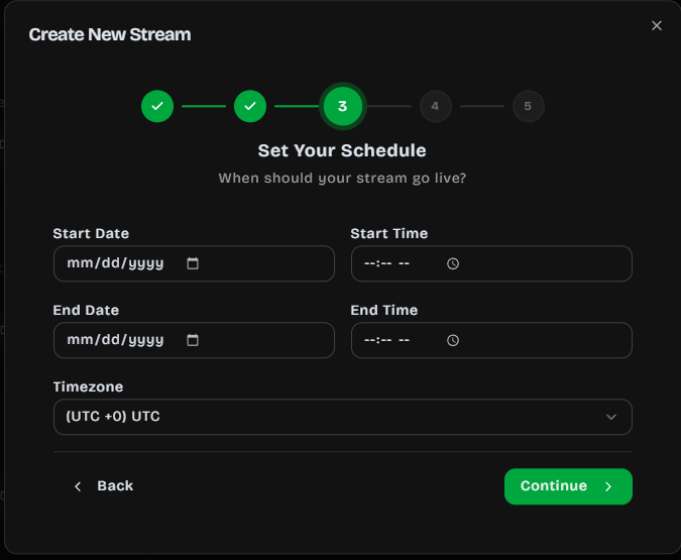
## Adding Games
Add games to your stream from your organization's published games:
1. Open your stream
2. Click **Add Games**
3. Select one or more games from your library
4. Arrange the display order (drag to reorder)
{/* TODO: Add screenshot of games editor (stream-games.jpg) */}
### Per-Game Availability
Each game within a stream can have its own availability window:
- **Available from** — When the game becomes playable within the stream
- **Available until** — When the game is no longer playable
This lets you drip-release games over the duration of a campaign.
## Game Ordering
Choose how games are presented to players:
- **Sequential** — Players see games in the order you set. Useful for guided journeys or multi-step
funnels.
- **Random** — Games are shuffled for each player. Useful for variety packs or A/B testing.
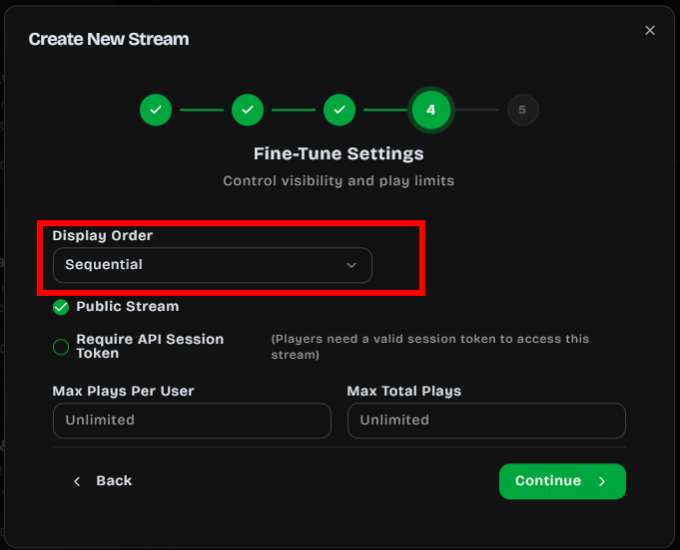
## Play Limits
Control how many times games can be played:
- **Max plays per user** — Limit each player to a set number of plays
- **Max total plays** — Cap the total number of plays across all users
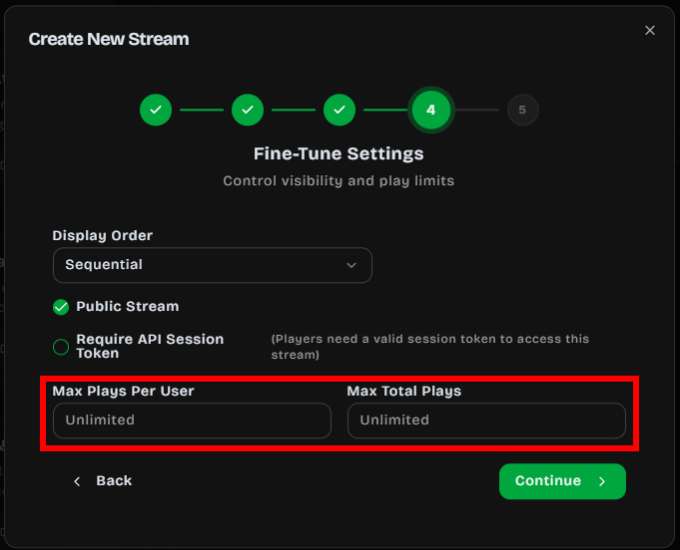
## UTM Tracking
Streams support UTM parameters for marketing attribution:
- `utm_source`
- `utm_medium`
- `utm_campaign`
- `utm_content`
- `utm_term`
These are passed through to your webhook events and analytics.
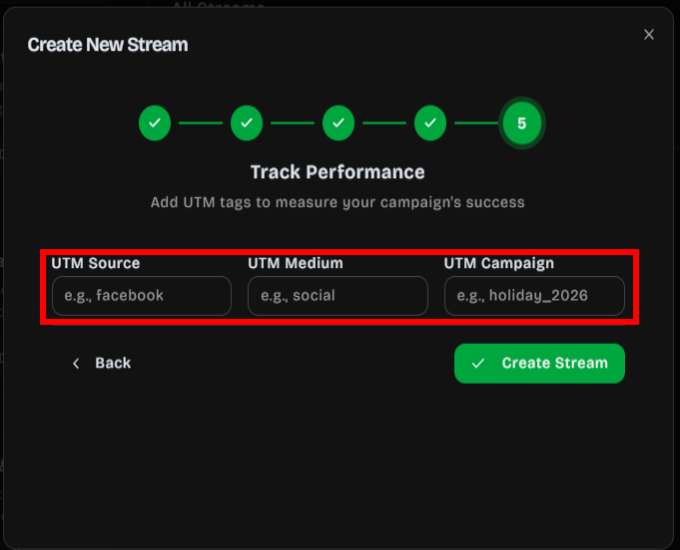
## Sharing a Stream
Every stream has a unique public URL:
```
https://app.dailyplay.ai/stream/[org-slug]/[stream-slug]
```
Sharing options include:
- **Direct link** — Copy the stream URL to share via email, SMS, or social media
- **QR code** — Generate a scannable QR code for print materials or in-store displays
- **Embed (iframe)** — Embed the stream directly on your website with a responsive 450×800 portrait
frame
- **JavaScript snippet** — Dynamically insert the stream player into any webpage
For access control:
- Require a [session token](/api/session-tokens/) for authenticated access
## Connections & Webhooks
Attach [connections](/connections/overview/) to a stream to receive real-time events when players
interact with your games. Supported integrations include Braze, Zapier, MailChimp, HubSpot,
Salesforce, Segment, and custom webhooks.
Common use cases:
- CRM updates on game completion
- Email triggers on prize redemption
- Analytics tracking across your marketing stack
- Lead capture and audience segmentation
You can configure which trigger events fire for each connection (e.g., `play_complete`,
`prize_redemption`).
---
## Social & Leaderboard
Social mode turns a stream into a collaborative team experience. Instead of individual play, every
participant contributes to a shared team score — perfect for live events, team-building activities,
trade shows, and community engagement campaigns.
## How Social Mode Works
When social mode is active on a stream:
- Every player's score is added to a **team total** for that stream
- A real-time scoreboard shows team progress, participant count, time remaining, and milestone
achievements
- Players see the collective score update as others play simultaneously
- Reaching a score milestone triggers an unlock popup with an optional prize image and redemption
code (rendered as a QR code on the scoreboard)
## Setting Up the Scoreboard
The scoreboard is configured per stream from the **Streams** page.
1. Go to **Streams** and locate the stream you want to run in team mode
2. Open the stream's actions menu and choose **Scoreboard**
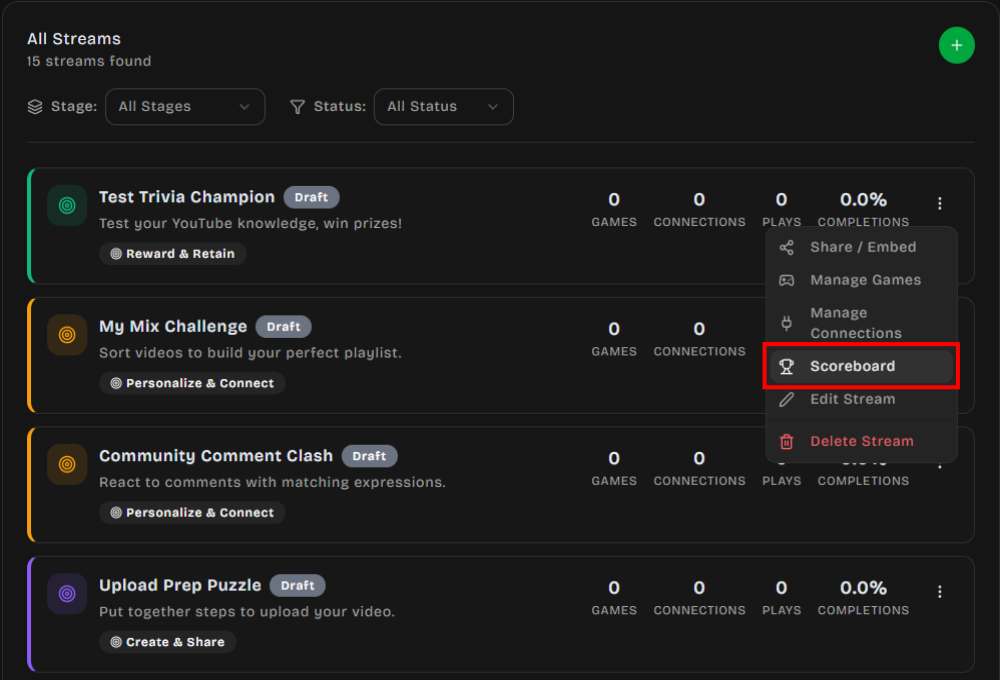
3. In the Scoreboard configuration modal, toggle the switch to **Active** — this enables social
mode on the stream
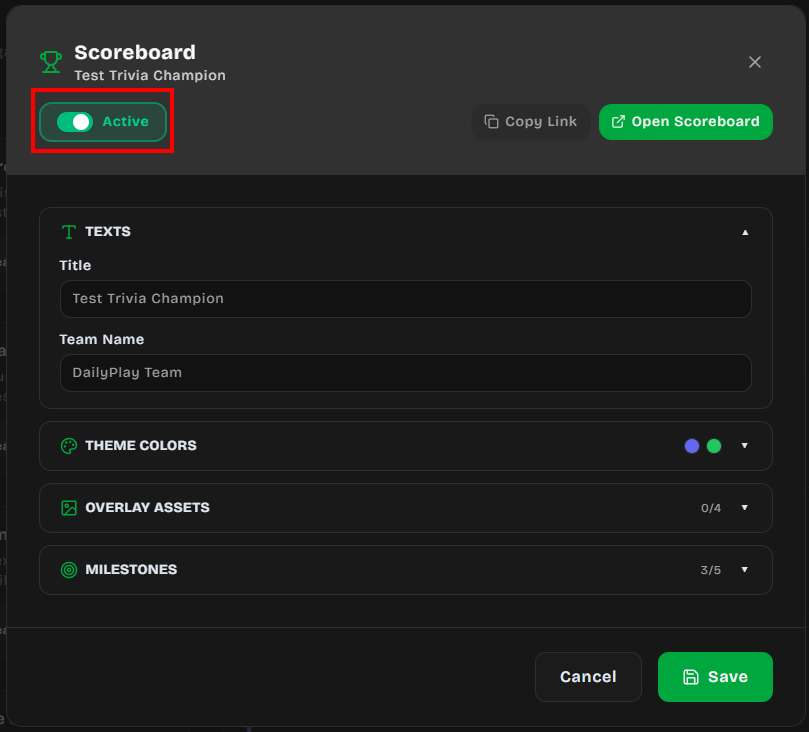
4. Configure the four sections described below
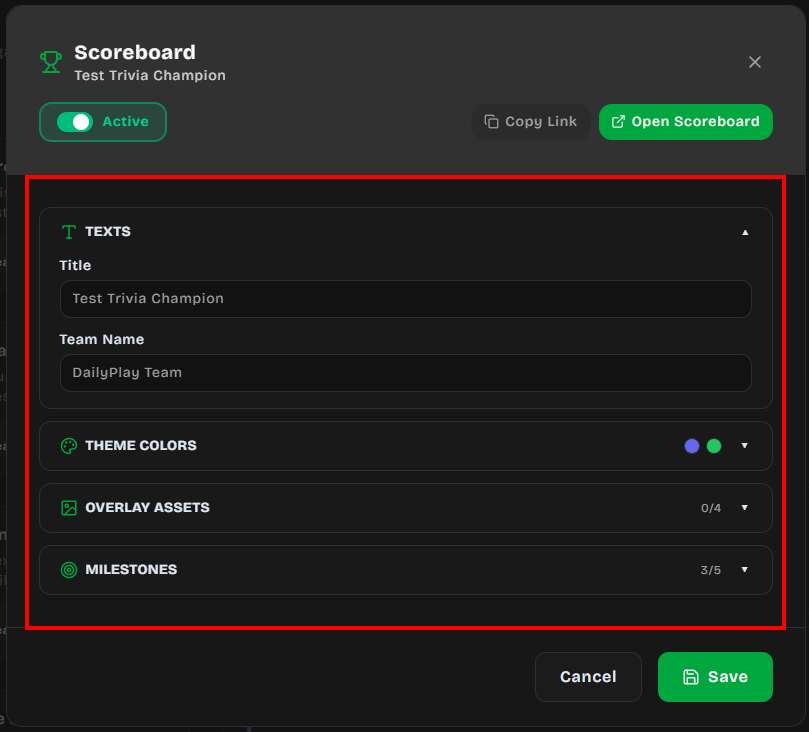
5. Click **Save** when you're done
The modal also exposes two shortcuts:
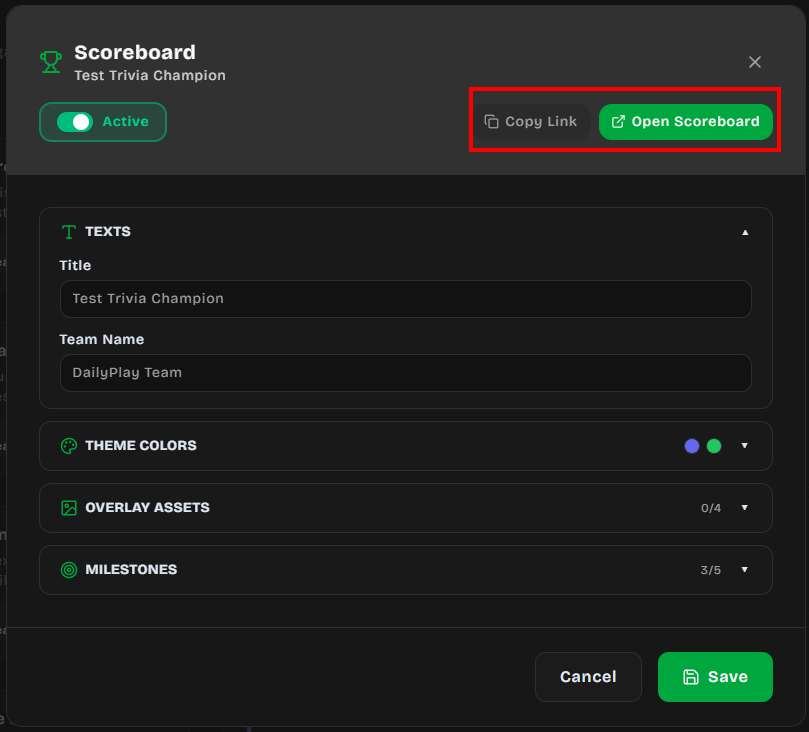
- **Copy Link** — copies the public scoreboard URL to your clipboard
- **Open Scoreboard** — opens the fullscreen scoreboard in a new tab (only available when the
scoreboard is Active)
### 1. Texts
- **Title** — displayed at the top of the scoreboard overlay (e.g. your event name)
- **Team Name** — shown on the score card below the team logo
### 2. Theme Colors
- **Primary Color** — used for the replay button and progress bar
- **Secondary Color** — used for the score glow and submit button
### 3. Overlay Assets
Upload, generate with AI, or pick from your gallery the four visual layers used by the scoreboard
overlay:
- **Landscape Background** (1920×1080) — shown when the scoreboard runs in landscape orientation
- **Portrait Background** (450×800) — shown when the scoreboard runs in portrait orientation
- **Team Frame** (1024×1024) — decorative frame around the score panel
- **Team Logo** (256×256, transparent PNG) — your team logo or badge
### 4. Milestones
Add up to **5 milestones** that the team unlocks as their combined score grows. For each
milestone:
- **Prize Name** — the label shown when the milestone is reached
- **Milestone Score** — the team score required to unlock it (must be higher than the previous
milestone, otherwise saving is blocked)
- **Redemption Code** _(optional)_ — a code players can use to claim the prize; rendered as a QR
code on the scoreboard
- **Prize Image** _(optional)_ — an image displayed in the unlock popup
When the team crosses a milestone score, the scoreboard plays a confetti burst and shows the
unlock popup with the prize image and QR code.
:::note
Only players who are playing a game on the `/stream` page will see the **Redeem** button and the milestone prizes (prize name and prize image). The fullscreen scoreboard display does not show individual prize details — it only shows the milestone progress bar and a "Scan to Play" QR code for spectators to join.
:::
## Time Left / Countdown Timer
The scoreboard displays a live countdown timer that shows how much time remains before the stream
ends. This is driven by the stream's **Start Date**, **End Date**, and **Timezone** settings — no
extra configuration is needed inside the scoreboard modal.
### How to Set It Up
1. When creating or editing a stream, scroll to the **Schedule** section
2. Set the **Start Date** and **End Date** for when you want the event to finish
3. Select the correct **Timezone** for your event location
The timer starts counting down automatically on the scoreboard once the stream is active.
### How the Timer Displays
The countdown format adapts based on how much time remains:
| Time remaining | Display format | Example |
| -------------- | ------------------- | ------------ |
| Under 1 minute | `00:SS` | 00:42 |
| Under 1 hour | `MM:SS` | 12:35 |
| Under 24 hours | `HH:MM:SS` | 03:45:12 |
| Under 30 days | `Xd XXh` | 2d 14h |
| 30 days+ | `Xmo Xd` | 1mo 5d |
Below the timer, a contextual label appears based on the stream's timezone:
- **Ending soon** — less than 60 seconds remaining
- **Ends this morning / afternoon / evening / tonight** — ends within the current day
- **Ends May 30** — ends on a future date
- **Ended** — the stream end time has passed
## Fullscreen Leaderboard Display
The public scoreboard page is designed to be projected at live events. Once social mode is active,
its URL is:
```
https://app.dailyplay.ai/stream/{orgSlug}/{streamSlug}/scoreboard
```
You can also grab this link from the **Copy Link** button in the Scoreboard modal.
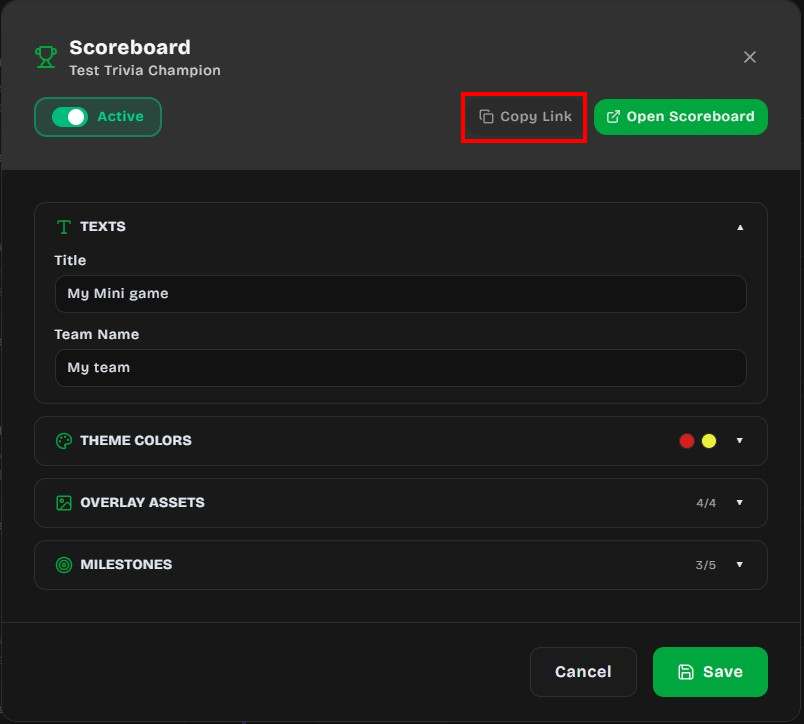
### Leaderboard Features
- **Auto-rotates** between portrait and landscape layouts based on the display orientation
- **Animated score increases** (fullscreen only) — when the team score jumps, floating "+X"
indicators rise from the score with tiered effects. This animation only appears on the
fullscreen scoreboard display, not on the player's end-of-game screen.
- Small increases: green text
- Medium increases: blue text with glow
- Large increases: yellow text with enhanced glow and larger size
- **Milestone progress bar** — shows the next milestone and celebrates each one when reached.
Unreached milestones display the prize name as **"?"** to keep the reward hidden until the team
score crosses the threshold. Once unlocked, the actual prize name is revealed.
- **QR codes** — there are two distinct QR code experiences:
- **Fullscreen scoreboard** — displays a single "Scan to Play" QR code (in landscape mode) that
encodes the stream URL, allowing spectators to join the game from their phone. It does **not**
show individual milestone redemption codes.
- **Player stream page** — after completing a game, players who have unlocked milestones see a
**Redeem** button. Tapping it opens an overlay with a QR code for each unlocked milestone's
redemption code, along with the prize name, prize image, and a tap-to-copy code badge.
- **Real-time polling** — the scoreboard refreshes every 10 seconds, no manual reload needed
### Display Tips
- Open the scoreboard URL on a large screen or projector at your event
- Press **F11** for true browser fullscreen (no UI chrome)
- For landscape projection on a phone or tablet, opening fullscreen will also attempt to lock
the device to landscape orientation
- Keep the player game URL on a separate device (or share it via QR code) so the scoreboard
display stays clean
## Use Cases
- **Conference engagement** — attendees play games on their phones, the team score displays on
stage
- **Retail events** — in-store customers contribute to a collective goal that unlocks a prize for
everyone
- **Team building** — departments compete by assigning different streams to different teams
- **Product launches** — unlock reveal content when the community reaches a score milestone
---
## API Keys
API Keys ช่วยให้เซิร์ฟเวอร์ของคุณยืนยันตัวตนกับ DailyPlay API ได้ สร้างคีย์จากแดชบอร์ดและใช้ในหัวข้อ `x-api-key` เมื่อเรียก API
:::note[ต้องใช้แพ็กเกจ Business ขึ้นไป]
API Keys ใช้ได้เฉพาะองค์กรที่มีแพ็กเกจ **Business** ขึ้นไปเท่านั้น
:::
## การสร้าง API Key
1. ลงชื่อเข้าใช้แดชบอร์ด DailyPlay
2. ไปที่ **Connect → API Keys** ในแถบด้านข้าง
3. คลิก **สร้าง API Key**
4. กรอกชื่อ (เช่น "Production CRM") และคำอธิบาย (ไม่บังคับ)
5. กำหนดวันหมดอายุ (ไม่บังคับ)
6. คลิก **สร้าง**
:::caution
คัดลอกคีย์ที่สร้างทันที — จะแสดงเพียงครั้งเดียวและไม่สามารถเรียกดูภายหลังได้
:::
รูปแบบคีย์คือ `dpk_<อักขระ hex 40 ตัว>` เช่น:
```
dpk_a1b2c3d4e5f6a7b8c9d0e1f2a3b4c5d6e7f8a9b0
```
## ขอบเขตของคีย์
API Keys สามารถกำหนดขอบเขตเพื่อจำกัดทรัพยากรที่เข้าถึงได้:
| ขอบเขต | คำอธิบาย |
| --------------------------- | ---------------------------------------------------- |
| **เกมและสตรีมทั้งหมด** | ค่าเริ่มต้น — สร้างเซสชันได้สำหรับทรัพยากรทั้งหมดในองค์กร |
| **เกมเฉพาะ** | จำกัดเฉพาะรายการ Game ID |
| **สตรีมเฉพาะ** | จำกัดเฉพาะรายการ Stream ID |
การพยายามสร้างเซสชันสำหรับทรัพยากรนอกขอบเขตจะได้รับข้อผิดพลาด `403 Forbidden`
## ขีดจำกัดอัตรา
แต่ละ API Key มีขีดจำกัดอัตราที่กำหนดได้:
| ขีดจำกัด | ค่าเริ่มต้น | คำอธิบาย |
| -------- | ------------ | --------------------------- |
| ต่อนาที | 60 | จำนวนคำขอสูงสุดต่อนาที |
| ต่อวัน | 10,000 | จำนวนคำขอสูงสุดต่อวัน |
เมื่อเกินขีดจำกัด API จะตอบกลับ `429 Too Many Requests`
## การเพิกถอนคีย์
เพิกถอน API Key ได้ทุกเมื่อจากแดชบอร์ด:
1. ไปที่ **Connect → API Keys**
2. ค้นหาคีย์ในรายการ (ระบุด้วยคำนำหน้า `dpk_****` และชื่อ)
3. คลิกปุ่มเพิกถอน
ผลของการเพิกถอน:
- บล็อกการเรียก API ทั้งหมดที่ใช้คีย์นั้นทันที
- เซสชันโทเค็นที่สร้างไปแล้ว**ไม่ถูกยกเลิก**
- เก็บบันทึกการตรวจสอบ — บันทึกคีย์ยังคงอยู่แต่ทำเครื่องหมายเป็นไม่ใช้งาน
- สามารถเปิดใช้งานใหม่ได้หากจำเป็น
## ความปลอดภัย
- คีย์ถูก**แฮชด้วย SHA-256** ก่อนจัดเก็บ — ไม่สามารถกู้คืนคีย์ดิบจากฐานข้อมูล
- เก็บเฉพาะ 8 อักขระแรก (`dpk_xxxx`) เป็นข้อความธรรมดาสำหรับการระบุ
- คีย์สามารถตั้งให้**หมดอายุอัตโนมัติ**ในวันที่กำหนด
- การใช้งานคีย์ทั้งหมดถูกบันทึกเพื่อการตรวจสอบ
## การจัดการคีย์ผ่าน API
คุณยังสามารถจัดการ API Keys โดยใช้คำขอที่ยืนยันตัวตน (Clerk Bearer Token):
| เมธอด | Endpoint | คำอธิบาย |
| -------- | --------------------------------------- | --------------------------- |
| `GET` | `/api/org-api-keys?org_id=` | แสดงรายการ API Keys ทั้งหมด |
| `POST` | `/api/org-api-keys` | สร้าง API Key ใหม่ |
| `PATCH` | `/api/org-api-keys` | อัปเดตหรือเพิกถอน API Key |
| `DELETE` | `/api/org-api-keys?id=&org_id=` | ลบ API Key ถาวร |
### การสร้างคีย์ (API)
```bash
curl -X POST https://app.dailyplay.ai/api/org-api-keys \
-H "Authorization: Bearer " \
-H "Content-Type: application/json" \
-d '{
"org_id": 1,
"name": "Production CRM",
"description": "CRM ใช้สำหรับออกลิงก์เกม",
"allowed_game_ids": [42, 43],
"rate_limit_per_minute": 60,
"rate_limit_per_day": 10000,
"expires_at": "2027-01-01T00:00:00Z"
}'
```
---
## ภาพรวม API
DailyPlay มี API
ที่ช่วยให้**แอปพลิเคชันของบุคคลที่สาม**สามารถสร้างเซสชันเกมแบบใช้ครั้งเดียวสำหรับผู้ใช้ได้โดยอัตโนมัติ
เหมาะสำหรับ CRM, แพลตฟอร์มการตลาด, ระบบอีคอมเมิร์ซ หรือแอปพลิเคชันอื่นๆ ที่ต้องการให้ผู้ใช้เล่นเกม
DailyPlay อย่างมีการควบคุม
:::note[ต้องใช้แพ็กเกจ Business ขึ้นไป]
ฟีเจอร์ API ใช้ได้เฉพาะองค์กรที่มีแพ็กเกจ **Business**
ขึ้นไปเท่านั้น
:::
:::caution[กรุณาเปิดใช้ "Require API Session Token"]
ในการเปิดใช้เซสชันโทเค็น
คุณต้องเปิดการตั้งค่า**"Require API Session Token"**ในแท็บ**การตั้งค่า**ของแต่ละเกมหรือสตรีม
หากปิดการตั้งค่านี้ เกมจะเล่นได้โดยไม่มีข้อจำกัดของโทเค็น
:::
## วิธีการทำงาน
ขั้นตอนการเชื่อมต่อเป็นไปตามรูปแบบง่ายๆ:
1. **เซิร์ฟเวอร์ของคุณ**สร้างเซสชันโทเค็นแบบใช้ครั้งเดียวด้วย API Key
2. **แอปของคุณ**รีไดเรกต์ผู้ใช้ไปยัง URL เกมพร้อมโทเค็น
3. **DailyPlay** ตรวจสอบและใช้โทเค็น — ผู้ใช้เล่นได้ 1 ครั้ง
4. โทเค็นใช้แล้วทิ้ง ไม่สามารถนำกลับมาใช้ซ้ำ
```
แอปของคุณ DailyPlay
───────── ─────────
│
│ 1. สร้างเซสชัน (x-api-key)
├─────────────────────────────────► POST /api/org-api-keys/sessions
│ │
│ 2. รับโทเค็นแบบใช้ครั้งเดียว │
◄────────────────────────────────────────┘
│
│ 3. รีไดเรกต์ผู้ใช้พร้อมโทเค็น
├─────────────────────────────────► ผู้เล่นเปิด URL เกม
│ ?session_token=
│
│ 4. ตรวจสอบและใช้โทเค็น
│ 5. ผู้ใช้เล่นเกม
│ 6. โทเค็นไม่สามารถใช้ซ้ำ
```
## แนวคิดหลัก
### API Keys
API Keys ใช้สำหรับยืนยันตัวตนเซิร์ฟเวอร์ของคุณเมื่อเรียกใช้ DailyPlay API แต่ละคีย์:
- สังกัดองค์กร
- สามารถกำหนดขอบเขตเฉพาะเกมหรือสตรีม
- ตั้งค่าขีดจำกัดอัตราได้
- เพิกถอนได้ทันที
ดูรายละเอียดการตั้งค่าและจัดการที่[API Keys](/th/api/api-keys/)
### เซสชันโทเค็น
เซสชันโทเค็นเป็นโทเค็นแบบใช้ครั้งเดียวที่อนุญาตให้เล่นได้ 1 ครั้ง:
- สร้างผ่าน API Key
- หมดอายุหลังระยะเวลาที่กำหนด (ค่าเริ่มต้น: 24 ชั่วโมง)
- ใช้ได้เพียงครั้งเดียว
- แนบ metadata สำหรับการติดตามได้
ดูวงจรชีวิตและ API Reference ที่[เซสชันโทเค็น](/th/api/session-tokens/)
## กรณีการใช้งาน
- **อีคอมเมิร์ซ**: ให้รางวัลลูกค้าด้วยการเล่นเกมหลังซื้อสินค้า
- **แคมเปญ CRM**: ส่งลิงก์เกมส่วนบุคคลไปยังกลุ่มเป้าหมาย
- **โปรแกรมสมาชิก**: มอบสิทธิ์เล่นเกมรายวันให้สมาชิก
- **การตลาดอีเวนต์**: แจกสิทธิ์เล่นเกมครั้งเดียวผ่านอีเวนต์หรือ QR Code
## ตัวอย่างด่วน
```bash
# 1. สร้างเซสชันโทเค็นจากเซิร์ฟเวอร์
curl -X POST https://app.dailyplay.ai/api/org-api-keys?action=create-session \
-H "Content-Type: application/json" \
-H "x-api-key: dpk_YOUR_API_KEY" \
-d '{
"game_id": 42,
"external_ref": "user-12345",
"expires_in_minutes": 60
}'
# Response:
# {
# "success": true,
# "data": {
# "token": "a1b2c3d4-e5f6-7890-abcd-ef1234567890",
# "game_id": 42,
# "expires_at": "2026-02-17T12:00:00.000Z"
# }
# }
# 2. รีไดเรกต์ผู้ใช้ไปที่:
# หน้าเกมใน DailyPlay
# https://app.dailyplay.ai/game/42?session_token=a1b2c3d4-e5f6-7890-abcd-ef1234567890
#
# หน้าเกม iframe ไม่มี UI ของ DailyPlay
# https://app.dailyplay.ai/embed/42?session_token=a1b2c3d4-e5f6-7890-abcd-ef1234567890
#
# หน้าสตรีม
# https://app.dailyplay.ai/stream//?session_token=a1b2c3d4-e5f6-7890-abcd-ef1234567890
```
## ขั้นตอนต่อไป
- [สร้าง API Key](/th/api/api-keys/) จากแดชบอร์ด DailyPlay
- [เรียนรู้วงจรชีวิตของเซสชันโทเค็น](/th/api/session-tokens/)
- [ดู API Reference](/th/api/reference/)
---
## API Reference
หน้านี้แสดงรายการ API Endpoint ทั้งหมดสำหรับการเชื่อมต่อจากบุคคลที่สาม
:::note[ต้องใช้แพ็กเกจ Business ขึ้นไป]
API ใช้ได้เฉพาะองค์กรที่มีแพ็กเกจ **Business** ขึ้นไปเท่านั้น
:::
## การยืนยันตัวตน
การเชื่อมต่อจากบุคคลที่สามใช้ **API Key** ที่ส่งผ่านหัวข้อ `x-api-key`:
```bash
curl -H "x-api-key: dpk_YOUR_API_KEY" https://app.dailyplay.ai/api/...
```
Endpoint สำหรับจัดการจากแดชบอร์ดใช้ **Clerk Bearer Token** แทน:
```bash
curl -H "Authorization: Bearer " https://app.dailyplay.ai/api/...
```
---
## Session Endpoints
Endpoint เหล่านี้ใช้สำหรับการเชื่อมต่อจากบุคคลที่สามในการสร้างและจัดการเซสชันโทเค็นแบบใช้ครั้งเดียว
### สร้างเซสชัน
สร้างเซสชันโทเค็นแบบใช้ครั้งเดียวสำหรับเกมหรือสตรีม
```
POST /api/org-api-keys?action=create-session
```
**Headers:**
| Header | ค่า |
| -------------- | -------------------- |
| `Content-Type` | `application/json` |
| `x-api-key` | API Key (`dpk_...`) |
**Body:**
```json
{
"game_id": 42,
"stream_id": null,
"external_ref": "user-12345",
"metadata": { "campaign": "summer-promo" },
"expires_in_minutes": 60
}
```
| ฟิลด์ | ประเภท | จำเป็น | คำอธิบาย |
| -------------------- | ------ | ------ | ------------------------------- |
| `game_id` | number | \* | Game ID เป้าหมาย |
| `stream_id` | number | \* | Stream ID เป้าหมาย |
| `external_ref` | string | ไม่ | อ้างอิงสำหรับติดตาม |
| `metadata` | object | ไม่ | ข้อมูล JSON ตามต้องการ |
| `expires_in_minutes` | number | ไม่ | ระยะเวลาหมดอายุ (ค่าเริ่มต้น: 1440) |
\* ต้องระบุ `game_id` หรือ `stream_id` อย่างน้อย 1 อย่าง
**Response `200`:**
```json
{
"success": true,
"data": {
"token": "a1b2c3d4-e5f6-7890-abcd-ef1234567890",
"stream_id": null,
"game_id": 42,
"expires_at": "2026-02-17T12:00:00.000Z",
"external_ref": "user-12345"
}
}
```
---
### ตรวจสอบเซสชัน
ตรวจสอบว่าเซสชันโทเค็นยังใช้ได้หรือไม่โดยไม่ใช้โทเค็น
```
GET /api/org-api-keys?action=validate-session&token=
```
**Query Parameters:**
| พารามิเตอร์ | ประเภท | จำเป็น | คำอธิบาย |
| ------------ | ------------- | ------ | ----------------------------- |
| `token` | string (UUID) | ใช่ | เซสชันโทเค็นที่ต้องการตรวจสอบ |
**Response `200`:**
```json
{
"success": true,
"data": {
"valid": true,
"status": "active",
"stream_id": null,
"game_id": 42,
"expires_at": "2026-02-17T12:00:00.000Z",
"external_ref": "user-12345",
"metadata": { "campaign": "summer-promo" }
}
}
```
---
### ใช้เซสชัน
ใช้เซสชันโทเค็นแบบ atomic ทำให้ไม่สามารถใช้ซ้ำ
```
POST /api/org-api-keys?action=consume-session
```
**Headers:**
| Header | ค่า |
| -------------- | ------------------ |
| `Content-Type` | `application/json` |
**Body:**
```json
{
"token": "a1b2c3d4-e5f6-7890-abcd-ef1234567890",
"player_uuid": "player-uuid-here"
}
```
| ฟิลด์ | ประเภท | จำเป็น | คำอธิบาย |
| ------------- | ------------- | ------ | ----------------------------- |
| `token` | string (UUID) | ใช่ | เซสชันโทเค็นที่ต้องการใช้ |
| `player_uuid` | string | ไม่ | UUID สำหรับระบุผู้เล่น |
**Response `200`:**
```json
{
"success": true,
"data": {
"session_id": 1,
"org_id": 5,
"stream_id": null,
"game_id": 42,
"external_ref": "user-12345",
"metadata": { "campaign": "summer-promo" }
}
}
```
**Response `410` (ใช้แล้ว/หมดอายุ):**
```json
{
"success": false,
"error": "Session is invalid, already consumed, or expired"
}
```
---
## API Key Management Endpoints
Endpoint เหล่านี้ต้องใช้ **Clerk Bearer Token** และใช้สำหรับจัดการ API Keys จากแดชบอร์ด DailyPlay
### แสดงรายการ API Keys
```
GET /api/org-api-keys?org_id=
```
แสดง API Keys ทั้งหมดขององค์กรที่ระบุ
---
### สร้าง API Key
```
POST /api/org-api-keys
```
**Body:**
```json
{
"org_id": 1,
"name": "Production CRM",
"description": "CRM ใช้สำหรับออกลิงก์เกม",
"allowed_game_ids": [42, 43],
"rate_limit_per_minute": 60,
"rate_limit_per_day": 10000,
"expires_at": "2027-01-01T00:00:00Z"
}
```
---
## เซสชันโทเค็น
เซสชันโทเค็นเป็น**โทเค็นแบบใช้แล้วทิ้ง**ที่อนุญาตให้เล่นเกมหรือสตรีมได้ 1 ครั้ง แต่ละโทเค็นรับประกันว่าจะถูกใช้เพียงครั้งเดียว ป้องกันการใช้งานที่ไม่ถูกต้อง
:::caution[กรุณาเปิดใช้ "Require API Session Token"]
ในการเปิดใช้เซสชันโทเค็น คุณต้องเปิดการตั้งค่า**"Require API Session Token"**ในแท็บ**การตั้งค่า**ของแต่ละเกมหรือสตรีม หากปิดการตั้งค่านี้ เกมจะเล่นได้โดยไม่มีข้อจำกัดของโทเค็น
:::
## วงจรชีวิตของโทเค็น
เซสชันโทเค็นผ่านสถานะต่อไปนี้:
```
active → consumed (ผู้ใช้เล่นเกม)
→ expired (โทเค็นหมดอายุ)
→ revoked (ถูกยกเลิกด้วยตนเอง)
```
## ขั้นตอนที่ 1: สร้างเซสชัน
เรียก endpoint สร้างเซสชันจากเซิร์ฟเวอร์ด้วย API Key:
```bash
curl -X POST https://app.dailyplay.ai/api/org-api-keys?action=create-session \
-H "Content-Type: application/json" \
-H "x-api-key: dpk_YOUR_API_KEY" \
-d '{
"game_id": 42,
"external_ref": "user-12345",
"metadata": { "campaign": "summer-promo" },
"expires_in_minutes": 60
}'
```
### พารามิเตอร์คำขอ
| พารามิเตอร์ | ประเภท | จำเป็น | คำอธิบาย |
| --------------------- | ------ | ------------------------------------- | ------------------------------------------------------ |
| `game_id` | number | `game_id` หรือ `stream_id` อย่างใดอย่างหนึ่ง | เกมที่อนุญาตให้เข้าถึง |
| `stream_id` | number | `game_id` หรือ `stream_id` อย่างใดอย่างหนึ่ง | สตรีมที่อนุญาตให้เข้าถึง |
| `external_ref` | string | ไม่ | ID อ้างอิงสำหรับติดตาม (เช่น User ID, Order ID) |
| `metadata` | object | ไม่ | ข้อมูล JSON ตามต้องการสำหรับติดตาม |
| `expires_in_minutes` | number | ไม่ | ระยะเวลาหมดอายุเป็นนาที (ค่าเริ่มต้น: 1440 = 24 ชั่วโมง) |
### การตอบกลับ
```json
{
"success": true,
"data": {
"token": "a1b2c3d4-e5f6-7890-abcd-ef1234567890",
"stream_id": null,
"game_id": 42,
"expires_at": "2026-02-17T12:00:00.000Z",
"external_ref": "user-12345"
}
}
```
## ขั้นตอนที่ 2: รีไดเรกต์ผู้ใช้
สร้าง URL พร้อมเซสชันโทเค็นแล้วรีไดเรกต์ผู้ใช้:
```
https://app.dailyplay.ai/embed/42?session_token=a1b2c3d4-e5f6-7890-abcd-ef1234567890
```
สำหรับสตรีม:
```
https://app.dailyplay.ai/stream//?session_token=a1b2c3d4-e5f6-7890-abcd-ef1234567890
```
## ขั้นตอนที่ 3: ตรวจสอบโทเค็น
ตรวจสอบว่าโทเค็นยังใช้งานได้และไม่หมดอายุก่อนอนุญาตให้เล่น:
```bash
curl https://app.dailyplay.ai/api/org-api-keys?action=validate-session&token=a1b2c3d4-e5f6-7890-abcd-ef1234567890
```
### การตอบกลับ
```json
{
"success": true,
"data": {
"valid": true,
"status": "active",
"stream_id": null,
"game_id": 42,
"expires_at": "2026-02-17T12:00:00.000Z",
"external_ref": "user-12345",
"metadata": { "campaign": "summer-promo" }
}
}
```
## ขั้นตอนที่ 4: ใช้โทเค็น
เมื่อผู้ใช้เริ่มเล่น โทเค็นจะถูกใช้และไม่สามารถนำกลับมาใช้ซ้ำ:
```bash
curl -X POST https://app.dailyplay.ai/api/org-api-keys?action=consume-session \
-H "Content-Type: application/json" \
-d '{
"token": "a1b2c3d4-e5f6-7890-abcd-ef1234567890",
"player_uuid": "player-uuid-here"
}'
```
### การตอบกลับสำเร็จ
```json
{
"success": true,
"data": {
"session_id": 1,
"org_id": 5,
"stream_id": null,
"game_id": 42,
"external_ref": "user-12345",
"metadata": { "campaign": "summer-promo" }
}
}
```
### ใช้แล้วหรือหมดอายุ
หากโทเค็นถูกใช้แล้วหรือหมดอายุ API จะตอบกลับ `410 Gone`:
```json
{
"success": false,
"error": "Session is invalid, already consumed, or expired"
}
```
## คุณสมบัติของโทเค็น
| คุณสมบัติ | คำอธิบาย |
| ---------------------- | --------------------------------------------------------- |
| `token` | UUID v4 — ส่งไปกับ URL เกม |
| `stream_id` / `game_id` | ทรัพยากรเป้าหมาย (ต้องมีอย่างน้อย 1 อย่าง) |
---
## Braze คอนเนกชัน
Braze คอนเนกชันช่วยให้คุณพุชข้อมูลผู้เล่นไปยัง Braze โดยตรงผ่าน
[/users/track](https://www.braze.com/docs/api/endpoints/user_data/post_user_track/) API
ทุกอีเวนต์ทริกเกอร์จะส่งทั้ง**แอตทริบิวต์ผู้ใช้**และ**อีเวนต์แบบกำหนดเอง**ไปยัง Braze
ทำให้คุณสามารถสร้างเซกเมนต์ ทริกเกอร์แคมเปญ และจัดการ Canvas flow ตามกิจกรรมในเกมได้
---
## สิ่งที่ต้องมี
| ข้อกำหนด | หาได้ที่ |
| :--------------------- | :----------------------------------------------------------------------------------- |
| **Braze REST API Key** | Braze Dashboard → **Settings** → **API Keys** (ต้องมีสิทธิ์ `users.track`) |
| **REST Endpoint** | Braze Dashboard → **Settings** → **API Keys** (เช่น `https://rest.iad-01.braze.com`) |
---
## การตั้งค่า
1. ไปที่**คอนเนกชัน**จากเมนูหลัก
2. คลิก**เพิ่มคอนเนกชัน**และเลือก **Braze**
3. กรอก **API Key** และ **REST Endpoint**
4. บันทึกคอนเนกชัน
5. เชื่อมต่อกับสตรีมและเลือกอีเวนต์ทริกเกอร์
---
## การระบุตัวตนผู้ใช้
DailyPlay ระบุตัวตนผู้ใช้ใน Braze ผ่าน URL parameter ที่ส่งมาเมื่อผู้เล่นเข้าถึงสตรีม Braze
รองรับตัวระบุ 2 ประเภท:
| URL Parameter | Braze API Field | คำอธิบาย |
| :------------ | :-------------- | :--------------------------------- |
| `braze_id` | `braze_id` | ตัวระบุผู้ใช้ภายในของ Braze |
| `external_id` | `external_id` | User ID ของระบบคุณที่แมปใน Braze |
| `user_id` | `external_id` | Alias — ใช้เหมือนกับ `external_id` |
DailyPlay ตรวจสอบตัวระบุตามลำดับความสำคัญ: `braze_id` → `external_id` → `user_id` หากไม่มีใน URL
parameter จะใช้ `player_uuid` ของ DailyPlay เป็น `external_id`
### ตัวอย่าง Stream URL
```
https://app.dailyplay.ai/stream/my-org/my-stream?external_id=usr_123
```
---
## แอตทริบิวต์ที่ส่งไปยัง Braze
แต่ละอีเวนต์ทริกเกอร์จะอัปเดตโปรไฟล์ผู้ใช้ใน Braze ด้วยแอตทริบิวต์แบบกำหนดเองดังนี้:
### แอตทริบิวต์ระดับบนสุด
| แอตทริบิวต์ | ประเภท | คำอธิบาย |
| :------------ | :----- | :------------------------------------------------- |
| `country` | string | รหัสประเทศของผู้เล่น (ตรวจจับอัตโนมัติ) |
| `device_type` | string | ประเภทอุปกรณ์ของผู้เล่น (เช่น `mobile`, `desktop`) |
### ออบเจกต์ `dailyplay` แบบซ้อน
แอตทริบิวต์เฉพาะของ DailyPlay ทั้งหมดจัดกลุ่มภายใต้ออบเจกต์ `dailyplay` บนโปรไฟล์ผู้ใช้:
| แอตทริบิวต์ | ประเภท | คำอธิบาย |
| :------------------------------- | :----- | :-------------------------------------------------------------------------------------- |
| `dailyplay.last_game_id` | string | ID ของเกมที่เล่นล่าสุด |
| `dailyplay.last_stream_name` | string | ชื่อสตรีมที่เกมอยู่ |
| `dailyplay.last_stream_slug` | string | URL slug ของสตรีม |
| `dailyplay.last_play_date` | string | ISO 8601 timestamp ของการโต้ตอบครั้งล่าสุด |
| `dailyplay.stream_` | string | ประเภทอีเวนต์ที่บันทึกสำหรับสตรีมนี้ (เช่น `play_complete`) — ใช้สำหรับ funnel tracking |
| `dailyplay.last_game_score` | number | คะแนนผู้เล่น (เฉพาะอีเวนต์ `play_complete`) |
| `dailyplay.last_play_duration` | number | ระยะเวลาเล่น (วินาที) (เฉพาะอีเวนต์ `play_complete`) |
:::tip แอตทริบิวต์ `dailyplay.stream_` เก็บประเภทอีเวนต์ล่าสุดต่อสตรีม ใช้ใน Braze
เพื่อสร้างเซกเมนต์ตาม journey เช่น กำหนดเป้าหมายผู้ใช้ที่ `dailyplay.stream_welcome_stream` เท่ากับ
`play_complete` :::
---
## อีเวนต์แบบกำหนดเองที่ส่งไปยัง Braze
แต่ละทริกเกอร์จะส่งอีเวนต์แบบกำหนดเองใน Braze ตามรูปแบบชื่อ `dailyplay_`:
| ชื่ออีเวนต์ | ทำงานเมื่อ |
| :--------------------------- | :---------------------------- |
| `dailyplay_stream_access` | ผู้เล่นเปิดหน้าสตรีม |
| `dailyplay_play_start` | ผู้เล่นเริ่มเล่นเกม |
| `dailyplay_play_complete` | ผู้เล่นเล่นเกมจบ |
| `dailyplay_prize_redemption` | ผู้เล่นรับรางวัลหรือบัตรกำนัล |
### พร็อพเพอร์ตี้ของอีเวนต์
อีเวนต์แบบกำหนดเองทุกรายการมีพร็อพเพอร์ตี้ดังนี้:
| พร็อพเพอร์ตี้ | ประเภท | คำอธิบาย |
| :---------------------- | :----- | :------------------------------------------------ |
| `game_id` | string | ID ของเกม |
| `stream_id` | number | ID ของสตรีม (แคมเปญ) |
| `stream_name` | string | ชื่อแสดงของสตรีม |
| `player_uuid` | string | ตัวระบุผู้เล่น DailyPlay |
| `score` | number | คะแนนผู้เล่น (เฉพาะ `play_complete`) |
| `play_duration_seconds` | number | เวลาที่ใช้เล่นจบ (วินาที) (เฉพาะ `play_complete`) |
| `url_` | string | URL parameter เพิ่มเติมที่มี prefix `url_` |
:::note พารามิเตอร์ระบุตัวตน (`braze_id`, `external_id`, `user_id`)
จะไม่รวมอยู่ในพร็อพเพอร์ตี้ของอีเวนต์ เนื่องจากใช้สำหรับการระบุตัวตนผู้ใช้แล้ว :::
---
## ตัวอย่าง Payload
ด้านล่างคือ payload `/users/track` ฉบับเต็มที่ DailyPlay ส่งไปยัง Braze สำหรับอีเวนต์
`play_complete`:
```json
{
"attributes": [
{
"external_id": "usr_123",
"country": "US",
"device_type": "mobile",
"dailyplay": {
"last_game_id": "163",
"last_stream_name": "Summer Campaign",
"last_stream_slug": "summer-campaign",
"last_play_date": "2026-04-09T14:30:00.000Z",
"stream_summer-campaign": "play_complete",
"last_game_score": 85,
"last_play_duration": 32
}
}
],
"events": [
{
"external_id": "usr_123",
"name": "dailyplay_play_complete",
"time": "2026-04-09T14:30:00.000Z",
"properties": {
"game_id": "163",
"stream_id": 453,
"stream_name": "Summer Campaign",
"player_uuid": "a1b2c3d4-e5f6-7890-abcd-ef1234567890",
"score": 85,
"play_duration_seconds": 32,
"url_source": "email_campaign"
}
}
]
}
```
---
## กรณีการใช้งานใน Braze
- **แคมเปญแบบทริกเกอร์** — ส่งข้อความติดตามเมื่อ `dailyplay_play_complete` ทำงาน
- **เซกเมนเทชัน** — สร้างเซกเมนต์จากแอตทริบิวต์ `dailyplay.last_game_score` หรือ
`dailyplay.stream_`
- **Canvas flow** — ใช้อีเวนต์เกมเป็น entry trigger หรือ decision split ใน journey แบบหลายขั้นตอน
- **รีเอ็นเกจเมนต์** — กำหนดเป้าหมายผู้ใช้ที่ทริกเกอร์ `dailyplay_play_start` แต่ไม่ทริกเกอร์
`dailyplay_play_complete`
---
## คอนเนกชัน
คอนเนกชันช่วยให้คุณพุชข้อมูลอีเวนต์แบบเรียลไทม์จากเกมไปยังบริการภายนอก เมื่อผู้เล่นเริ่มเกม เล่นจบ หรือรับรางวัล DailyPlay จะส่ง Webhook ไปยัง endpoint ที่คุณตั้งค่าโดยอัตโนมัติ
## ผู้ให้บริการที่รองรับ
| ผู้ให้บริการ | คำอธิบาย |
| :------------ | :--------------------------------------------- |
| **Webhook** | HTTP endpoint ใดก็ได้พร้อมการยืนยันตัวตน (ไม่บังคับ) |
| **Custom** | Custom API URL พร้อม API Key (ไม่บังคับ) |
| **Zapier** | Zapier Webhook (ต้องใช้ HTTPS) |
| **Braze** | แพลตฟอร์มส่งข้อความ Braze |
| **HubSpot** | HubSpot CRM |
| **Mailchimp** | Mailchimp อีเมลมาร์เก็ตติ้ง |
| **Salesforce**| Salesforce CRM |
| **Segment** | Segment Analytics |
---
## วิธีการทำงาน
1. **สร้างคอนเนกชัน**ที่ระดับองค์กรพร้อมข้อมูลรับรองของผู้ให้บริการ
2. **เชื่อมต่อคอนเนกชัน**กับสตรีม (แคมเปญ) หนึ่งรายการขึ้นไป
3. **เลือกอีเวนต์ทริกเกอร์**ที่กำหนดว่า Webhook จะทำงานเมื่อไหร่
4. เมื่ออีเวนต์ทริกเกอร์เกิดขึ้น DailyPlay จะส่ง POST request พร้อมข้อมูลอีเวนต์ไปยัง endpoint ของคุณ
---
## อีเวนต์ทริกเกอร์
แต่ละคอนเนกชันของสตรีมสามารถตั้งค่าให้ทำงานเมื่อเกิดอีเวนต์ต่อไปนี้:
| อีเวนต์ | ทำงานเมื่อ |
| :----------------- | :------------------------------------------- |
| `stream_access` | ผู้เล่นเปิดหน้าสตรีม |
| `play_start` | ผู้เล่นเริ่มเล่นเกม |
| `play_complete` | ผู้เล่นเล่นเกมจบ |
| `prize_redemption` | ผู้เล่นรับรางวัลหรือบัตรกำนัล |
---
## การตั้งค่า Webhook Connection
### 1. สร้างคอนเนกชัน
1. ไปที่**คอนเนกชัน**จากเมนูหลัก
2. คลิก**เพิ่มคอนเนกชัน**
3. เลือกผู้ให้บริการ (เช่น **Webhook**)
4. กรอกข้อมูลรับรองที่จำเป็น:
- **Webhook / Custom** — Endpoint URL และ authentication header หรือ API Key (ไม่บังคับ)
- **Zapier** — Webhook URL (ต้องใช้ HTTPS)
- **ผู้ให้บริการอื่น** — API Key และฟิลด์เฉพาะของผู้ให้บริการ
5. บันทึกคอนเนกชัน
### 2. เชื่อมต่อกับสตรีม
1. เปิดสตรีมที่ต้องการเชื่อมต่อ
2. ไปที่แท็บ**คอนเนกชัน**
3. เลือกคอนเนกชันที่มีจากองค์กร
4. เลือก**อีเวนต์ทริกเกอร์**ที่ต้องการให้ Webhook ทำงาน
5. บันทึก
---
## รูปแบบ Payload
เมื่ออีเวนต์ทริกเกอร์เกิดขึ้น DailyPlay จะส่ง HTTP POST request ไปยัง endpoint ที่ตั้งค่า Payload เป็นรูปแบบ JSON ประกอบด้วยข้อมูลเกี่ยวกับอีเวนต์ เกม และผู้เล่น
### ตัวอย่าง: อีเวนต์ `play_complete`
```json
{
"event_type": "play_complete",
"game_id": "163",
"stream_id": 453,
"stream_slug": "my-campaign-slug",
"stream_name": "My Campaign Stream",
"player_uuid": "a1b2c3d4-e5f6-7890-abcd-ef1234567890",
"session_id": "s9k8j7h6-g5f4-d3c2-b1a0-123456789abc",
"score": 85,
"play_duration_seconds": 32,
"url_params": {
"user_id": "usr_123",
"email": "player@example.com",
"source": "email_campaign"
},
"timestamp": "2026-04-09T14:30:00.000Z"
}
```
---
## การปรับแต่งเกม
ตัวแก้ไขเกมของ DailyPlay ให้คุณควบคุมรูปลักษณ์และพฤติกรรมของเกมได้อย่างเต็มที่ คู่มือนี้อธิบายตัวเลือกการปรับแต่งทั้งหมด
## ตัวแก้ไขเกม
ตัวแก้ไขแบ่งเป็นส่วนๆ:
1. **ข้อมูลพื้นฐาน** — ชื่อ, คำอธิบาย, ภาพปก
2. **สินทรัพย์ภาพ** — รูปภาพ, พื้นหลัง, องค์ประกอบเกม
3. **รางวัล** — หากเปิด**เปิดใช้ระบบรางวัล**จะแสดงขั้นตอนตั้งค่ารางวัล ความน่าจะเป็นในการชนะ และการตั้งค่าการรับรางวัล
4. **การกำหนดค่าเกม** — ความยาก, เวลา, สีหลัก (ใช้สำหรับปุ่มและองค์ประกอบ UI หลัก), สีรอง (ใช้สำหรับเน้นและไฮไลท์), ทำให้เกมค้นพบได้ และเปิดใช้**การกำหนดค่า Call to Action**ผ่านสวิตช์เพื่อเก็บอีเมล
#### การปรับแต่งเกมแคชชวล
เลือกเทมเพลต ตั้งชื่อและคำอธิบาย อัปโหลดสินทรัพย์ — แล้วพร้อมใช้งาน
#### การปรับแต่งเกมลุ้นรางวัล
สำหรับเกมลุ้นรางวัล คุณต้องกำหนดค่ารางวัล ความน่าจะเป็นในการชนะ และการตั้งค่าการรับรางวัลด้วย
## ข้อมูลพื้นฐาน
### ชื่อเกม
ตั้งชื่อที่ชัดเจนและอธิบายได้ จะแสดงที่:
- ส่วนหัวของเกม
- ลิงก์แชร์
- แดชบอร์ดจัดการเกม

### คำอธิบายเกม
คำอธิบายสั้นๆ ของเกม กระชับไว้ — 1-2 ประโยคอธิบายว่าเกมเกี่ยวกับอะไร

---
## สินทรัพย์ภาพ
แต่ละเทมเพลตเกมมีองค์ประกอบภาพที่ปรับแต่งได้ สินทรัพย์ทั่วไป:
### ภาพปก
ภาพตัวอย่างที่แสดงเมื่อแชร์เกม สามารถอัปโหลดรูปเองหรือใช้รูปที่สร้างอัตโนมัติ

### พื้นหลัง
พื้นหลังหลักของเกม ตัวเลือก:
- **อัปโหลดรูปภาพ** — ใช้รูปของคุณเอง
- **สร้างด้วย AI** — อธิบายสิ่งที่ต้องการเพื่อสร้างภาพ
:::note
ไม่ใช่ทุกเทมเพลตเกมที่รองรับภาพพื้นหลัง ตัวเลือกพื้นหลังจะแสดงในตัวแก้ไขเฉพาะเทมเพลตที่รองรับเท่านั้น
:::
:::tip[เคล็ดลับพื้นหลัง]
ใช้รูปภาพที่ไม่รบกวนการเล่นเกม ลวดลายเบาๆ หรือไล่สีจะได้ผลดี
:::
### องค์ประกอบเกม
ขึ้นอยู่กับเทมเพลต สามารถปรับแต่ง:
- **ตัวละคร/อวาตาร์** — ตัวละครผู้เล่น
- **วัตถุ** — ไอเทมที่เก็บ, สิ่งกีดขวางที่ต้องหลบ
- **องค์ประกอบ UI** — การแสดงคะแนน, ปุ่ม
- **เท็กซ์เจอร์ 3D** — สำหรับเทมเพลตเกม 3D ปรับแต่งเท็กซ์เจอร์บนพื้นผิว ผนัง และทรงกลม อัปโหลดเท็กซ์เจอร์ของคุณเองหรือใช้ AI สร้าง
### การอัปโหลดรูปภาพ
รูปแบบที่รองรับ: PNG, JPG, WEBP, GIF
เพื่อผลลัพธ์ที่ดีที่สุด:
- ใช้รูปภาพความละเอียดสูง (ขั้นต่ำ 512x512)
- ใช้ PNG โปร่งใสสำหรับ overlay
- ขนาดไฟล์ไม่เกิน 5MB
### การสร้างภาพด้วย AI
DailyPlay มีฟีเจอร์สร้างภาพด้วย AI:
1. พิมพ์คำอธิบายภาพที่ต้องการ
2. คลิก**สร้าง**
3. รอ 30-60 วินาที
4. ดูตัวอย่างผลลัพธ์
5. สร้างใหม่หรืออนุมัติเพื่อดำเนินการต่อ
:::note[เคล็ดลับการสร้าง]
เขียนคำสั่งให้เจาะจง ควรระบุ:
- สไตล์ (การ์ตูน, สมจริง, แบน)
- สี (สีแบรนด์)
- หัวข้อ (สิ่งที่ต้องการในภาพ)
- อารมณ์ (สนุก, มืออาชีพ, ตื่นเต้น)
:::
:::tip[อัปเดตตัวอย่างแบบ Live]
หลังจากอัปโหลดรูปภาพหรือสร้างด้วย AI ให้คลิกปุ่ม**รีเฟรช**ที่ Live Preview overlay เพื่อดูรูปภาพใหม่ที่ใช้ในเกม
:::
### รูปภาพอ้างอิง
เมื่อใช้ AI สร้าง คุณสามารถให้**รูปภาพอ้างอิง**เพื่อกำหนดทิศทางสไตล์และเนื้อหาของสินทรัพย์ที่สร้าง ซึ่งเป็นทางเลือกแต่ช่วยให้ได้ผลลัพธ์ที่สม่ำเสมอ
- **อัปโหลด** — เลือกรูปภาพจากอุปกรณ์ (PNG, JPG หรือ WEBP สูงสุด 5MB) เพื่อใช้เป็นรูปอ้างอิง
- **แกลเลอรี** — เรียกดูและเลือกจากรูปภาพที่องค์กรอัปโหลดไว้ก่อนหน้านี้
รูปภาพอ้างอิงมีผลต่อผลลัพธ์ AI เพื่อให้สินทรัพย์ที่สร้างตรงกับลุคแอนด์ฟีลของแบรนด์

---
## การกำหนดค่าเกม
### ความยาก
ควบคุมความยากของเกม:
| ระดับ | คำอธิบาย |
| -------------- | ----------------------- |
| 1 (ง่ายสุด) | ใจดีมาก, เหมาะสำหรับเดโม |
| 2-3 | ความยากแบบแคชชวล |
| 4-5 | ท้าทายพอดี |
| 6-7 | ยาก |
| 8+ (ยากสุด) | ระดับผู้เชี่ยวชาญ |
### เวลา
ตั้งเวลาเกม (เป็นวินาที) ค่าทั่วไป:
- **30 วินาที** — มีส่วนร่วมเร็ว
- **60 วินาที** — เกมเพลย์มาตรฐาน
- **90-120 วินาที** — เซสชันที่ยาวขึ้น
### สีหลักและสีรอง
ปรับแต่งชุดสีของเกมให้ตรงกับแบรนด์:
- **สีหลัก** — ใช้สำหรับปุ่ม ส่วนหัว และองค์ประกอบอินเทอร์แอคทีฟหลัก
- **สีรอง** — ใช้สำหรับเน้น ไฮไลท์ และองค์ประกอบ UI สนับสนุน
สีเหล่านี้ใช้ทั่วทั้งอินเทอร์เฟซเกม เพื่อประสบการณ์แบรนด์ที่สม่ำเสมอ
### การค้นพบได้
เลือกว่าเกมจะแสดงในการค้นหาสาธารณะหรือไม่:
- **เปิด** — ทุกคนสามารถค้นหาและเล่นเกม
- **ปิด** — เข้าถึงได้เฉพาะผ่านลิงก์ตรง
---
## การตั้งค่าหลังเกม
### Call-to-Action (CTA)
หลังจบเกม แสดงหน้าจอ CTA ให้ผู้เล่น:
#### เก็บอีเมล
เก็บอีเมลผู้เล่นด้วยฟอร์มที่ปรับแต่งได้:
- **หัวข้อ** — เช่น "ขอบคุณที่เล่น!"
- **ข้อความ** — อธิบายสิ่งที่จะได้รับ
- **ช่องยินยอม** — สำหรับ opt-in การตลาด
#### CTA แบบกำหนดเอง
แสดงข้อความพร้อมปุ่มการกระทำ (ไม่บังคับ):
- ลิงก์ไปยังเว็บไซต์
- แสดงข้อเสนอโปรโมชัน
- นำไปยังโซเชียลมีเดีย
---
## การตั้งค่ารางวัล
เทมเพลตเกมบางตัว**บังคับ**ให้มีรางวัล (วงล้อ, กาชาปอง, กล่องกริด, เครื่องคีบ, สแครชการ์ด) ในขณะที่ตัวอื่นเป็น**ทางเลือก** สำหรับเกมที่เป็นทางเลือก ให้เปิดสวิตช์**เปิดใช้ระบบรางวัล**เพื่อเพิ่มรางวัล
### ช่องรางวัล
แต่ละเกมมีจำนวนช่องรางวัลขั้นต่ำและสูงสุดขึ้นอยู่กับเทมเพลต:
| เกม | ช่อง |
| ---- | ----- |
| วงล้อ | 3–10 เซกเมนต์ |
| กาชาปอง | 3–10 แคปซูล |
| กล่องกริด | 9 กล่องพอดี |
| เครื่องคีบ | 3–10 ไอเทม |
| สแครชการ์ด | 1–10 การ์ด |
### ข้อมูลช่องรางวัล
สำหรับแต่ละช่องรางวัล ตั้งค่า:
- **ชื่อรางวัล** — สิ่งที่ผู้เล่นเห็น (สูงสุด 50 ตัวอักษร)
- **คำอธิบาย** — รายละเอียดเพิ่มเติมเกี่ยวกับรางวัล (สูงสุด 200 ตัวอักษร)
- **รูปรางวัล** — อัปโหลดรูปสำหรับรางวัล (แนะนำ 256×256)
- **ความน่าจะเป็น** — โอกาสชนะเป็นเปอร์เซ็นต์ (ทุกช่องต้องรวมกันเท่ากับ 100%)
- **คะแนนขั้นต่ำ** — คะแนนขั้นต่ำที่ต้องได้เพื่อชนะ (เฉพาะเทมเพลตที่รองรับ)
### ประเภทรางวัล
แต่ละช่องต้องมีหนึ่งในประเภทต่อไปนี้:
| ประเภท | คำอธิบาย |
| ---- | ----------- |
| **ไอเทม** | สิ่งของทางกายภาพหรือดิจิทัล (เช่น "ทีวี 32 นิ้ว", "กาแฟฟรี") |
| **บัตรกำนัล** | รหัสบัตรกำนัลเดียวที่แสดงให้ผู้ชนะ |
| **ชุดบัตรกำนัล** | ดึงจากพูลรหัสบัตรกำนัลที่จัดการ — รหัสแจกให้ผู้ชนะอัตโนมัติ |
| **ลิงก์ภายนอก** | URL สำหรับแลกรับนอกแพลตฟอร์ม |
| **ไม่มีรางวัล** | ช่อง "ลองอีกครั้ง" (ซ่อนในโหมดรางวัลเดียว) |
### การเชื่อมต่อชุดบัตรกำนัล
ใช้ประเภท**ชุดบัตรกำนัล**:
1. ไปที่หน้า**บัตรกำนัล**และสร้างชุดบัตรกำนัล
2. อัปโหลดหรือสร้างรหัสบัตรกำนัลในชุดนั้น
3. กลับไปที่ตัวแก้ไขรางวัล เลือก**ชุดบัตรกำนัล**เป็นประเภท
4. เลือกชุดบัตรกำนัลจากดรอปดาวน์ — จะแสดงจำนวนรหัสที่มี
5. รหัสจะถูกแจกให้ผู้ชนะทีละรหัสอัตโนมัติ
:::note
หากยังไม่มีชุดบัตรกำนัล ตัวแก้ไขจะแสดงลิงก์ให้สร้างใหม่
:::
ดูรายละเอียดที่[ระบบบัตรกำนัล](/th/rewards/vouchers)
### การจัดเรียงและจัดการช่อง
- ใช้**ลูกศรขึ้น/ลง**เพื่อจัดเรียงช่องรางวัล
- คลิก**เพิ่ม**เพื่อเพิ่มช่อง (สูงสุดตามเทมเพลต)
- คลิก**ลบ**เพื่อลบช่อง (ขั้นต่ำตามเทมเพลต)
:::caution
ความน่าจะเป็นรวมของทุกช่องรางวัลต้องเท่ากับ 100% จะมีคำเตือนหากรวมไม่ถูกต้อง
:::
---
## โหมดดูตัวอย่าง
ดูตัวอย่างเกมก่อนเผยแพร่เสมอ:
1. คลิก**ดูตัวอย่าง**ในตัวแก้ไข
2. เล่นเกมจนจบ
3. ตรวจสอบ:
- รูปภาพทั้งหมดโหลดถูกต้อง
- ความยากรู้สึกเหมาะสม
- CTA หลังเกมแสดงถูกต้อง
- เลย์เอาต์มือถือทำงานได้
:::caution[ทดสอบบนมือถือ]
ผู้เล่นส่วนใหญ่เล่นบนอุปกรณ์มือถือ ทดสอบบนสมาร์ทโฟนก่อนเผยแพร่เสมอ
:::
## ขั้นตอนต่อไป
- เรียนรู้เกี่ยวกับ[การเผยแพร่เกม](/th/creating-games/publishing)
- ตั้งค่า[รางวัลและบัตรกำนัล](/th/rewards/overview)
---
## ภาพรวมการสร้างเกม
DailyPlay ทำให้การสร้างเกมง่ายด้วยวิธีการแบบเทมเพลต ไม่ต้องมีความรู้ด้านโค้ด — เพียงเลือกเทมเพลต ปรับแต่งด้วยสินทรัพย์ของแบรนด์ แล้วเผยแพร่
## กระบวนการสร้าง
### 1. เลือกเทมเพลต
เรียกดูไลบรารีเทมเพลตเกมมากกว่า 60 แบบ แต่ละเทมเพลตเป็นเกมที่ทำงานได้เต็มรูปแบบ สามารถปรับแต่งด้วยแบรนด์ดิ้งและสินทรัพย์ของคุณ
### 2. ปรับแต่ง
ใช้ตัวแก้ไขเกมเพื่อ:
- แก้ไขชื่อเกมและคำอธิบายเกม
- อัปโหลดหรือสร้างสินทรัพย์เกมด้วย AI
- กำหนดค่าการตั้งค่าเกม (ความยาก, เวลา ฯลฯ)
- ตั้งค่ารางวัลสำหรับเกมลุ้นรางวัล
- กำหนดค่าการกระทำหลังเกม (เก็บอีเมล, CTA ฯลฯ)
#### การสร้างเกมแคชชวล
เลือกเทมเพลต ตั้งชื่อและคำอธิบาย อัปโหลดสินทรัพย์ — แล้วพร้อมใช้งาน
#### การสร้างเกมลุ้นรางวัล
สำหรับเกมลุ้นรางวัล คุณต้องกำหนดค่ารางวัล ความน่าจะเป็นในการชนะ และการตั้งค่าการรับรางวัลด้วย
### 3. ดูตัวอย่างและทดสอบ
ทดสอบเกมในโหมดดูตัวอย่างก่อนเผยแพร่ เล่นเกมทั้งหมดเพื่อตรวจสอบให้แน่ใจว่าทุกอย่างทำงานตามที่คาดหวัง
### 4. เผยแพร่
เผยแพร่เกมเพื่อรับลิงก์ที่แชร์ได้ คุณยังสามารถฝังเกมในเว็บไซต์ได้โดยตรง

## ประเภทเกม
เกมของ DailyPlay แบ่งออกเป็นหลายหมวดหมู่:
### เกมทักษะ
เกมที่คะแนนของผู้เล่นขึ้นอยู่กับการกระทำ:
- **บาสเกตบอล** — ลากแล้วปล่อยเพื่อชู้ต
- **ผ่าผลไม้** — สไวป์เพื่อหั่นผลไม้ที่บินมา
- **จับคู่ 3** — เชื่อมต่อไทล์ที่ตรงกันเพื่อเคลียร์บอร์ด
- **ยิงอวกาศ** — ทำลายศัตรูและเก็บพาวเวอร์อัป
### เกมลุ้นรางวัล
เกมเสี่ยงโชคที่รางวัลสุ่ม:
- **วงล้อ** — วงล้อรางวัลคลาสสิก
- **กาชาปอง** — ประสบการณ์ตู้กาชา
- **กล่องกริด** — แตะเพื่อเปิดรางวัล
### เกมแคชชวล
เกมง่ายๆ ที่น่าสนใจสำหรับทุกกลุ่มเป้าหมาย:
- **การ์ดจำ** — จับคู่ไพ่
- **แคตเชอร์** — จับของที่ตกลงมา
- **แตะบิน** — แตะเพื่อบินต่อ
## วิธีการสร้าง

### สร้างแบบมีตัวช่วย
ขั้นตอนการสร้างเริ่มต้นจะพาคุณผ่านทุกขั้นตอน:
1. เลือกเทมเพลต
2. ตั้งค่าข้อมูลพื้นฐาน
3. ปรับแต่งสินทรัพย์
4. กำหนดค่าการตั้งค่า
5. ดูตัวอย่างและเผยแพร่
### สร้างแบบด่วน
สำหรับผู้ใช้ที่มีประสบการณ์ สามารถไปที่ตัวแก้ไขเต็มรูปแบบที่มีตัวเลือกทั้งหมดได้ทันที
## เคล็ดลับสู่ความสำเร็จ
:::tip[ความสม่ำเสมอของแบรนด์]
ใช้สี, ฟอนต์ และรูปภาพที่สอดคล้องกับแนวทางแบรนด์ของคุณ
:::
:::tip[ทดสอบบนมือถือ]
ทดสอบเกมบนอุปกรณ์มือถือเสมอ — ผู้เล่นส่วนใหญ่เล่นบนสมาร์ทโฟน
:::
:::tip[คำอธิบายที่ชัดเจน]
ทำให้คำอธิบายเกมชัดเจน ผู้เล่นควรเข้าใจวิธีเล่นภายในไม่กี่วินาที
:::
## ขั้นตอนต่อไป
- สำรวจ[เทมเพลตเกม](/th/creating-games/templates)ที่มีอยู่
- เรียนรู้เกี่ยวกับ[ตัวเลือกการปรับแต่ง](/th/creating-games/customization)
- ทำความเข้าใจ[กระบวนการเผยแพร่](/th/creating-games/publishing)
---
## การเผยแพร่เกม
เมื่อปรับแต่งเกมเสร็จแล้ว เผยแพร่เพื่อแชร์ให้โลกรู้
## ตัวเลือกการเผยแพร่

### บันทึกแบบร่าง
หากยังไม่พร้อมเผยแพร่ บันทึกเป็นแบบร่าง:
- คลิก**บันทึกแบบร่าง**
- เข้าถึงแบบร่างจาก**จัดการเกม**
- กลับมาแก้ไขต่อเมื่อไหร่ก็ได้
### สร้างเกม (เผยแพร่)
เมื่อพร้อมเผยแพร่:
1. คลิก**สร้างเกม**
2. เกมจะถูกสร้างและพร้อมเล่น
3. จะแสดงตัวเลือกแชร์พร้อมลิงก์เกม
---
## สถานะเกม
เกมมีสถานะดังนี้:
| สถานะ | คำอธิบาย |
| ------------- | ------------------------------- |
| **แบบร่าง** | อยู่ระหว่างดำเนินการ ยังไม่เผยแพร่ |
| **เผยแพร่แล้ว** | ใช้งานได้จริง เล่นได้ผ่านลิงก์ |
| **เก็บถาวร** | ซ่อนจากสาธารณะ เก็บเป็นบันทึก |
คุณสามารถเปลี่ยนสถานะเกมได้จากหน้า**แก้ไขเกม**:
| สถานะปัจจุบัน | การกระทำที่ทำได้ |
| -------------- | ----------------- |
| แบบร่าง | **เผยแพร่เกม**หรือ**เก็บถาวร** |
| เผยแพร่แล้ว | **ยกเลิกการเผยแพร่** (กลับเป็นแบบร่าง) หรือ**เก็บถาวร** |
| เก็บถาวร | **กู้คืนเป็นแบบร่าง** |
---
## การจัดการเกม
เข้าถึงเกมจากหน้า**จัดการเกม** (จากเมนูแถบข้าง):
### ดูเกมทั้งหมด
ดูเกมทั้งหมดที่คุณสร้าง:
- ภาพปก
- ป้ายสถานะ (แบบร่าง / เผยแพร่แล้ว / เก็บถาวร)
- จำนวนการเล่น
- ชื่อและคำอธิบาย
- ค้นหา เรียงตามชื่อ, วันที่สร้าง หรือจำนวนการเล่น
### การกระทำของเกม
แต่ละการ์ดเกมมี 4 ปุ่มการกระทำ:
| การกระทำ | คำอธิบาย |
| ------ | ----------- |
| **ดู** | เปิดเกมในแท็บใหม่ |
| **แก้ไข** | เปิดตัวแก้ไขเกมเพื่ออัปเดตสินทรัพย์ การตั้งค่า และรางวัล |
| **แชร์** | เปิดหน้าต่างแชร์พร้อมลิงก์, QR Code และตัวเลือกฝัง |
| **ลบ** | ลบเกมอย่างถาวร (ไม่สามารถย้อนกลับ) |
### แก้ไขเกม
คลิก**แก้ไข**เพื่อ:
- อัปเดตสินทรัพย์ภาพ
- เปลี่ยนการกำหนดค่าเกม
- แก้ไขการตั้งค่ารางวัล
- อัปเดต CTA หลังเกม
- เปลี่ยนสถานะเกม (เผยแพร่, ยกเลิกการเผยแพร่, เก็บถาวร)
:::note[การเปลี่ยนแปลงแบบ Live]
การเปลี่ยนแปลงเกมที่เผยแพร่แล้วจะมีผลทันที ผู้เล่นจะเห็นเวอร์ชันที่อัปเดต
:::
### ลบเกม
ลบเกมอย่างถาวร:
1. คลิกปุ่ม**ลบ**
2. ยืนยันการลบในกล่องโต้ตอบ
:::caution[คำเตือน]
การลบเป็นการถาวรและไม่สามารถย้อนกลับ ข้อมูลการเล่นและการวิเคราะห์ทั้งหมดจะสูญหาย
:::
---
## การแชร์เกม
หลังเผยแพร่ จะแสดงหน้าจอแชร์พร้อมวิธีแจกจ่ายเกมหลายวิธี:
### ลิงก์ตรง
ทุกเกมมี URL เฉพาะที่คุณสามารถคัดลอกและแชร์ได้ทุกที่
### QR Code
สร้างและดาวน์โหลด QR Code สำหรับการตลาดแบบกายภาพ:
- คลิก**สร้าง QR Code**
- ดาวน์โหลดเป็น PNG
- ใช้ในสิ่งพิมพ์, โปสเตอร์, จอแสดงผล
### ฝังในเว็บไซต์
สองตัวเลือกการฝัง:
- **Iframe Embed** — คัดลอก `
```
### ลีดเดอร์บอร์ด Stream
Streams มีลีดเดอร์บอร์ดทีมแบบเรียลไทม์:
```
https://app.dailyplay.ai/stream/[org-slug]/[stream-slug]/leaderboard
```
มีฟีเจอร์อัปเดตคะแนนแบบแอนิเมชันและเลย์เอาต์ที่ตอบสนองสำหรับแสดงบนหน้าจอในอีเวนต์
---
## การส่งต่อข้อมูลวิเคราะห์
ส่งต่อเหตุการณ์เกมไปยังเครื่องมือภายนอกผ่าน [Connections](/th/connections/overview/) อินทิเกรชันที่รองรับ:
| แพลตฟอร์ม | ข้อมูลที่ส่ง |
| ----------------- | ------------------------------------- |
| **Braze** | โปรไฟล์ผู้ใช้ + อีเวนต์เกมพร้อมคะแนน |
| **HubSpot** | รายชื่อ + คุณสมบัติอีเวนต์กำหนดเอง |
| **Zapier** | Webhook พร้อม JSON แบบแบน |
| **Segment** | Identify + Track calls |
| **Webhook กำหนดเอง** | Webhook ทั่วไปรองรับเทมเพลต |
แต่ละ Connection บันทึก payload และติดตามจำนวนสำเร็จ/ล้มเหลว
---
## แนวปฏิบัติที่ดี
### การติดตามสม่ำเสมอ
- ตรวจสอบการวิเคราะห์ทุกสัปดาห์
- มองหารูปแบบที่ผิดปกติ
- ตอบสนองต่อแนวโน้มที่ลดลง
---
## ฝังในเว็บไซต์
ฝังเกม DailyPlay ในเว็บไซต์โดยตรงเพื่อประสบการณ์แบรนด์ที่ไร้รอยต่อ
## วิธีการฝัง
### ฝังด้วย iframe
วิธีที่ง่ายที่สุดในการฝังเกม:
```html
```
### ฝังแบบ Responsive
สำหรับเลย์เอาต์ที่ปรับตามขนาดหน้าจอ:
```html
```
---
## การรับโค้ดฝัง
### จากหน้าเกม
1. เปิดเกมที่เผยแพร่แล้ว
2. คลิก**แชร์/ฝัง**
3. เลือกแท็บ**ฝัง**
4. คัดลอกโค้ดฝัง
### จากจัดการเกม
1. ไปที่**จัดการเกม**
2. ค้นหาเกม
3. คลิก**แชร์/ฝัง**
4. คัดลอกโค้ดฝัง
---
## รูปแบบ URL ฝัง
### ฝังมาตรฐาน
```
https://app.dailyplay.ai/embed/[game-id]
```
### พร้อมพารามิเตอร์
เพิ่ม query parameters สำหรับปรับแต่ง:
```
https://app.dailyplay.ai/embed/[game-id]?hideHeader=true&theme=light
```
พารามิเตอร์ที่มี:
| พารามิเตอร์ | ค่า | คำอธิบาย |
| ------------- | -------------- | ------------------- |
| `hideHeader` | `true`/`false` | ซ่อนส่วนหัวเกม |
| `hideFooter` | `true`/`false` | ซ่อนส่วนท้าย |
| `autoplay` | `true`/`false` | เริ่มเกมอัตโนมัติ |
---
## แนวทางขนาด
### มือถือเป็นหลัก (แนะนำ)
สำหรับเกมที่ปรับสำหรับมือถือ:
| มิติ | ค่า |
| ------- | -------- |
| กว้าง | 400px |
| สูง | 700px |
| อัตราส่วน | ~1:1.75 |
---
## การแชร์เกม
หลังเผยแพร่เกม แชร์ให้กลุ่มเป้าหมายผ่านหลายช่องทาง
## ตัวเลือกการแชร์
### ลิงก์ตรง
ทุกเกมมี URL เฉพาะ:
```
https://app.dailyplay.ai/play/[game-id]
```
แชร์ลิงก์นี้:
- ทางอีเมล
- บนโซเชียลมีเดีย
- ในแอปส่งข้อความ
- ทุกที่ที่ใช้ลิงก์ได้
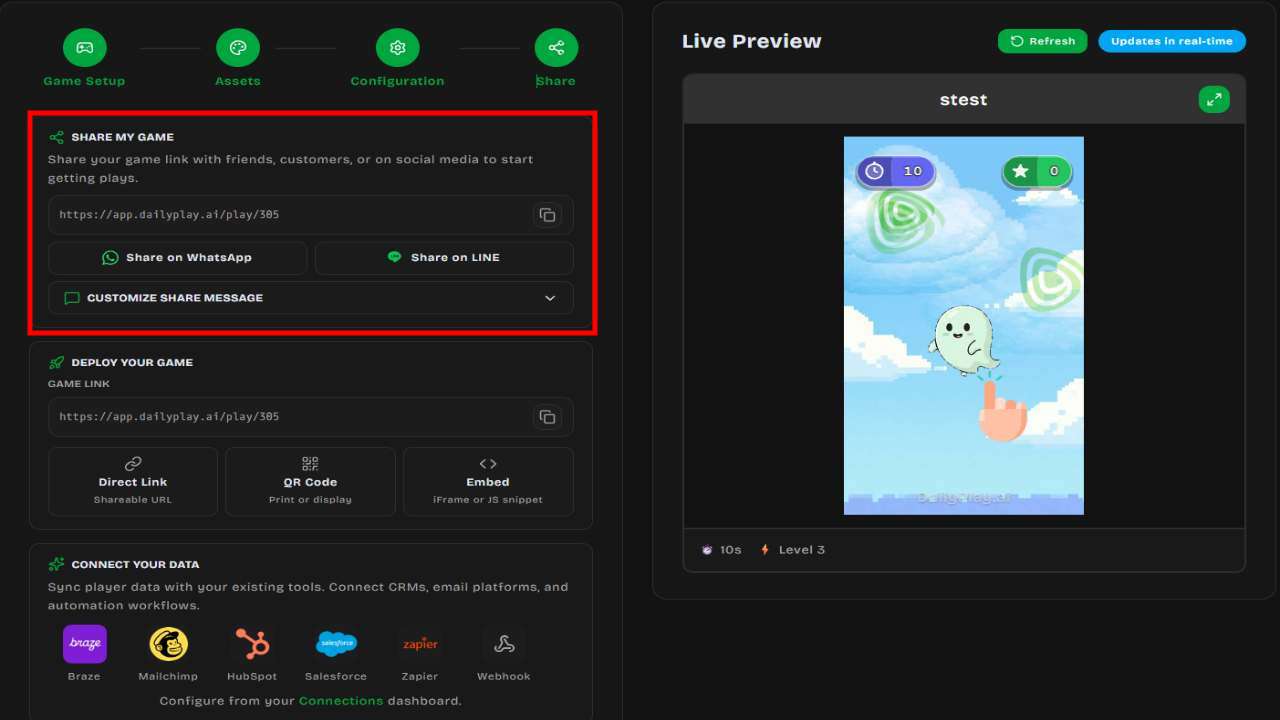
### QR Code
สร้าง QR Code สำหรับการตลาดแบบกายภาพ:
1. เปิดตัวเลือก**แชร์/ฝัง**ของเกม
2. คลิก**ดาวน์โหลด QR Code**
3. ใช้ที่:
- สิ่งพิมพ์
- โปสเตอร์และป้าย
- บรรจุภัณฑ์สินค้า
- จอแสดงผลในอีเวนต์
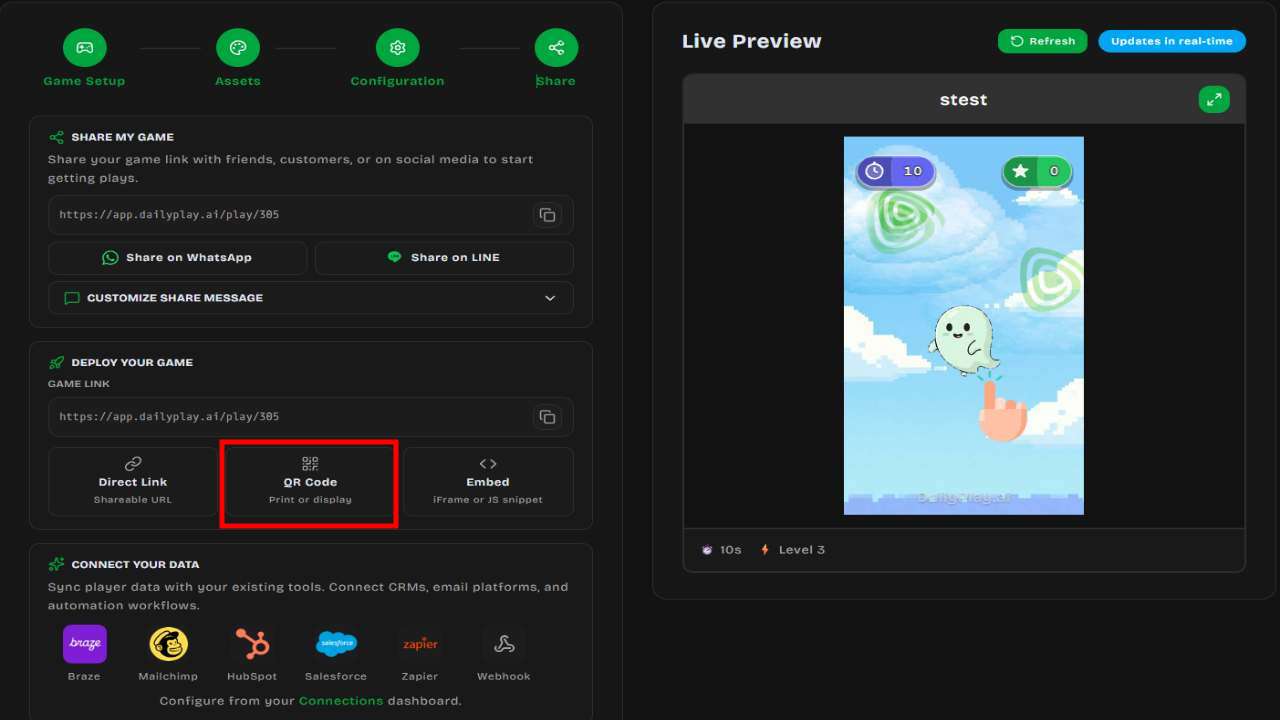
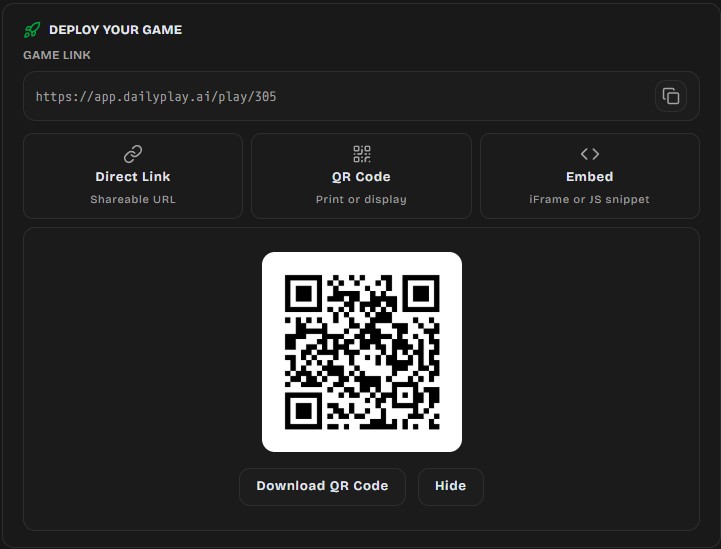
### แชร์ผ่าน WhatsApp
แชร์โดยตรงผ่าน WhatsApp พร้อมข้อความที่มีลิงก์เกม ใช้ได้ในตัวเลือกแชร์หลังสร้างหรือแก้ไขเกม
เมื่อแชร์บนแพลตฟอร์มโซเชียล ลิงก์เกมจะแสดง:
- ภาพปกเกม
- ชื่อเกม
- คำอธิบายสั้น
---
## การรับลิงก์แชร์
### จากเกม
1. ไปที่**เกม**
2. ค้นหาเกม
3. คลิกไอคอน**แชร์**
4. คัดลอกลิงก์แชร์
### จากการสร้าง/แก้ไขเกม
หลังสร้างหรือแก้ไขเกม ขั้นตอนสุดท้ายจะแสดงตัวเลือกแชร์ ซึ่งคุณสามารถคัดลอกลิงก์ ดาวน์โหลด QR Code
หรือแชร์ผ่าน WhatsApp
---
## ปรับแต่งเนื้อหาแชร์
### ภาพปกเกม
รูปที่แสดงในตัวอย่างลิงก์:
- อัปโหลดภาพปกที่กำหนดเองในตัวแก้ไขเกม
- ขนาดแนะนำ: 1200x630 พิกเซล
- ใช้ภาพที่ดึงดูดสายตา
### ชื่อเกม
แสดงในตัวอย่างลิงก์และส่วนหัวเกม ควร:
- สั้นและจำง่าย
- อธิบายประสบการณ์
- เข้ากับแบรนด์
### คำอธิบาย
แสดงในตัวอย่างโซเชียลบางส่วน เขียนประโยคที่ดึงดูดให้คลิก
---
## รายละเอียด QR Code
### การสร้าง QR Code
1. เข้าตัวเลือกแชร์ของเกม
2. คลิก**ดาวน์โหลด QR Code**
3. บันทึกไฟล์รูปภาพ
### รูปแบบ QR Code
- รูปแบบ PNG สำหรับใช้งานดิจิทัล
- ความละเอียดสูงสำหรับงานพิมพ์
- QR Code มาตรฐาน (ใช้ได้กับทุกเครื่องสแกน)
### การใช้ QR Code
| ตำแหน่ง | เคล็ดลับ |
| ---------------- | ------------------------------ |
| โปสเตอร์ | ทำ QR Code อย่างน้อย 2cm x 2cm |
| บรรจุภัณฑ์สินค้า | ให้คอนทราสต์ดีกับพื้นหลัง |
| นามบัตร | ทดสอบการสแกนในขนาดเล็ก |
| จอแสดงผลดิจิทัล | แสดงอย่างน้อย 5 วินาที |
| บัตรอีเวนต์ | ใส่ข้อความเชิญชวนใกล้ๆ |
:::tip[คำเชิญชวน]
ใส่ข้อความใกล้ QR Code เพื่ออธิบายว่ามันทำอะไร: "สแกนเพื่อเล่น!"
หรือ "เล่นและลุ้นรางวัล"
:::
---
## ย่อลิงก์
สำหรับลิงก์ที่สะอาดกว่า ใช้ตัวย่อ URL:
- Bitly
- TinyURL
- โดเมนสั้นของแบรนด์คุณ
**ตัวอย่าง:**
- ต้นฉบับ: `https://app.dailyplay.ai/play/123`
- ย่อแล้ว: `https://bit.ly/PlayOurGame`
---
## ติดตามแคมเปญ
### UTM Parameters
เพิ่ม UTM parameters เพื่อติดตามแหล่งที่มาของทราฟฟิก:
```
https://app.dailyplay.ai/play/123?utm_source=email&utm_campaign=summer
```
พารามิเตอร์ที่ใช้บ่อย:
- `utm_source` — แหล่งที่มาของทราฟฟิก (email, social, qr)
- `utm_medium` — สื่อการตลาด (newsletter, banner)
- `utm_campaign` — ชื่อแคมเปญ
:::note[ตั้งค่า UTM Parameters บน Streams]
คุณสามารถตั้งค่า UTM parameters ได้โดยตรงบน [Streams](/th/streams/overview/) ของคุณ Streams รองรับ UTM parameters ทั้ง 5 ตัว (`utm_source`, `utm_medium`, `utm_campaign`, `utm_content`, `utm_term`) และส่งต่อไปยัง Webhook events และ Analytics โดยอัตโนมัติ
:::
### การเชื่อมต่อ Analytics
ติดตามประสิทธิภาพเกม:
- ดูจำนวนการเล่นในเกม
- เข้าถึง Analytics โดยละเอียดในแดชบอร์ดองค์กร
- ดูรูปแบบทราฟฟิกตามเวลา
---
## แนวปฏิบัติที่ดี
### ทำให้ง่าย
- ย่อ URL ให้สั้นเมื่อทำได้
- ทดสอบลิงก์ก่อนส่ง
- ใส่คำแนะนำที่ชัดเจน
### แนวทางหลายช่องทาง
แชร์ผ่านหลายช่องทาง:
1. อีเมลจดหมายข่าว
2. โพสต์โซเชียลมีเดีย
3. เว็บไซต์/บล็อก
4. สิ่งพิมพ์ (QR Code)
5. โฆษณาแบบจ่ายเงิน
### เวลา
- แชร์ในช่วงที่ผู้ชมเยอะ
- เตือนก่อนแคมเปญจะสิ้นสุด
- โพสต์หลายครั้ง (ไม่ใช่แค่ครั้งเดียว)
### มือถือก่อน
- ผู้เล่นส่วนใหญ่ใช้มือถือ
- ทดสอบลิงก์แชร์บนโทรศัพท์
- ให้หน้าเว็บรองรับมือถือ
---
## Spin the Wheel Campaign
This guide walks through a complete example of setting up a **Spin the Wheel** game inside a stream
with scheduled start and end dates — a common setup for time-limited promotions.
## Scenario
You want to run a **7-day promotional campaign** where customers can spin a prize wheel to win
vouchers or discounts. The campaign should:
- Start on a specific date (e.g., June 1, 2026 at 9:00 AM)
- End on a specific date (e.g., June 7, 2026 at 11:59 PM)
- Allow each player only **one spin**
- Award prizes from a configured prize pool
## Step 1: Create the Spin the Wheel Game
1. Go to your organization dashboard
2. Click **Create Game**
3. Select the **Spin the Wheel** template
4. Configure your wheel:
- Add **3–10 prize slices** (e.g., "10% Off", "Free Shipping", "Try Again")
- Upload custom images for each slice (optional)
- Customize the wheel background, pointer, and center decoration
5. Set up prizes:
- Assign a **voucher**, **item**, or **external link** to each winning slice
- Use **"No Prize"** for losing slices
6. **Publish** the game
:::tip
Spin the Wheel requires at least 3 prize slices and supports up to 10. Every slice must be linked to a prize configuration.
:::
## Step 2: Create a Stream
1. Navigate to **Streams** in the sidebar
2. Click **Create Stream**
3. Fill in the details:
- **Name**: `Summer Spin Promo`
- **Description**: `Spin to win exclusive summer discounts`
## Step 3: Schedule the Stream
Set the campaign window so the stream is only playable during your promotion period:
1. Open the stream settings
2. Set the **Start date** to `June 1, 2026 — 9:00 AM`
3. Set the **End date** to `June 7, 2026 — 11:59 PM`
4. Select your **timezone** (e.g., `Asia/Tokyo`)
Before June 1, players who visit the stream link will see a **countdown timer**. After June 7, they
will see a **campaign ended** message.
## Step 4: Add the Game to the Stream
1. Open your stream
2. Click **Add Games**
3. Select the **Spin the Wheel** game you created in Step 1
4. Set **Max plays per user** to `1` (one spin per player)
## Step 5: Configure Sharing
1. Copy the stream URL:
```
https://app.dailyplay.ai/stream/org-slug/summer-spin-promo
```
2. Optionally:
- **Password-protect** the stream for VIP access
- **Restrict domains** if embedding on your website
- **Require session tokens** if integrating with your app's authentication
## Step 6: Connect Webhooks (Optional)
To track results in your CRM or email platform:
1. Go to **Connections** and create a webhook connection
2. Attach the connection to your stream
3. Events like `game.completed` and `prize.won` will be sent to your endpoint
Example webhook payload for a prize win:
```json
{
"event": "prize.won",
"stream_id": "abc-123",
"game_id": "spin-wheel-456",
"player": {
"id": "player-789",
"email": "player@example.com"
},
"prize": {
"type": "voucher",
"name": "10% Off Summer Sale",
"code": "SUMMER10"
},
"timestamp": "2026-06-03T14:22:00Z"
}
```
## Step 7: Go Live
1. Set the stream status to **Scheduled** (or **Active** if already past the start date)
2. Share the stream URL through your marketing channels:
- Email newsletters
- Social media posts
- Website banners
- QR codes on print materials
## Timeline Summary
| Date | What Happens |
| ---------------- | -------------------------------------------- |
| Before June 1 | Players see a countdown timer |
| June 1, 9:00 AM | Stream goes live, players can spin the wheel |
| June 1–7 | Campaign is active, prizes are awarded |
| June 7, 11:59 PM | Stream closes, no more spins allowed |
| After June 7 | Players see a "campaign ended" message |
## Tips
- **Test before launch** — Use draft mode to test the full player experience before scheduling
- **Monitor in real-time** — Check stream analytics for play counts and completion rates during the
campaign
- **Set prize limits** — If you have a limited number of vouchers, configure prize quantity limits
to avoid over-distribution
- **Use UTM parameters** — Add `utm_source`, `utm_medium`, and `utm_campaign` to track which
channels drive the most plays